Aria: redesigning an AI assistant to bring clarity, consistency, and better usability
Aria: redesigning an AI assistant to bring clarity,
consistency, and better usability
Aria: redesigning an AI assistant to bring clarity, consistency, and better usability
Summary
Summary
Summary
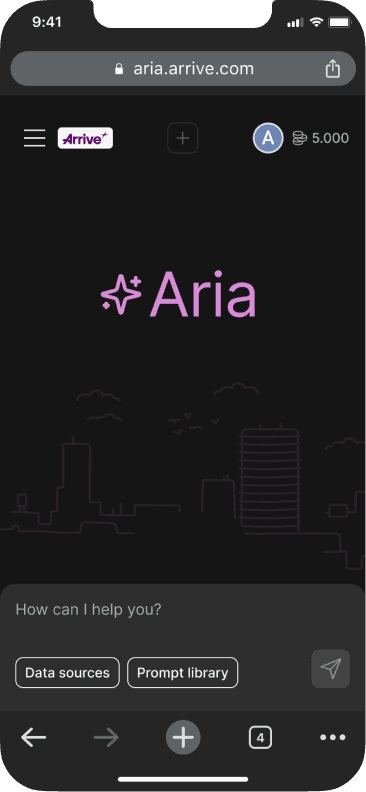
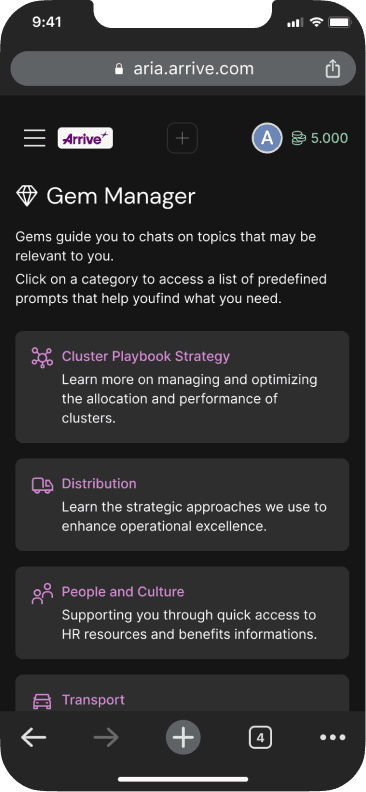
Aria is an internal AI assistant used by employees at Arrive to search and access information across multiple systems, it plays an important role in helping employees to work more efficiently.
This case study is impactful because it shows how design can elevate not just usability, but also long-term scalability and adoption inside a large organization. Improving Aria meant improving the way thousands of employees interacted with company knowledge every day.
Aria is an internal AI assistant used by employees at Arrive to search and access information across multiple systems, it plays an important role in helping employees to work more efficiently.
This case study is impactful because it shows how design can elevate not just usability, but also long-term scalability and adoption inside a large organization. Improving Aria meant improving the way thousands of employees interacted with company knowledge every day.
Aria is an internal AI assistant used by employees at Arrive to search and access information across multiple systems, it plays an important role in helping employees to work more efficiently.
This case study is impactful because it shows how design can elevate not just usability, but also long-term scalability and adoption inside a large organization. Improving Aria meant improving the way thousands of employees interacted with company knowledge every day.
Aria’s interface was cluttered, inconsistent, and not optimized for mobile, with little adoption of the company’s Design System.
Aria’s interface was cluttered, inconsistent, and not optimized for mobile, with little adoption of the company’s Design System.
Aria’s interface was cluttered, inconsistent, and not optimized for mobile, with little adoption of the company’s Design System.
My role
My role
My role
User flow mapping
User flow mapping
User flow mapping
UX Research
UX Research
UX Research
Ideation/wireframing
Ideation/wireframing
Ideation/wireframing
Design System
Design System
Design System
Responsive grid design
Responsive grid design
Responsive grid design
UX Writing
UX Writing
UX Writing
Prototyping
Prototyping
Prototyping
Handoff documentation
Handoff documentation
Handoff documentation
Key results
Key results
Consistent design
Consistent design
Consistent design
A new look built on the company’s Design System improved clarity and hierarchy.
A new look built on the company’s Design System improved clarity and hierarchy.
A new look built on the company’s Design System improved clarity and hierarchy.
Simplified navigation
Simplified navigation
Simplified navigation
Regrouped information to reduce steps and made paths quicker to access.
Regrouped information to reduce steps and made paths quicker to access.
Regrouped information to reduce steps and made paths quicker to access.
Responsive experience
Responsive experience
Responsive experience
A flexible grid ensured seamless use across desktop, tablet, and mobile.
A flexible grid ensured seamless use across desktop, tablet, and mobile.
A flexible grid ensured seamless use across desktop, tablet, and mobile.
Project Workflow
Project Workflow
Discovery
Discovery
Mapping the user flow, conducting a survey, analyzing user feedback, and benchmarking to identify opportunities.
Mapping the user flow, conducting a survey, analyzing user feedback, and benchmarking to identify opportunities.
Ideation
Ideation
Information architecture, exploring navigation improvements, applying brand assets, define redesign directions.
Information architecture, exploring navigation improvements, applying brand assets, define redesign directions.
Delivery
Delivery
Redesigned screens using the company’s Design System, implementing a responsive grid, and producing detailed handoff files for development.
Redesigned screens using the company’s Design System, implementing a responsive grid, and producing detailed handoff files for development.
Results
Results
Measured outcomes:
stronger DS adoption, simplified navigation, and an improved responsive experience across devices.
Measured outcomes:
stronger DS adoption, simplified navigation, and an improved responsive experience across devices.
Project Workflow
Discovery
Mapping the user flow, conducting a survey, analyzing user feedback, and benchmarking to identify opportunities.
Ideation
Information architecture, exploring navigation improvements, applying brand assets, define redesign directions.
Delivery
Redesigned screens using the company’s Design System, implementing a responsive grid, and producing detailed handoff files for development.
Results
Measured outcomes:
stronger DS adoption, simplified navigation, and an improved responsive experience across devices.
Context
Context
Context
The challenge
The challenge
The challenge
Aria was quickly becoming an important internal product at Arrive, but the experience had not kept up with its growth. Employees relied on it to find information, yet the interface was cluttered, inconsistent, and difficult to navigate — creating friction in a tool that was meant to save time.
Aria was quickly becoming an important internal product at Arrive, but the experience had not kept up with its growth. Employees relied on it to find information, yet the interface was cluttered, inconsistent, and difficult to navigate — creating friction in a tool that was meant to save time.
Aria was quickly becoming an important internal product at Arrive, but the experience had not kept up with its growth. Employees relied on it to find information, yet the interface was cluttered, inconsistent, and difficult to navigate — creating friction in a tool that was meant to save time.
The main issues identified were:
The main issues identified were:
The main issues identified were:
Information overload: content scattered across screens, with little hierarchy or grouping.
Inconsistent design: improvised components instead of the company’s Design System, making the product harder to maintain.
Poor mobile experience: layouts were not responsive, which limited usage outside desktop.
Unclear navigation: frequent tasks required too many steps.
Copy inconsistencies: labels and messages lacked clarity, leading to user confusion.
Information overload: content scattered across screens, with little hierarchy or grouping.
Inconsistent design: improvised components instead of the company’s Design System, making the product harder to maintain.
Poor mobile experience: layouts were not responsive, which limited usage outside desktop.
Unclear navigation: frequent tasks required too many steps.
Copy inconsistencies: labels and messages lacked clarity, leading to user confusion.
Information overload: content scattered across screens, with little hierarchy or grouping.
Inconsistent design: improvised components instead of the company’s Design System, making the product harder to maintain.
Poor mobile experience: layouts were not responsive, which limited usage outside desktop.
Unclear navigation: frequent tasks required too many steps.
Copy inconsistencies: labels and messages lacked clarity, leading to user confusion.
At the same time, the product team needed a scalable solution. New features were already in the roadmap, but the existing UI structure couldn’t support them without adding even more complexity.
The challenge was to redesign Aria in a way that simplified the current experience while creating a foundation for future growth.
At the same time, the product team needed a scalable solution. New features were already in the roadmap, but the existing UI structure couldn’t support them without adding even more complexity.
The challenge was to redesign Aria in a way that simplified the current experience while creating a foundation for future growth.
At the same time, the product team needed a scalable solution. New features were already in the roadmap, but the existing UI structure couldn’t support them without adding even more complexity.
The challenge was to redesign Aria in a way that simplified the current experience while creating a foundation for future growth.
Discovery
Discovery
Discovery
User Flow Mapping
User Flow Mapping
User Flow Mapping
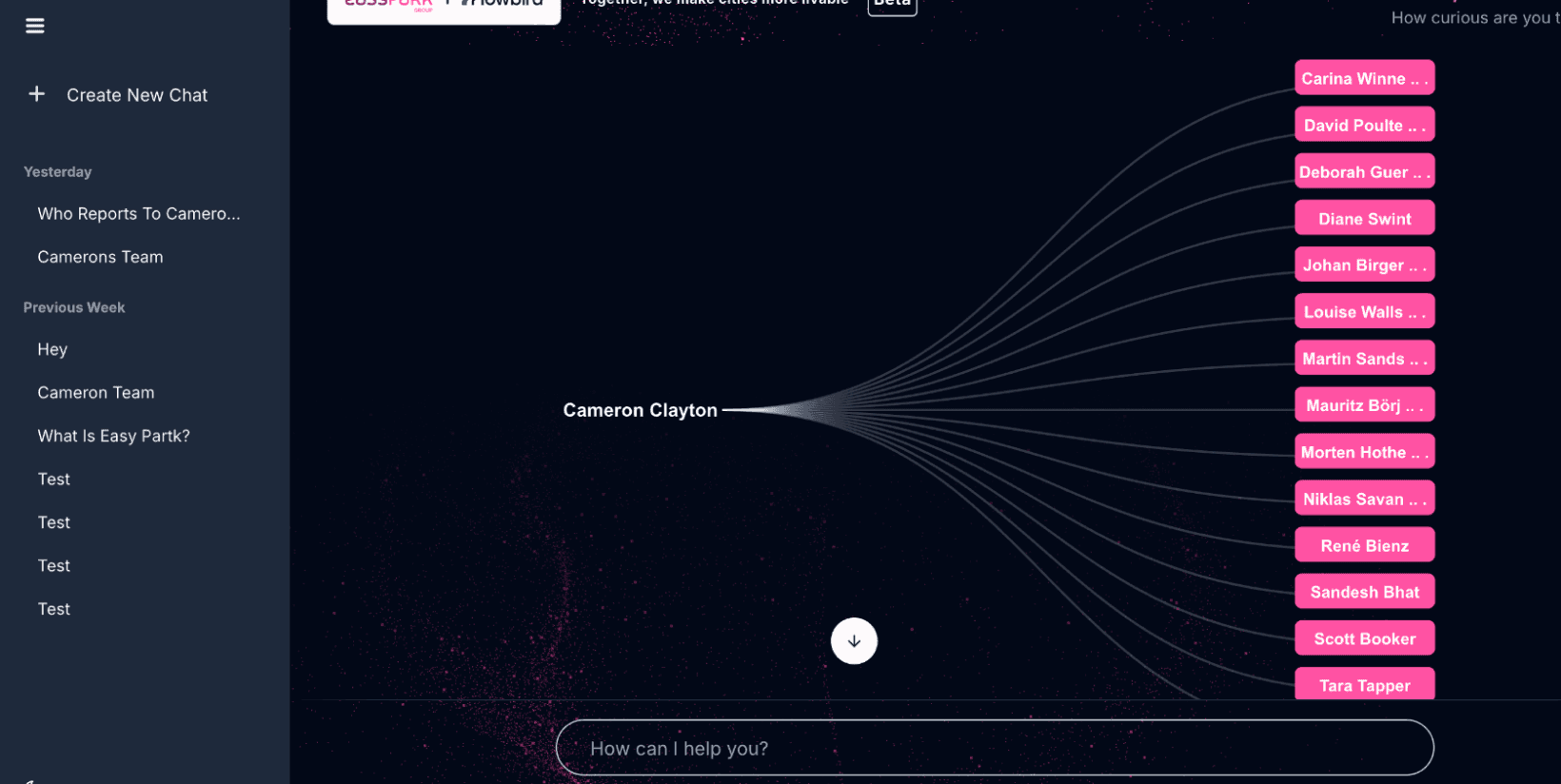
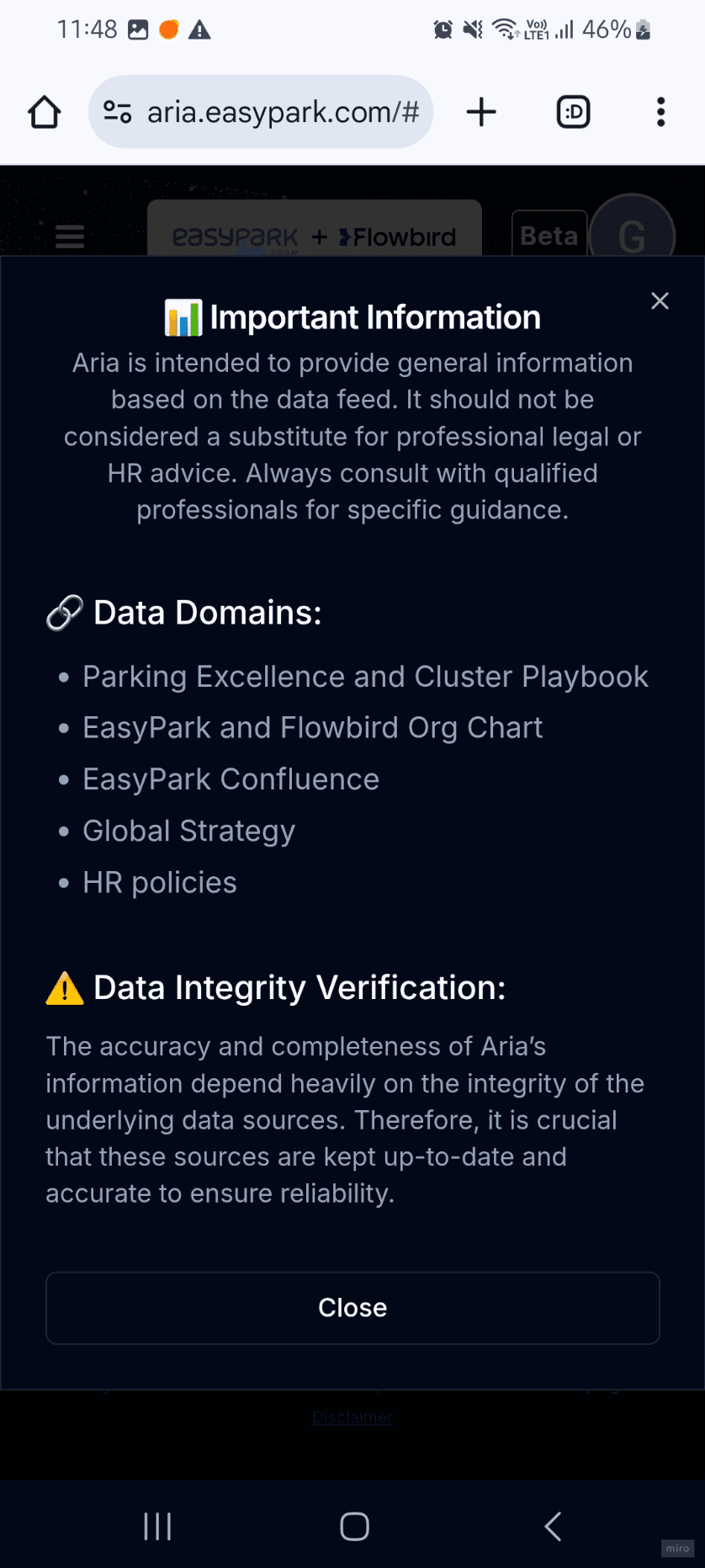
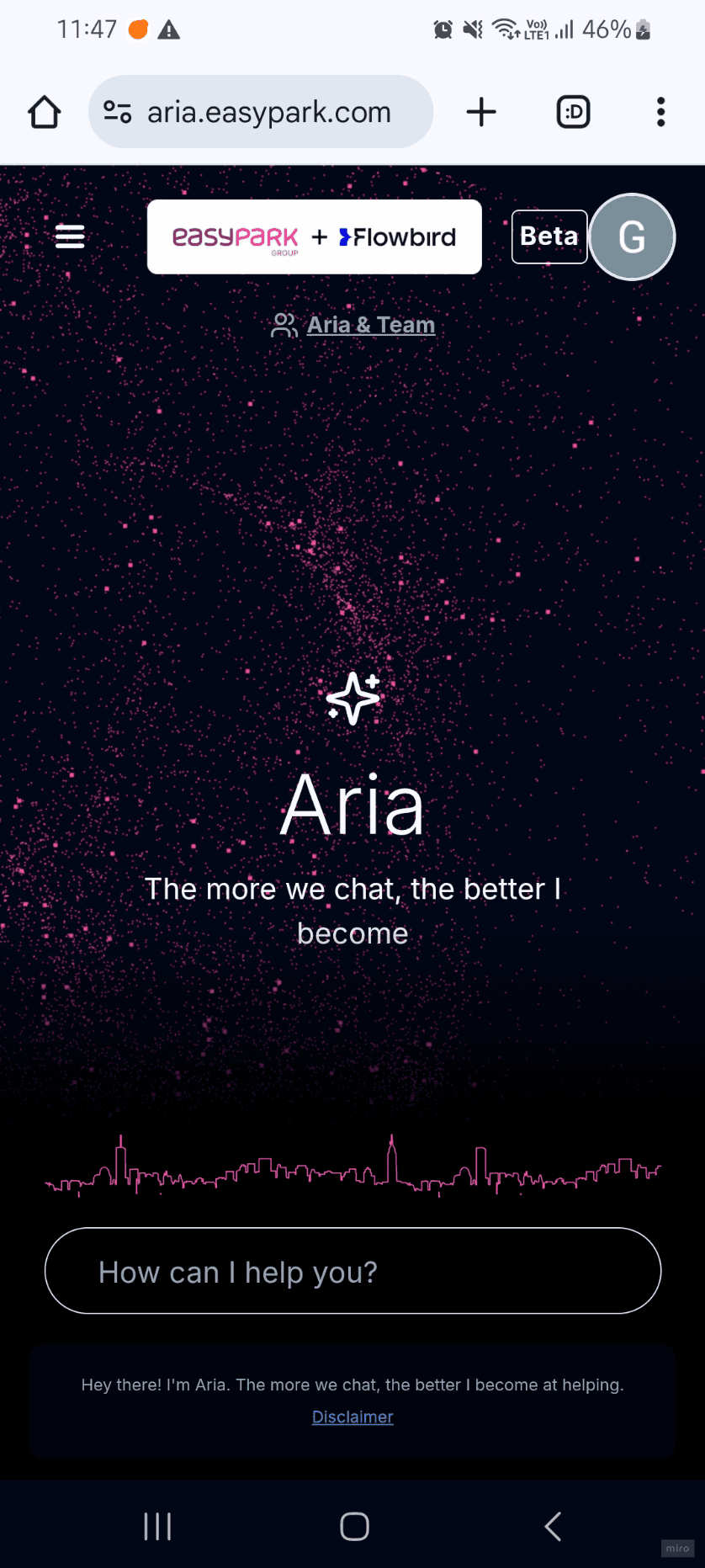
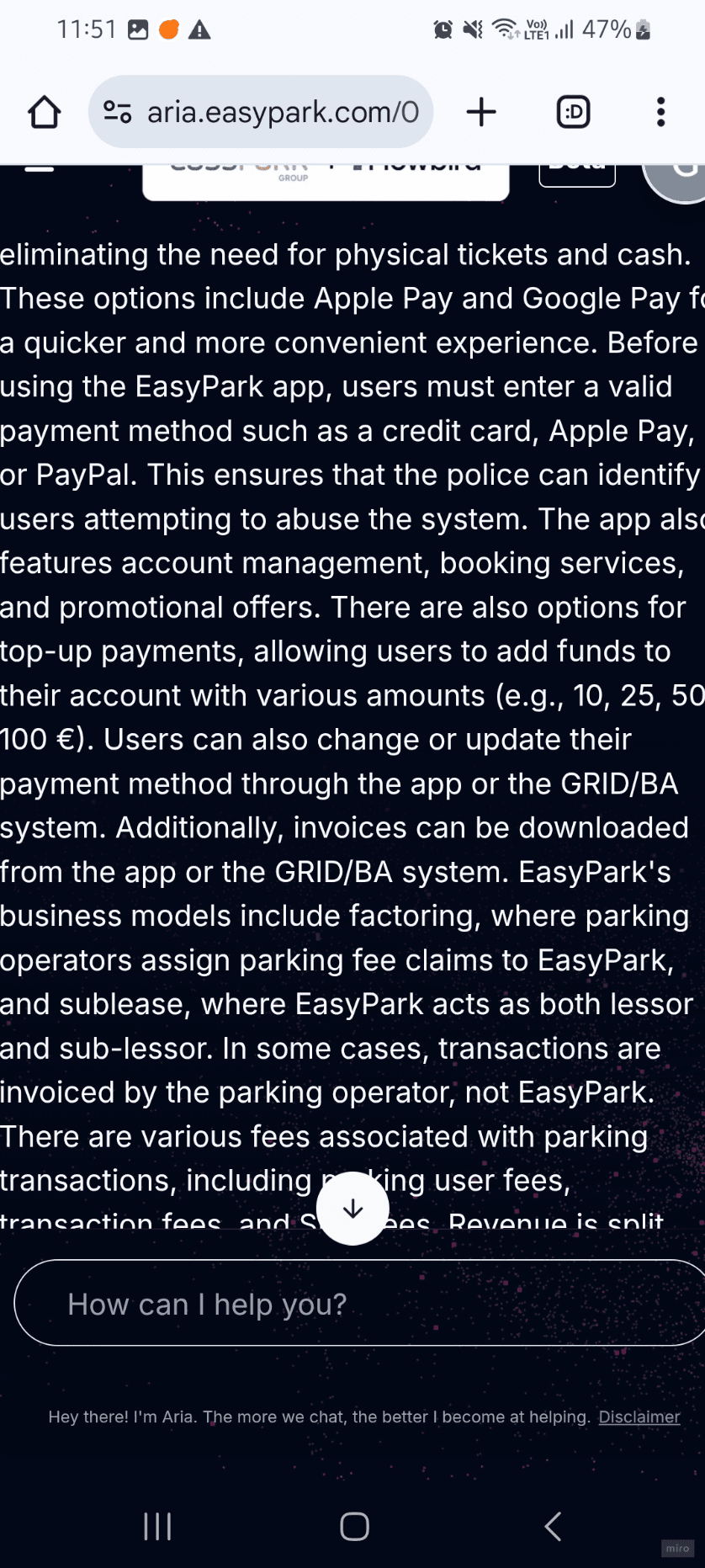
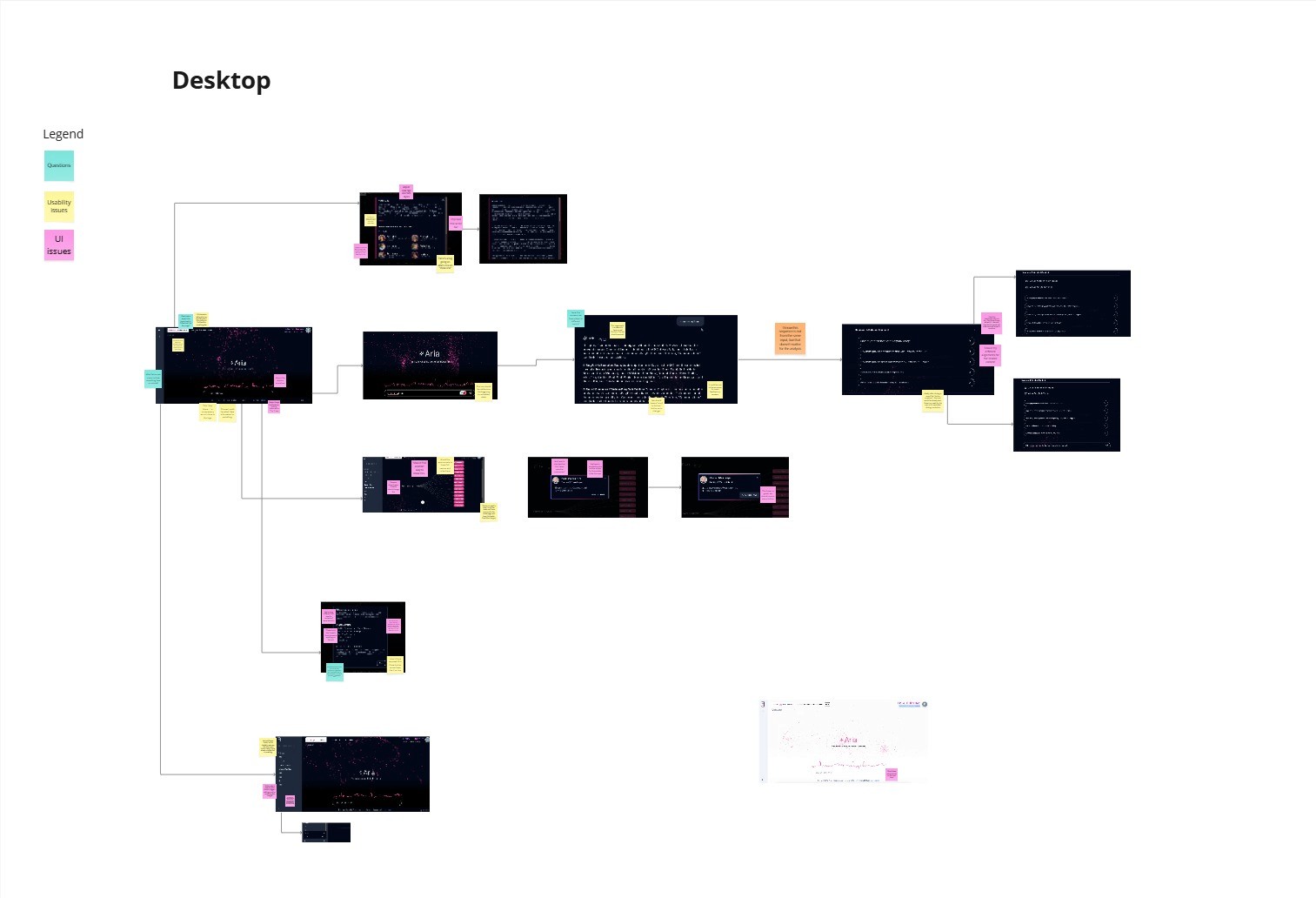
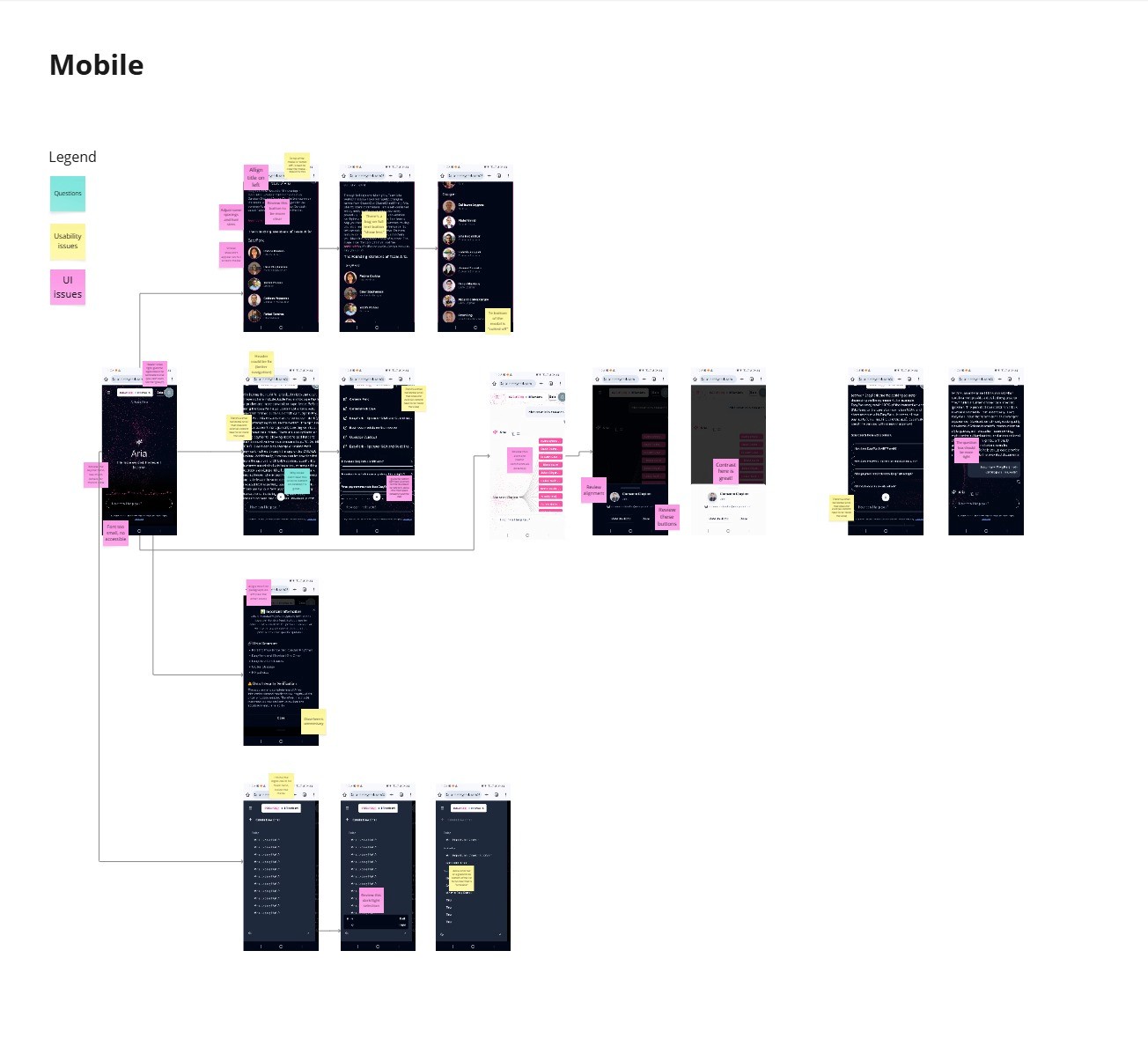
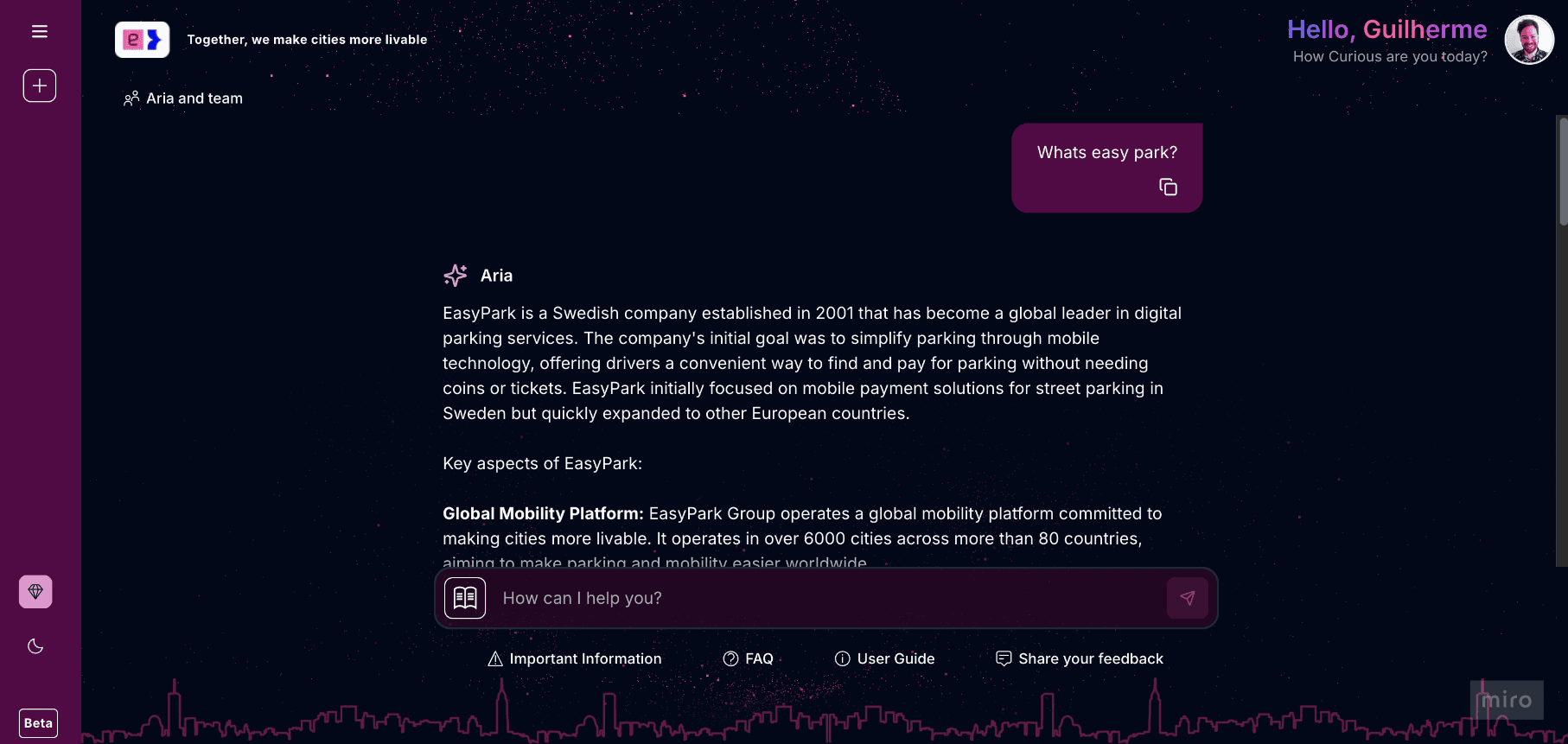
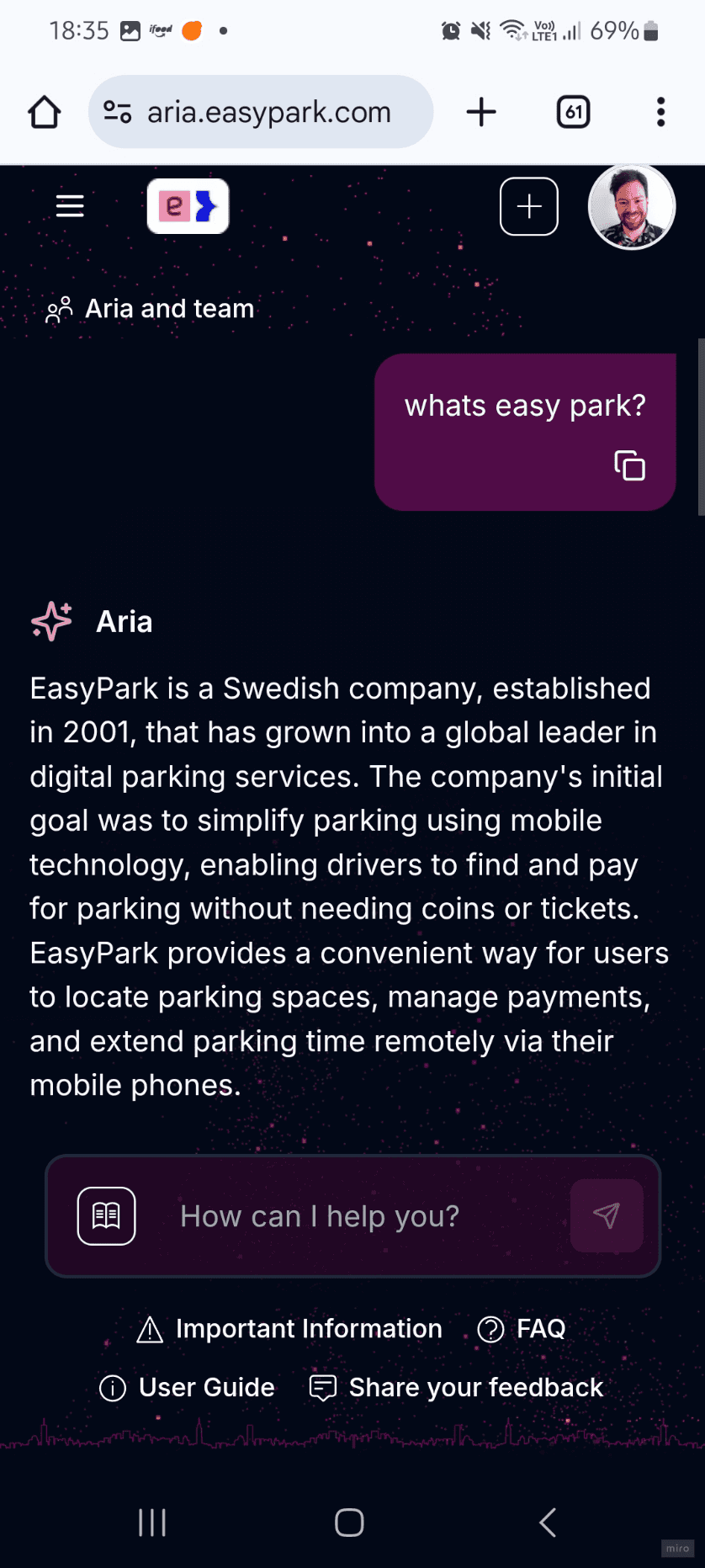
To start analyzing Aria’s experience in depth, I mapped the complete user flow by capturing every screen, both on desktop and mobile. This exercise allowed me to see the product as a whole and spot systemic issues that were hard to notice in isolation.
The flow revealed, for example, that the sidebar didn’t clearly display previous conversations, some navigation paths were unnecessarily long, and mobile layouts often broke or felt improvised. This mapping became the foundation for all subsequent redesign decisions.
To start analyzing Aria’s experience in depth, I mapped the complete user flow by capturing every screen, both on desktop and mobile. This exercise allowed me to see the product as a whole and spot systemic issues that were hard to notice in isolation.
The flow revealed, for example, that the sidebar didn’t clearly display previous conversations, some navigation paths were unnecessarily long, and mobile layouts often broke or felt improvised. This mapping became the foundation for all subsequent redesign decisions.
To start analyzing Aria’s experience in depth, I mapped the complete user flow by capturing every screen, both on desktop and mobile. This exercise allowed me to see the product as a whole and spot systemic issues that were hard to notice in isolation.
The flow revealed, for example, that the sidebar didn’t clearly display previous conversations, some navigation paths were unnecessarily long, and mobile layouts often broke or felt improvised. This mapping became the foundation for all subsequent redesign decisions.
Leadership Survey
Leadership Survey
Leadership Survey
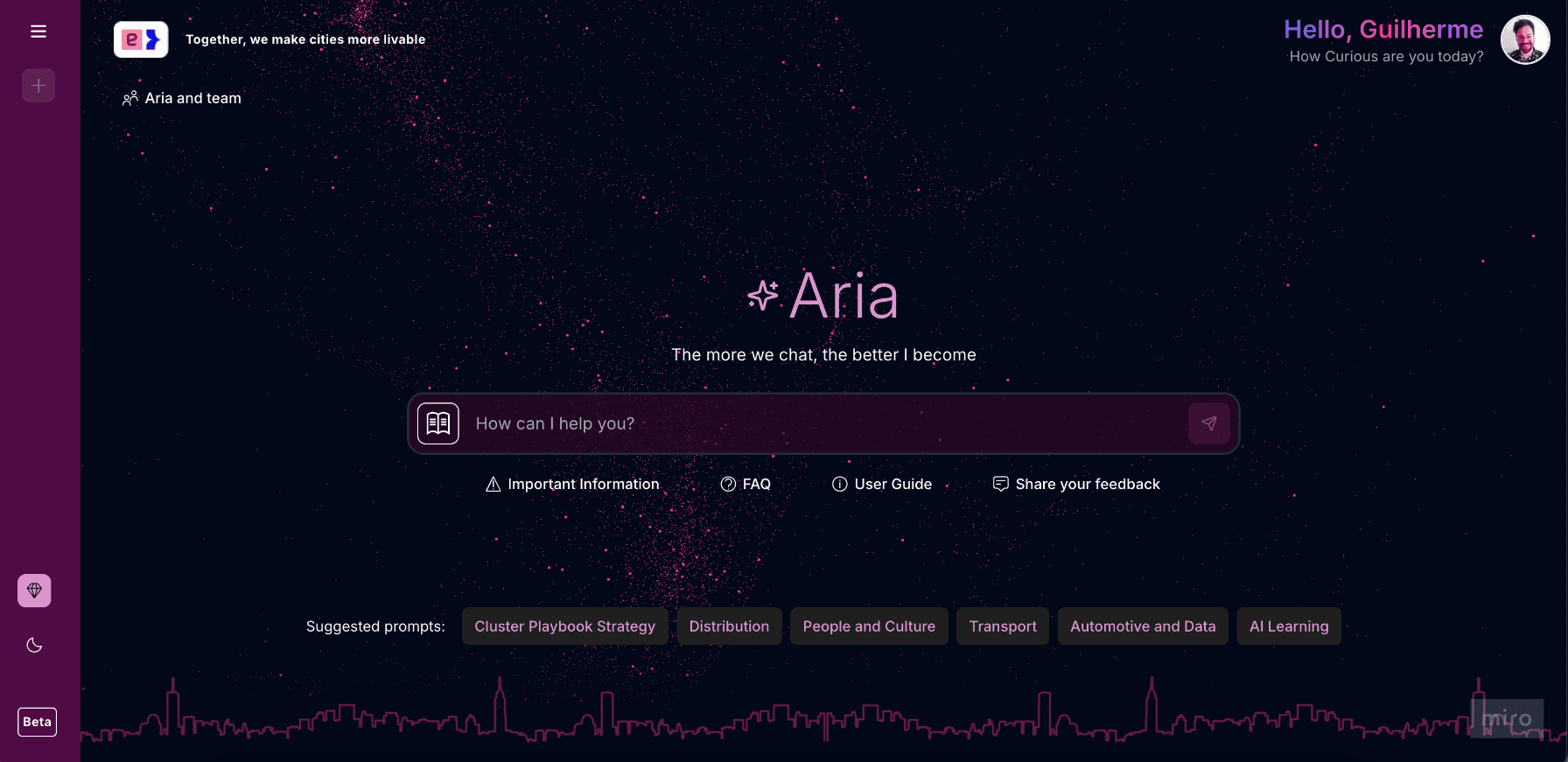
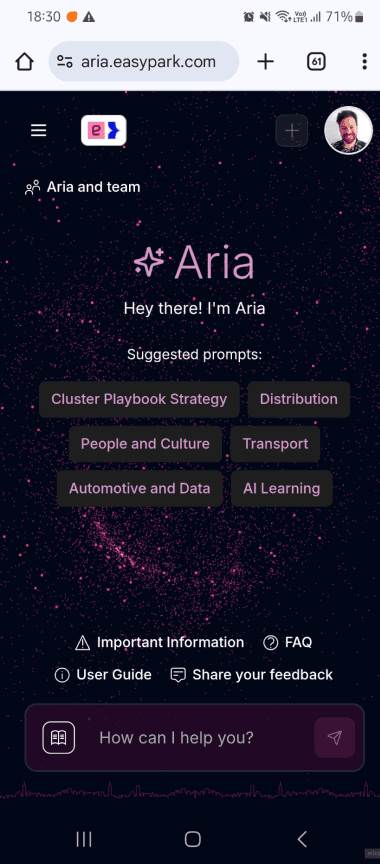
Before expanding Aria to the rest of the company, I made a few quick interface adjustments to improve clarity and usability. These small refinements — focused on layout and visual balance — were already creating a positive impact, as early users began navigating the tool more easily.
Before expanding Aria to the rest of the company, I made a few quick interface adjustments to improve clarity and usability. These small refinements — focused on layout and visual balance — were already creating a positive impact, as early users began navigating the tool more easily.
Before expanding Aria to the rest of the company, I made a few quick interface adjustments to improve clarity and usability. These small refinements — focused on layout and visual balance — were already creating a positive impact, as early users began navigating the tool more easily.
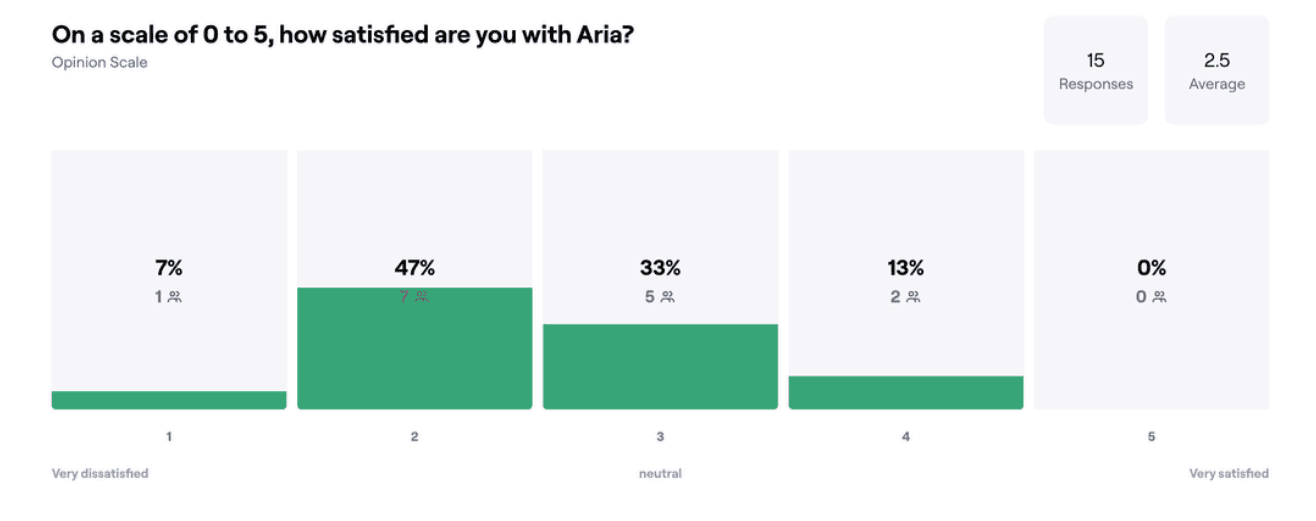
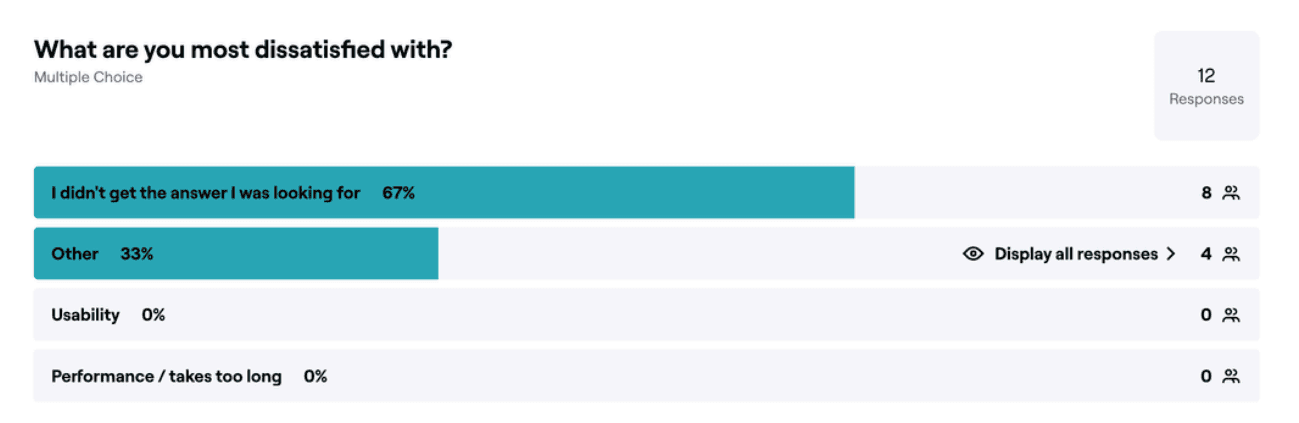
Aria was then launched only to the company’s leadership team in a “soft launch,” allowing us to gather early impressions and strategic feedback. I created and shared a survey with these users, and the results showed that usability wasn’t a main concern to them, confirming that even small design changes had made a difference.
The main complaint instead centered on the quality of Aria’s answers. This insight inspired the creation of the prompt library — later brought to the homepage in the redesign — as well as two additional features aimed at improving data quality: answer feedback and the data submission flow (detailed later in the Delivery section).
Aria was then launched only to the company’s leadership team in a “soft launch,” allowing us to gather early impressions and strategic feedback. I created and shared a survey with these users, and the results showed that usability wasn’t a main concern to them, confirming that even small design changes had made a difference.
The main complaint instead centered on the quality of Aria’s answers. This insight inspired the creation of the prompt library — later brought to the homepage in the redesign — as well as two additional features aimed at improving data quality: answer feedback and the data submission flow (detailed later in the Delivery section).
Aria was then launched only to the company’s leadership team in a “soft launch,” allowing us to gather early impressions and strategic feedback. I created and shared a survey with these users, and the results showed that usability wasn’t a main concern to them, confirming that even small design changes had made a difference.
The main complaint instead centered on the quality of Aria’s answers. This insight inspired the creation of the prompt library — later brought to the homepage in the redesign — as well as two additional features aimed at improving data quality: answer feedback and the data submission flow (detailed later in the Delivery section).
Benchmarking AI Players
Benchmarking AI Players
Benchmarking AI Players
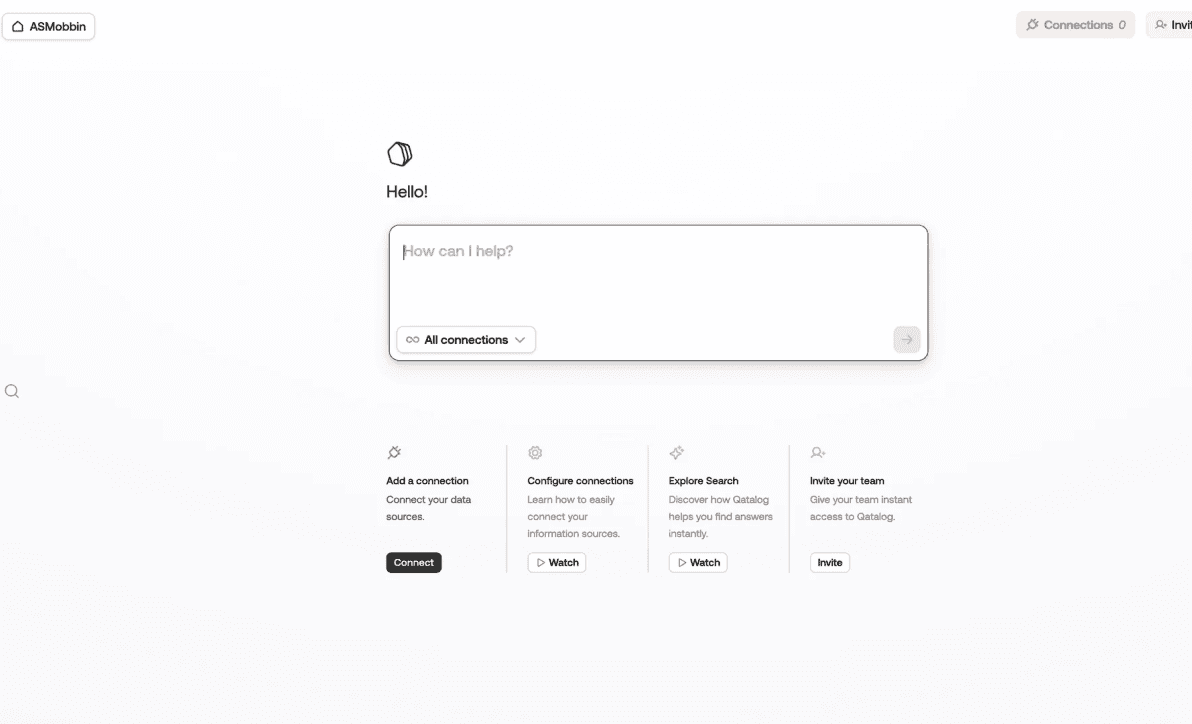
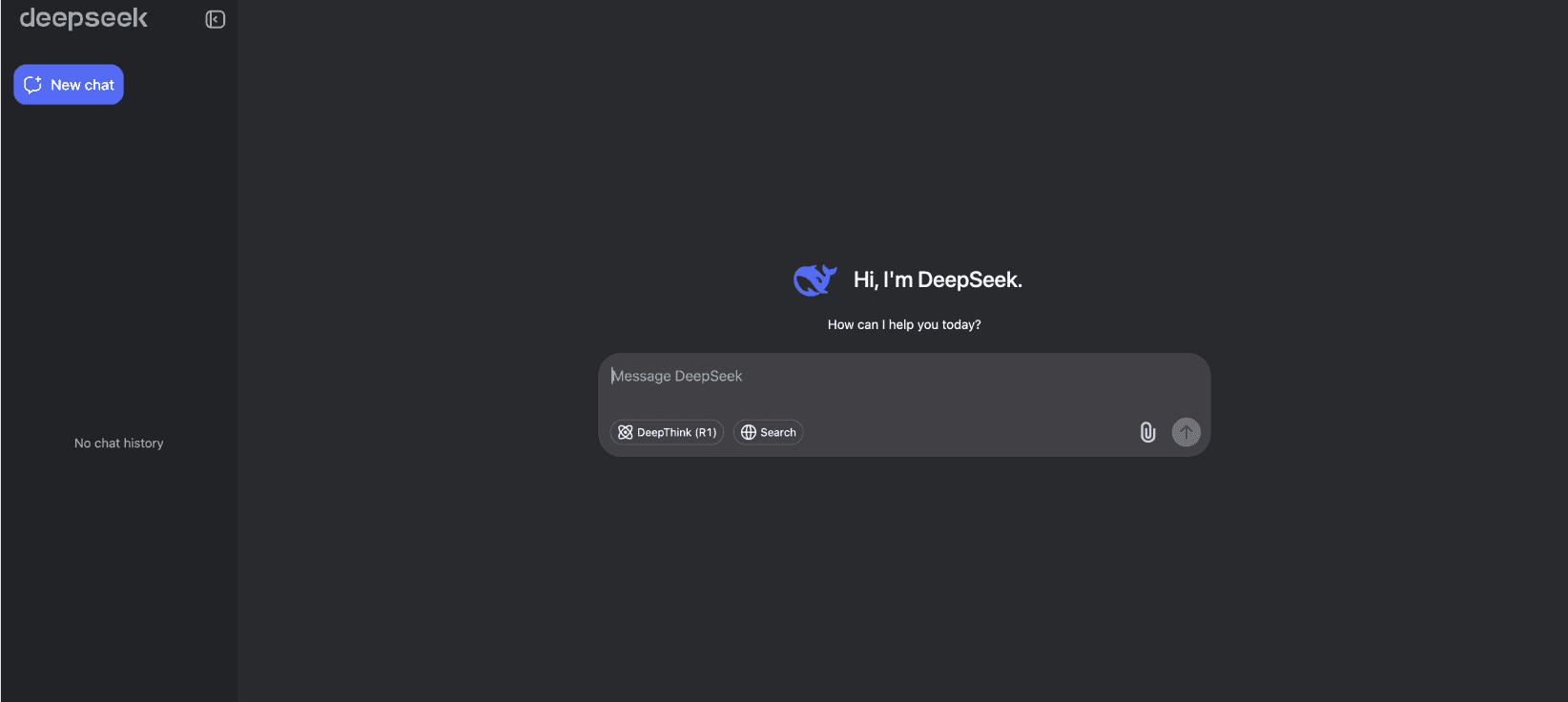
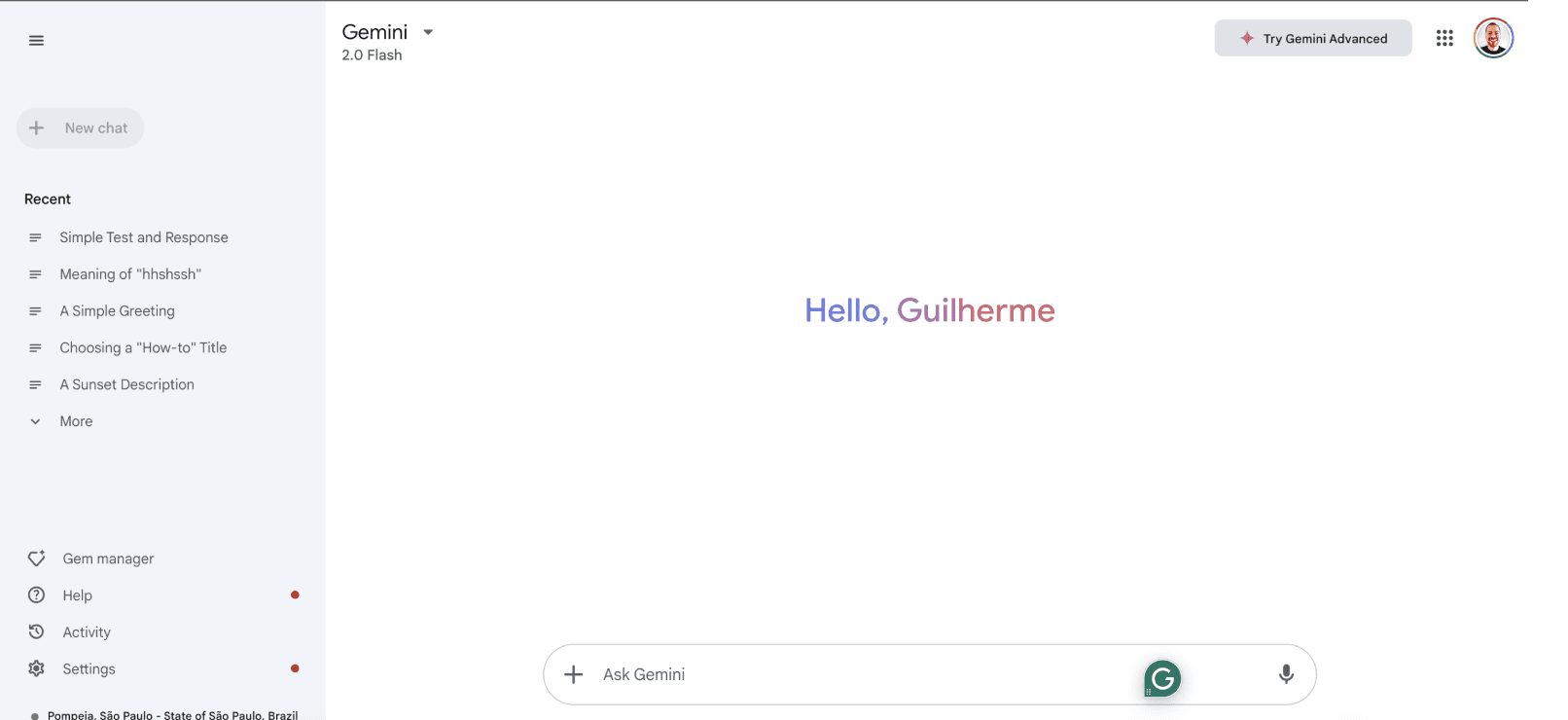
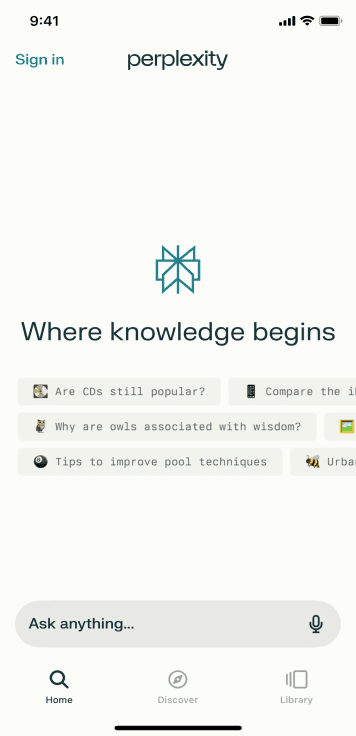
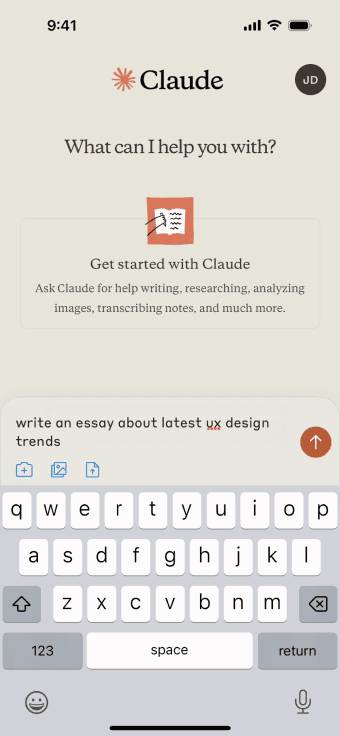
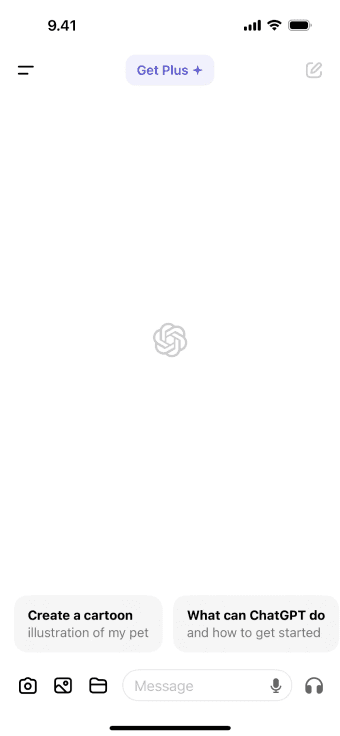
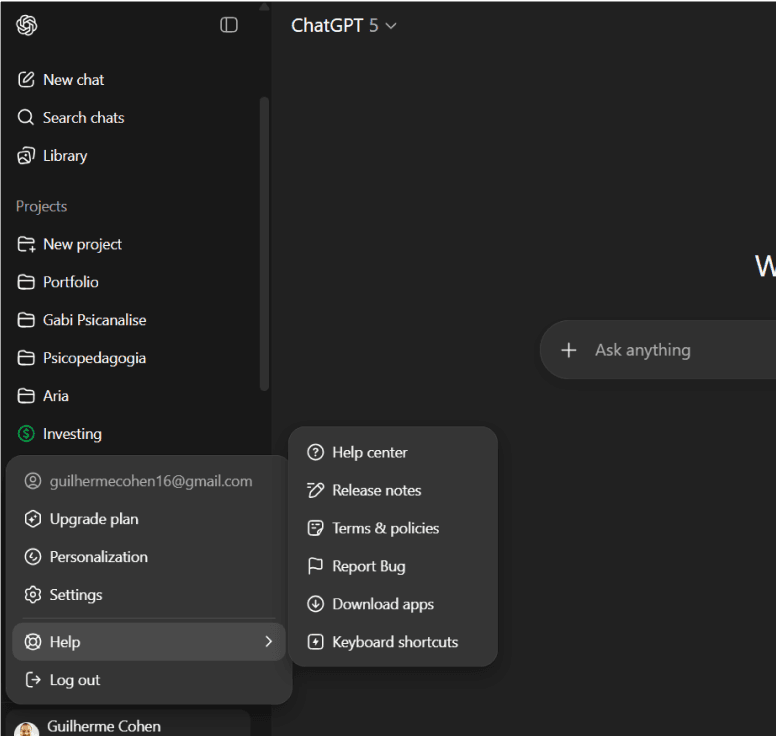
With leadership insights in hand, I benchmarked leading AI tools such as ChatGPT, Gemini, Perplexity, and others. The goal was to identify common practices that made these interfaces intuitive and scalable. A few things stood out:
With leadership insights in hand, I benchmarked leading AI tools such as ChatGPT, Gemini, Perplexity, and others. The goal was to identify common practices that made these interfaces intuitive and scalable. A few things stood out:
With leadership insights in hand, I benchmarked leading AI tools such as ChatGPT, Gemini, Perplexity, and others. The goal was to identify common practices that made these interfaces intuitive and scalable. A few things stood out:
Clean, minimal interfaces that reduce cognitive load.
Clean, minimal interfaces that reduce cognitive load.
Clean, minimal interfaces that reduce cognitive load.
Help sections grouping multiple support features in one place.
Help sections grouping multiple support features in one place.
Help sections grouping multiple support features in one place.
Responsive layouts that adapt seamlessly across devices.
Responsive layouts that adapt seamlessly across devices.
Responsive layouts that adapt seamlessly across devices.
Consistency in components, typography, and interactions
Consistency in components, typography, and interactions
Consistency in components, typography, and interactions
These references became a practical guide for proposing solutions that would make Aria feel both familiar and reliable.
These references became a practical guide for proposing solutions that would make Aria feel both familiar and reliable.
These references became a practical guide for proposing solutions that would make Aria feel both familiar and reliable.
User Feedback (Slack #aria-support)
User Feedback (Slack #aria-support)
User Feedback
(Slack #aria-support)
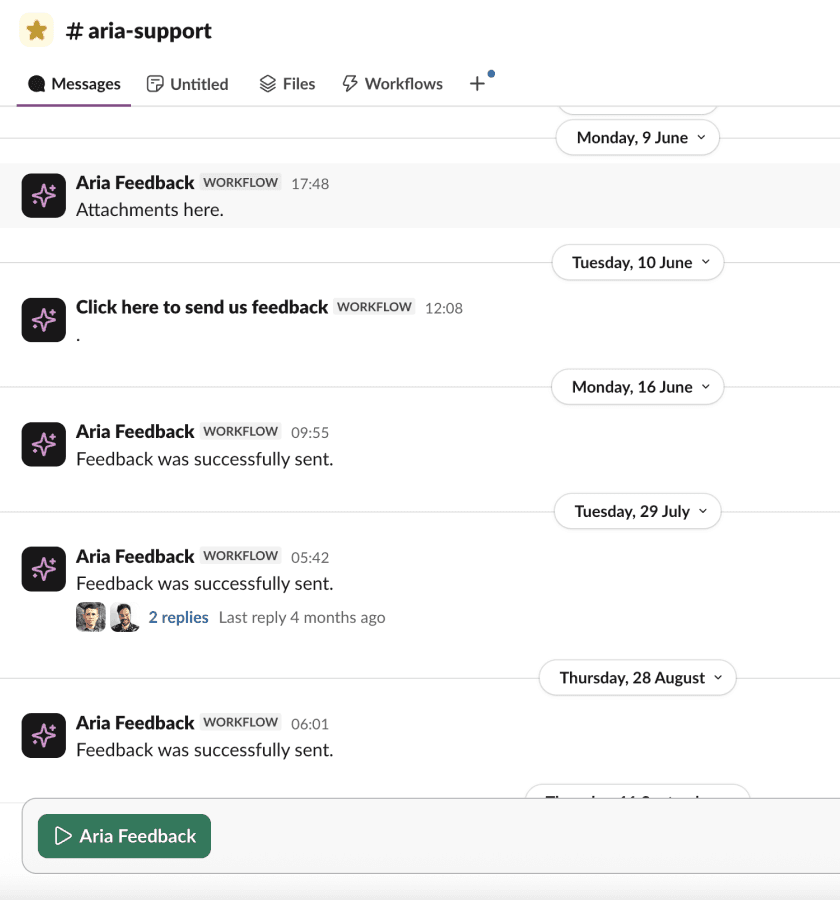
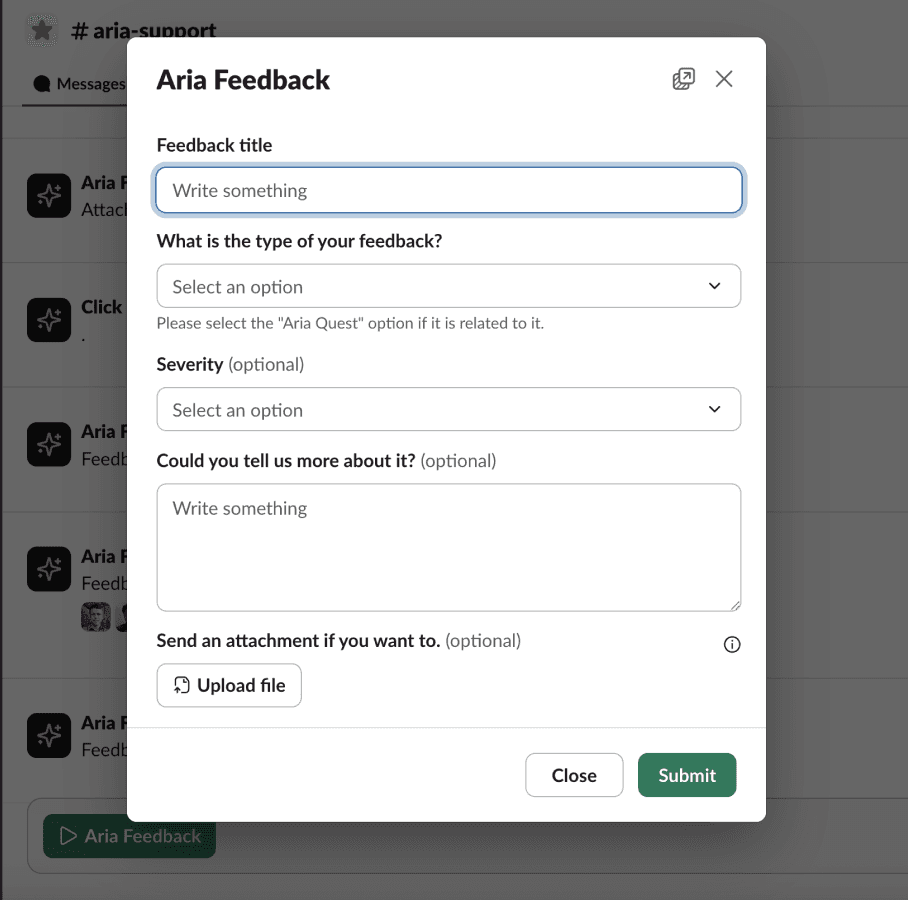
Once Aria was officially launched to the whole company, I wanted to keep an open feedback loop with real users. To do that, I introduced a “Talk to us” button in the interface that led to a quick feedback form embedded in our #aria-support Slack channel.
Users could easily share thoughts or report issues without leaving their daily workflow. The form responses were automatically sent to a spreadsheet, which I reviewed weekly to identify patterns and prioritize improvements. From this continuous monitoring, a couple of feedback directly influenced the redesign.
Once Aria was officially launched to the whole company, I wanted to keep an open feedback loop with real users. To do that, I introduced a “Talk to us” button in the interface that led to a quick feedback form embedded in our #aria-support Slack channel.
Users could easily share thoughts or report issues without leaving their daily workflow. The form responses were automatically sent to a spreadsheet, which I reviewed weekly to identify patterns and prioritize improvements. From this continuous monitoring, a couple of feedback directly influenced the redesign.
Once Aria was officially launched to the whole company, I wanted to keep an open feedback loop with real users. To do that, I introduced a “Talk to us” button in the interface that led to a quick feedback form embedded in our #aria-support Slack channel.
Users could easily share thoughts or report issues without leaving their daily workflow. The form responses were automatically sent to a spreadsheet, which I reviewed weekly to identify patterns and prioritize improvements. From this continuous monitoring, a couple of feedback directly influenced the redesign.
Sidebar navigation:
Hello, the side panel is not really user-friendly in my opinion. We don’t see that we have previous conversations until we click on the button… Something should be listed in reduced view already.
Hello, the side panel is not really user-friendly in my opinion. We don’t see that we have previous conversations until we click on the button… Something should be listed in reduced view already.
Hello, the side panel is not really user-friendly in my opinion. We don’t see that we have previous conversations until we click on the button… Something should be listed in reduced view already.
This validated my earlier findings from the flow mapping and reinforced the need to redesign the sidebar for clearer, more direct navigation.
This validated my earlier findings from the flow mapping and reinforced the need to redesign the sidebar for clearer, more direct navigation.
This validated my earlier findings from the flow mapping and reinforced the need to redesign the sidebar for clearer, more direct navigation.
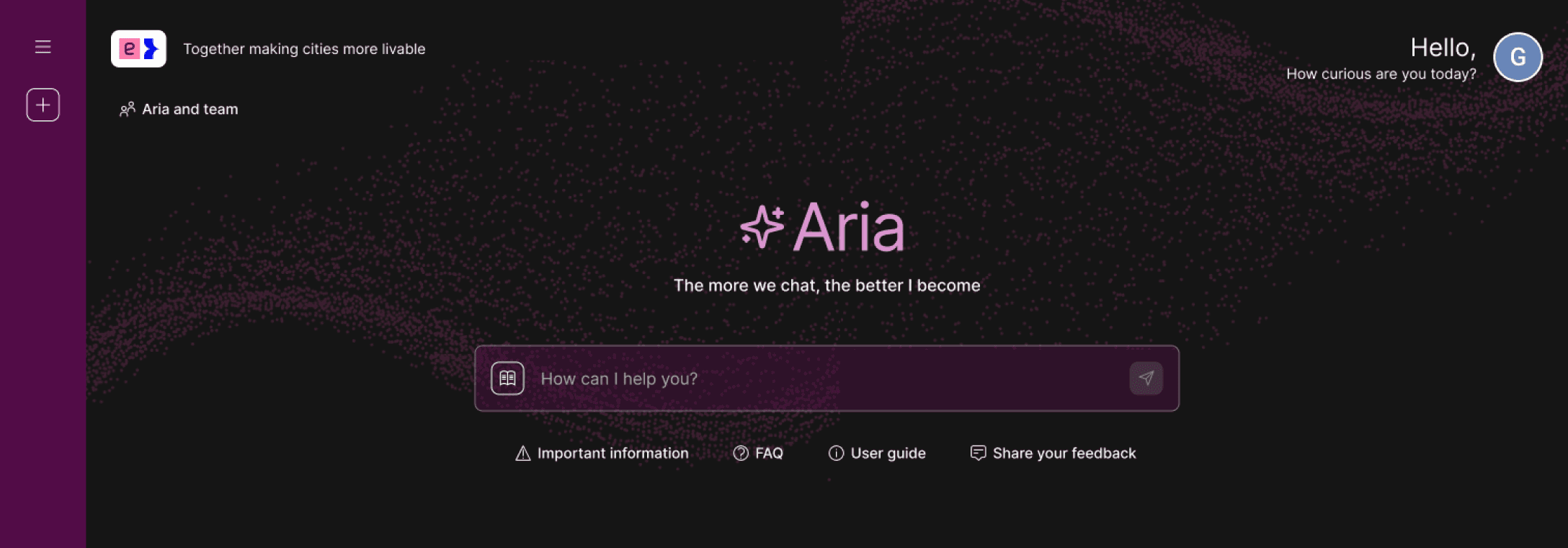
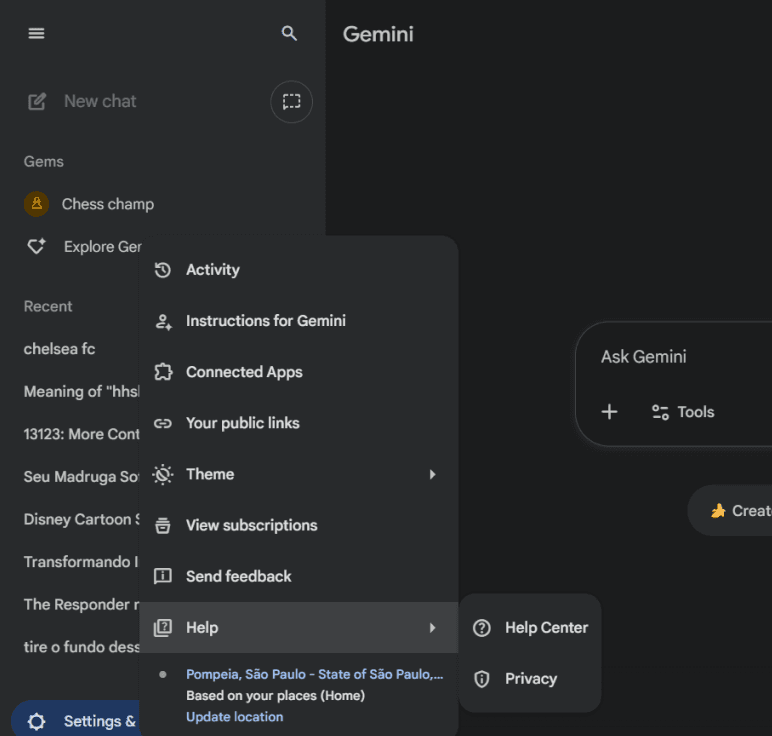
The original sidebar was collapsed by default, forcing users to open the menu to view their conversations.
The original sidebar was collapsed by default, forcing users to open the menu to view their conversations.
The original sidebar was collapsed by default, forcing users to open the menu to view their conversations.
Slack redirection:
When I tapped "Send feedback" button I was sent to #aria-support channel which I'm not a member of so I didn't see the feedback form. Assumed the link wasn't working.
Suggestion: Make button go straight to feedback form (is that possible?). Or mention at the link that feedback should be given in the support channel. "Send your question or feedback to the team in the Aria support channel on Slack"
When I tapped "Send feedback" button I was sent to #aria-support channel which I'm not a member of so I didn't see the feedback form. Assumed the link wasn't working.
Suggestion: Make button go straight to feedback form (is that possible?). Or mention at the link that feedback should be given in the support channel. "Send your question or feedback to the team in the Aria support channel on Slack"
When I tapped "Send feedback" button I was sent to #aria-support channel which I'm not a member of so I didn't see the feedback form. Assumed the link wasn't working.
Suggestion: Make button go straight to feedback form (is that possible?). Or mention at the link that feedback should be given in the support channel. "Send your question or feedback to the team in the Aria support channel on Slack"
This resulted in improved positioning and copy for the flow, now titled "Talk to us".
This resulted in improved positioning and copy for the flow, now titled "Talk to us".
This resulted in improved positioning and copy for the flow, now titled "Talk to us".
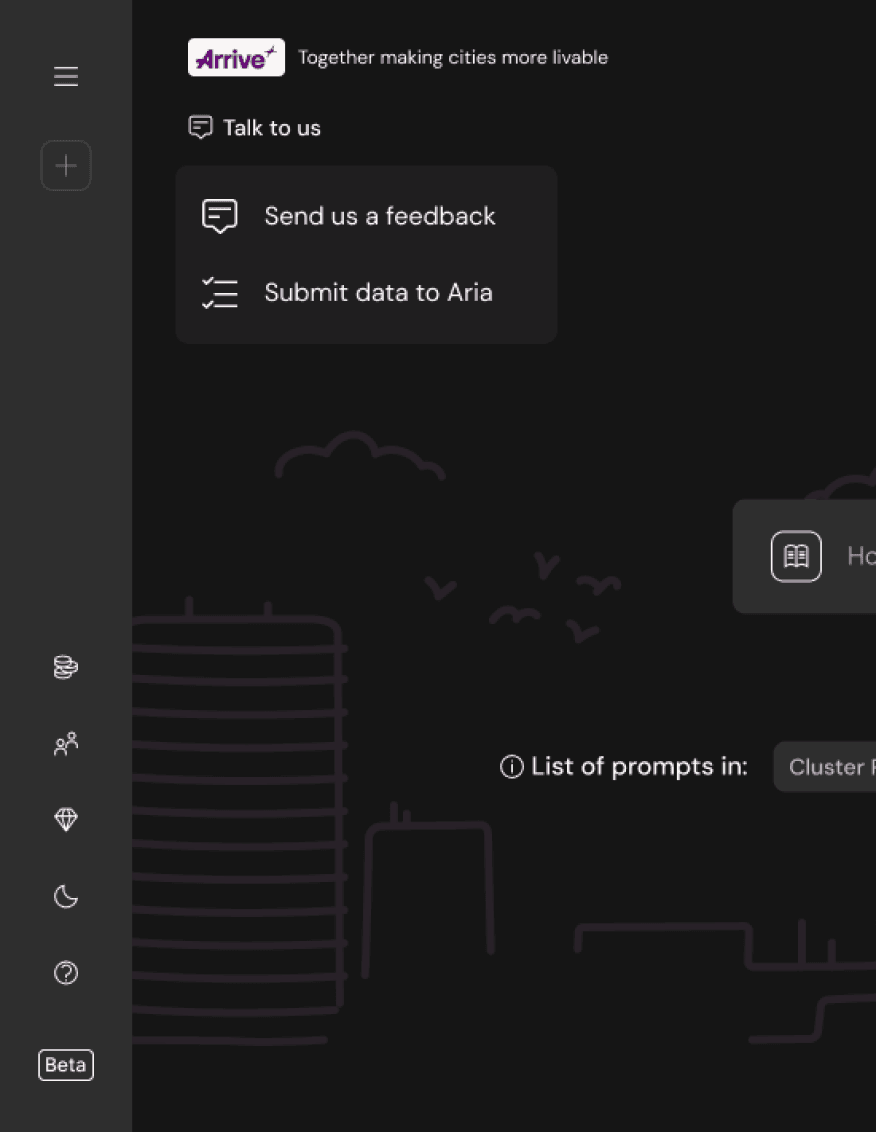
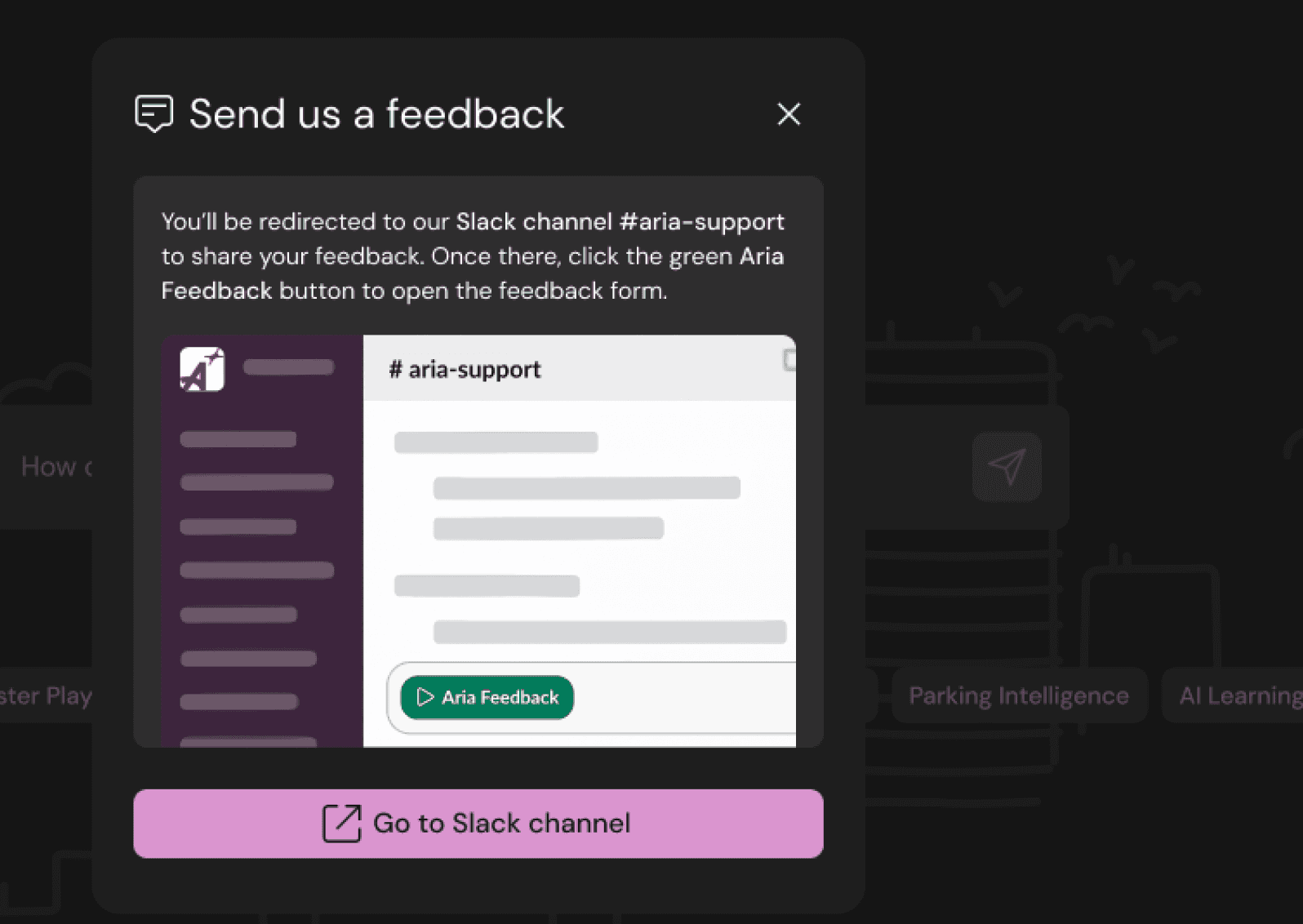
Updated “Send us feedback” flow, introducing a modal that informs users about the Slack redirection.
Updated “Send us feedback” flow, introducing a modal that informs users about the Slack redirection.
Together, these activities built a solid understanding of Aria’s problems and opportunities. By mapping the flow, listening to leadership, studying external references, and analyzing user feedback, I shaped a redesign strategy that was grounded in both data and real user needs.
Together, these activities built a solid understanding of Aria’s problems and opportunities. By mapping the flow, listening to leadership, studying external references, and analyzing user feedback, I shaped a redesign strategy that was grounded in both data and real user needs.
Together, these activities built a solid understanding of Aria’s problems and opportunities. By mapping the flow, listening to leadership, studying external references, and analyzing user feedback, I shaped a redesign strategy that was grounded in both data and real user needs.
Ideation
Ideation
Ideation
Redesigning Aria
Redesigning Aria
Redesigning Aria
With a solid understanding of Aria’s main issues and user needs, I began transforming insights into design directions. The goal was not only to improve usability but also to rethink how the product communicated and scaled. From reorganizing information to strengthening data quality and refining the visual identity, these explorations shaped the foundation of the final redesign.
With a solid understanding of Aria’s main issues and user needs, I began transforming insights into design directions. The goal was not only to improve usability but also to rethink how the product communicated and scaled. From reorganizing information to strengthening data quality and refining the visual identity, these explorations shaped the foundation of the final redesign.
With a solid understanding of Aria’s main issues and user needs, I began transforming insights into design directions. The goal was not only to improve usability but also to rethink how the product communicated and scaled. From reorganizing information to strengthening data quality and refining the visual identity, these explorations shaped the foundation of the final redesign.
1. Explorations of the interface
1. Explorations of the interface
1. Explorations of the interface
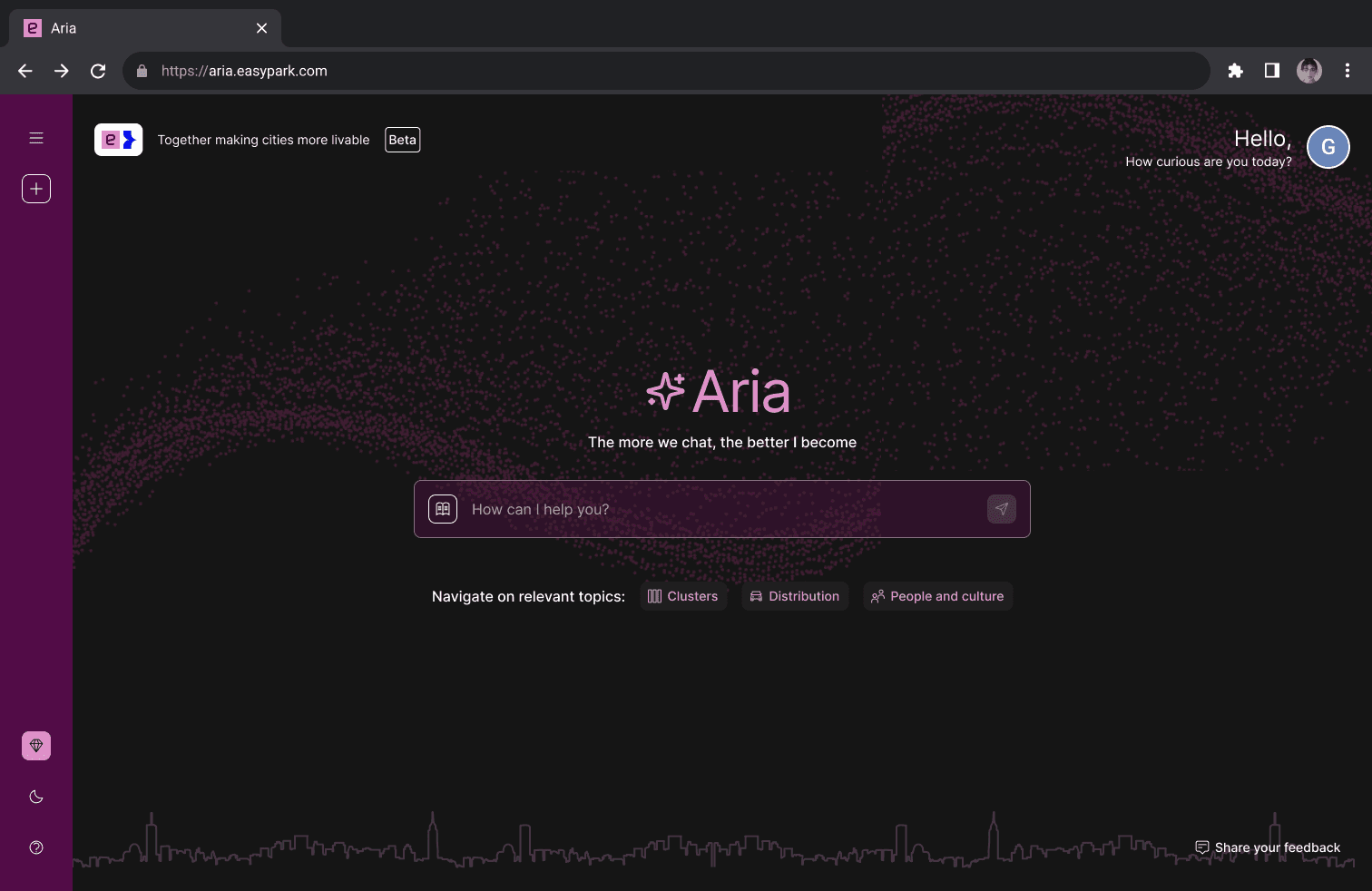
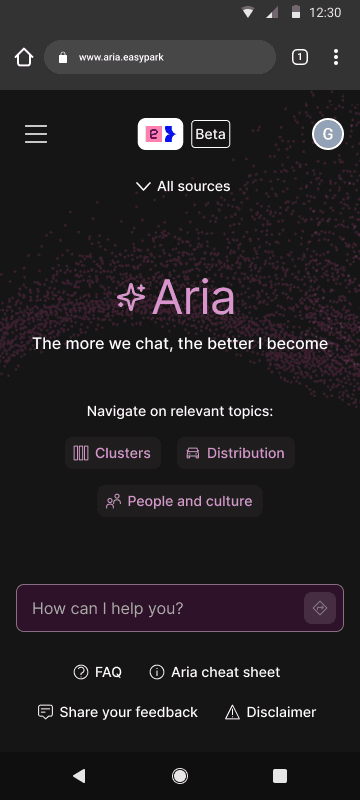
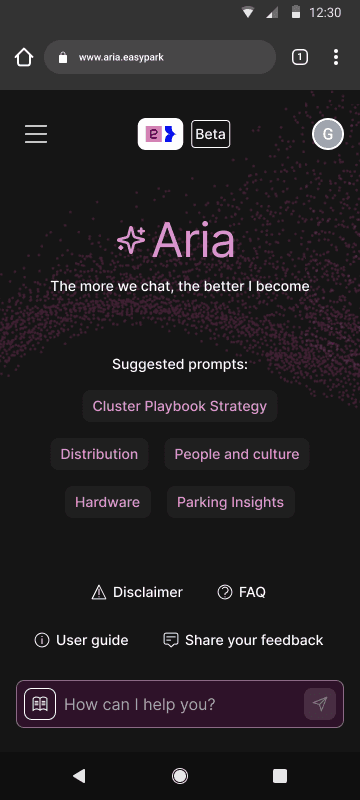
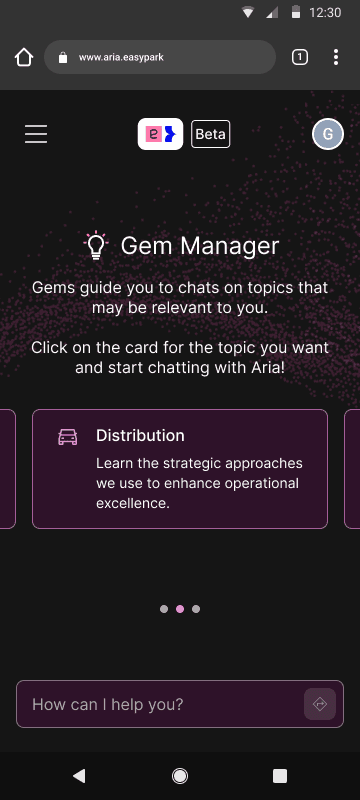
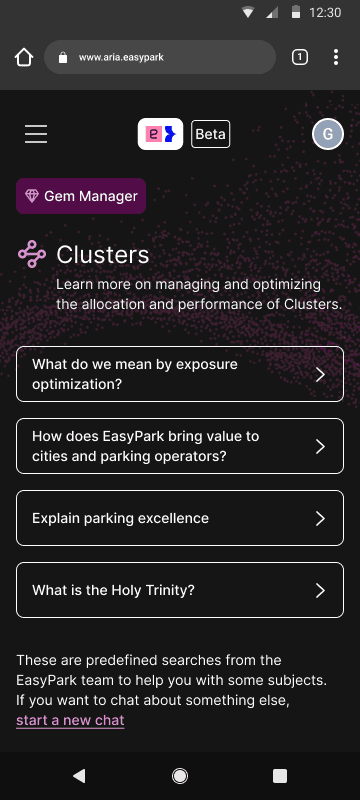
At this stage, my focus was to iterate quickly on the homepage and surrounding screens. Improvements were constant — I was always testing new ideas, making adjustments, and putting early versions into production to validate direction. The goal was to move fast while progressively improving clarity and usability.
At this stage, my focus was to iterate quickly on the homepage and surrounding screens. Improvements were constant — I was always testing new ideas, making adjustments, and putting early versions into production to validate direction. The goal was to move fast while progressively improving clarity and usability.
At this stage, my focus was to iterate quickly on the homepage and surrounding screens. Improvements were constant — I was always testing new ideas, making adjustments, and putting early versions into production to validate direction. The goal was to move fast while progressively improving clarity and usability.
Key explorations included:
Key explorations included:
Key explorations included:
Iterating on a cleaner homepage: multiple layout variations to reduce noise and help users quickly identify each action.
Iterating on a cleaner homepage: multiple layout variations to reduce noise and help users quickly identify each action.
Iterating on a cleaner homepage: multiple layout variations to reduce noise and help users quickly identify each action.
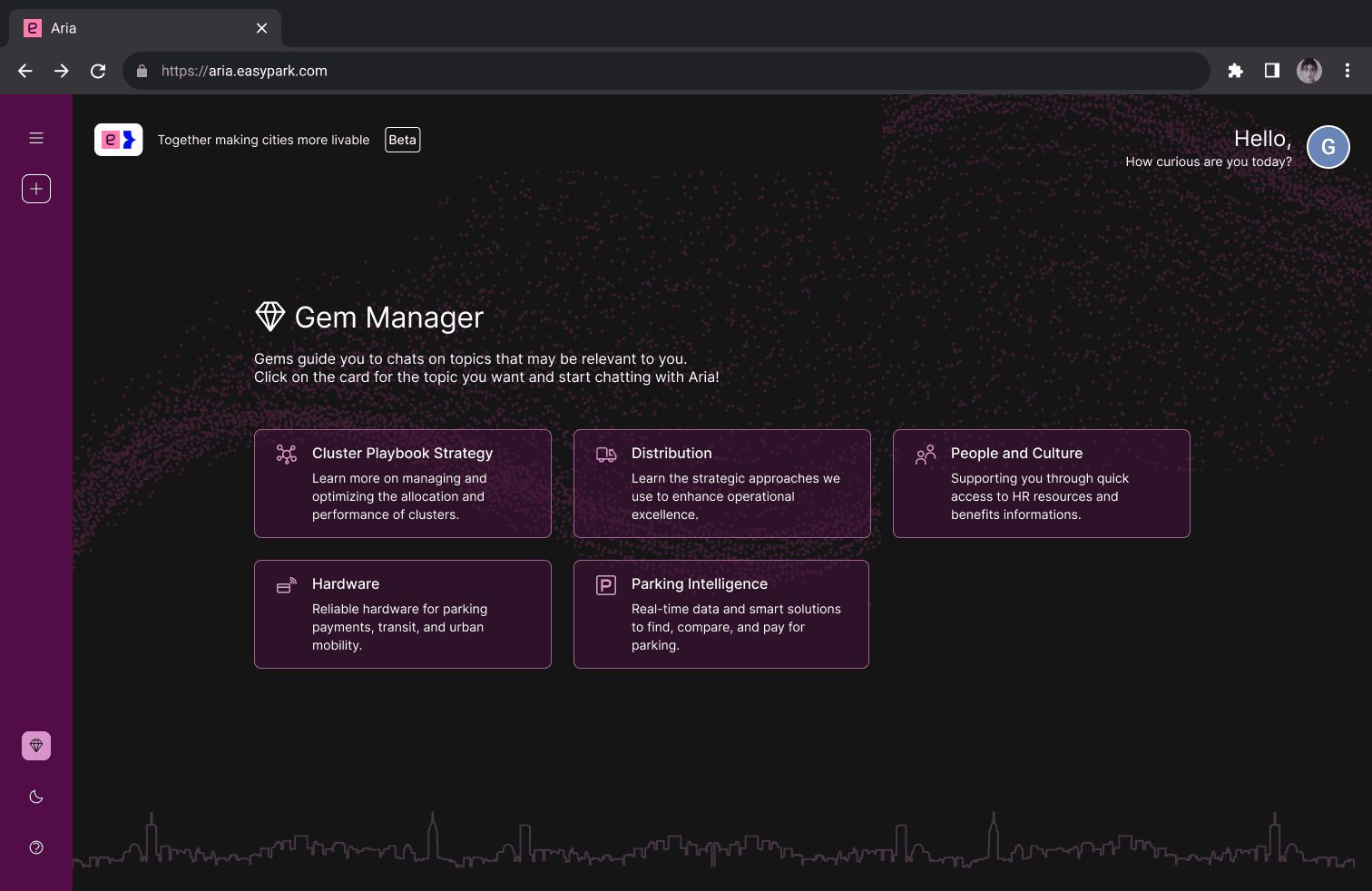
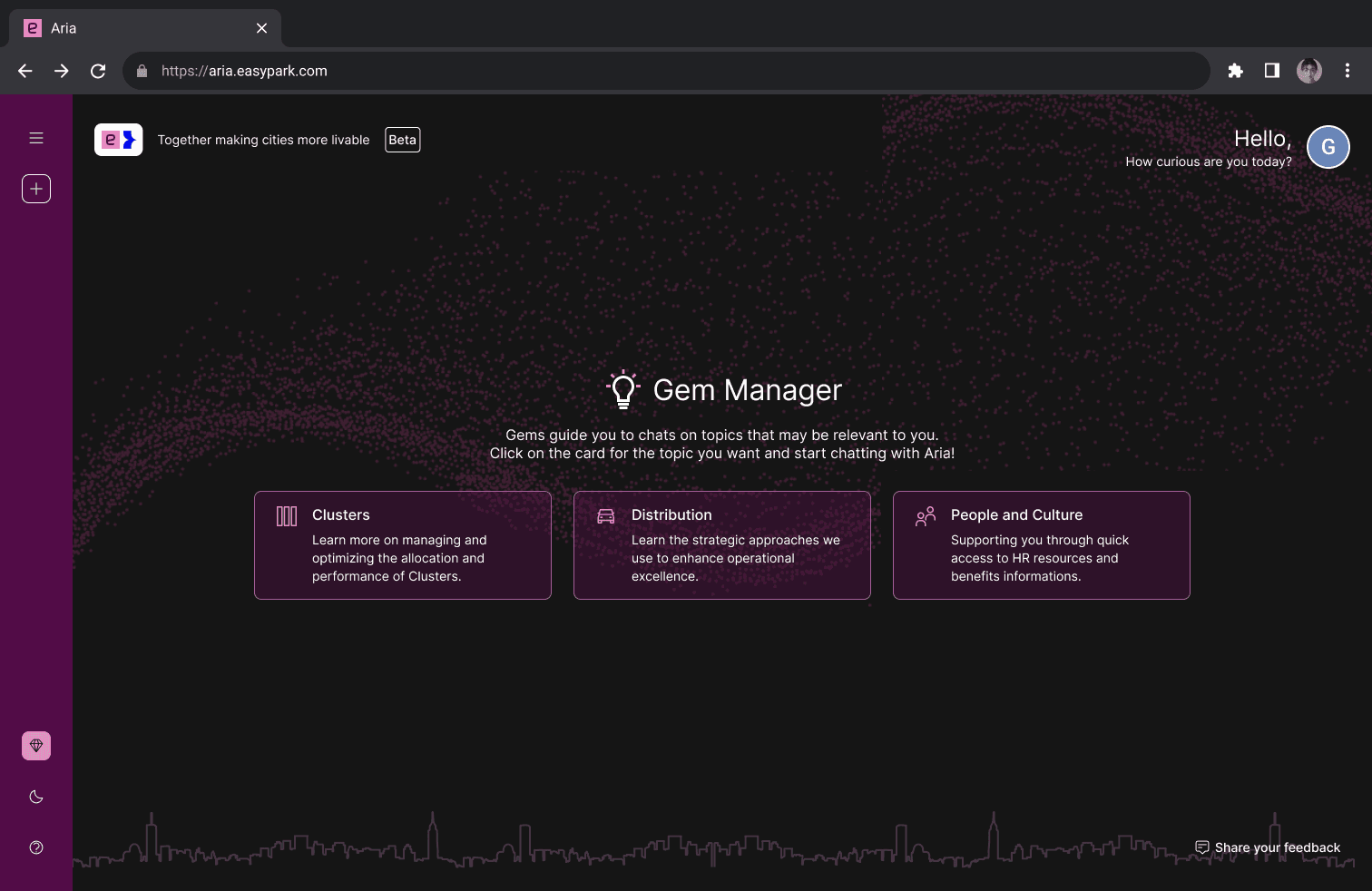
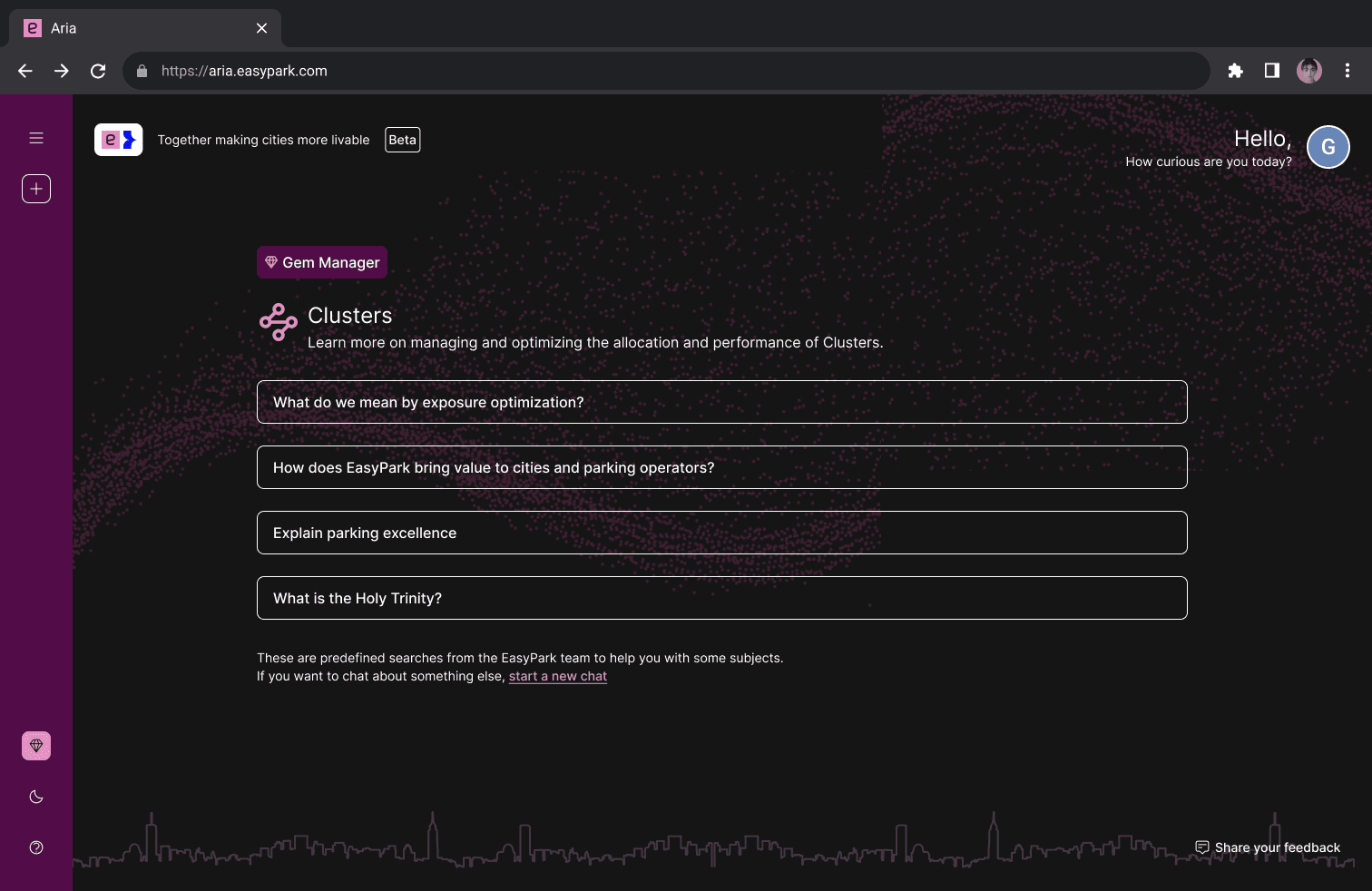
Designing the first versions of supporting pages: early drafts of the Gem Manager (still under its original name), FAQ, and answer layouts to visualize how the experience worked end-to-end.
Designing the first versions of supporting pages: early drafts of the Gem Manager (still under its original name), FAQ, and answer layouts to visualize how the experience worked end-to-end.
Designing the first versions of supporting pages: early drafts of the Gem Manager (still under its original name), FAQ, and answer layouts to visualize how the experience worked end-to-end.
Applying the Design System: using DS colors, typography, and any compatible components — following a “DS-first” approach from the start.
Applying the Design System: using DS colors, typography, and any compatible components — following a “DS-first” approach from the start.
Applying the Design System: using DS colors, typography, and any compatible components — following a “DS-first” approach from the start.
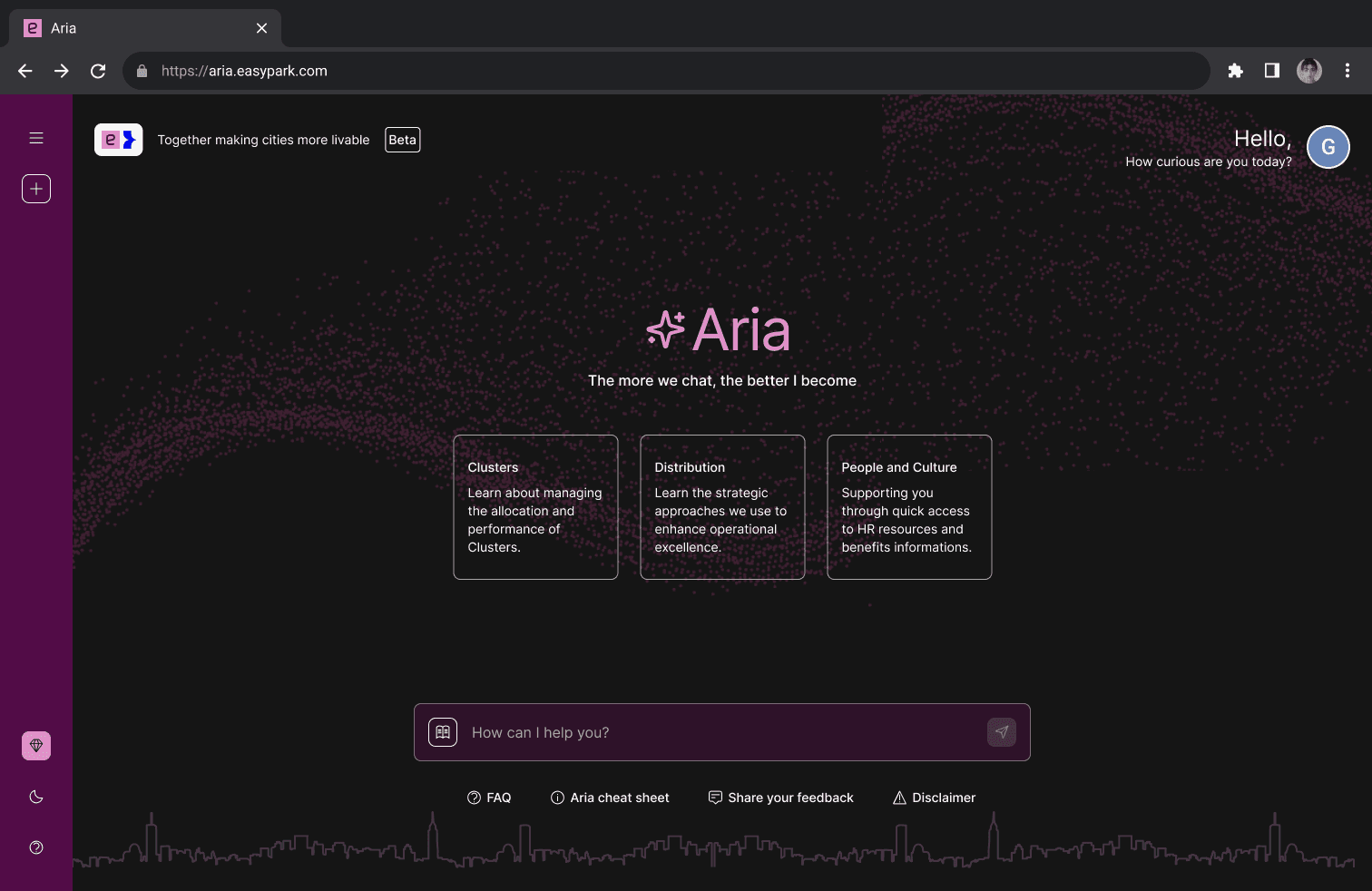
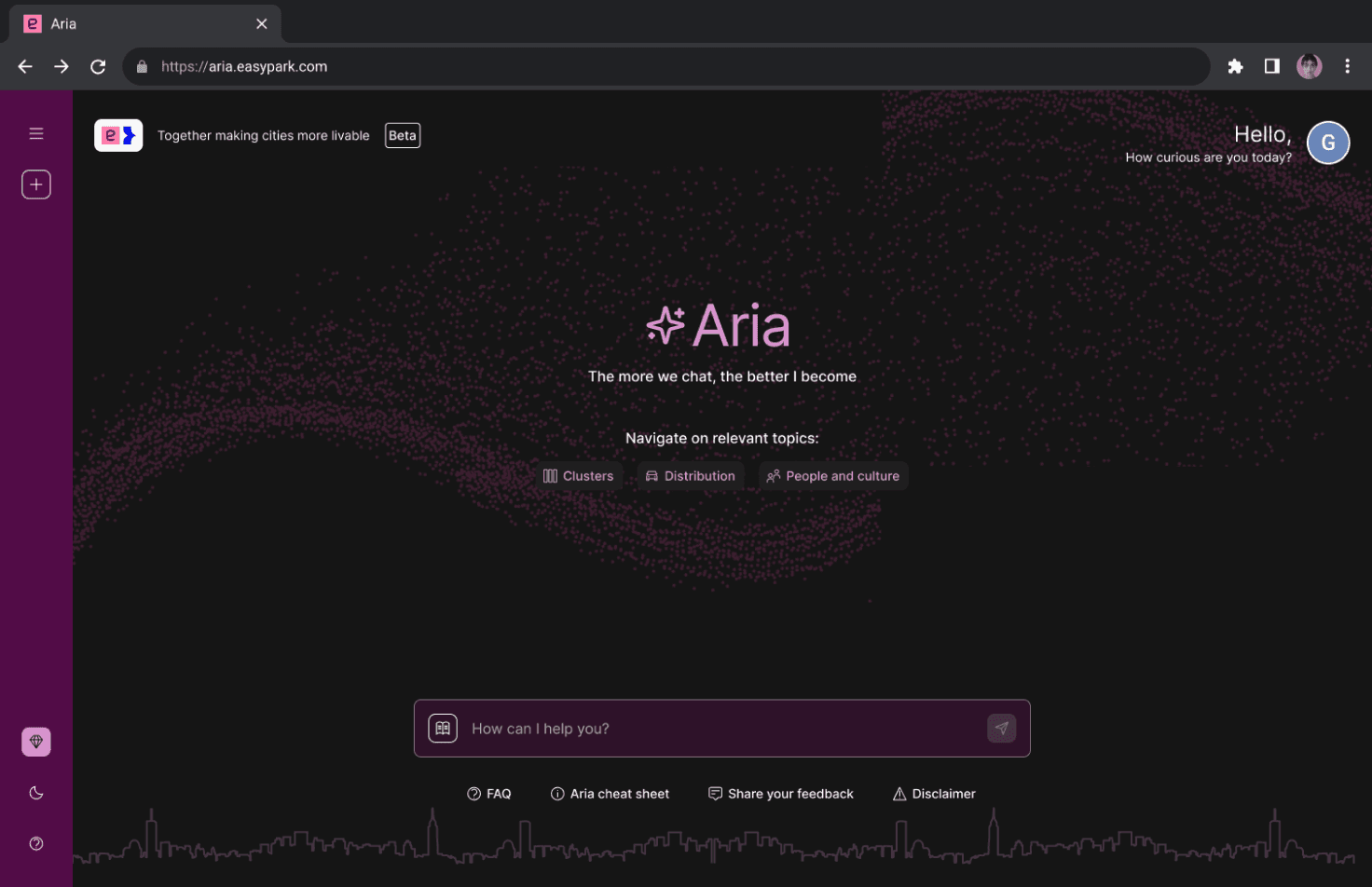
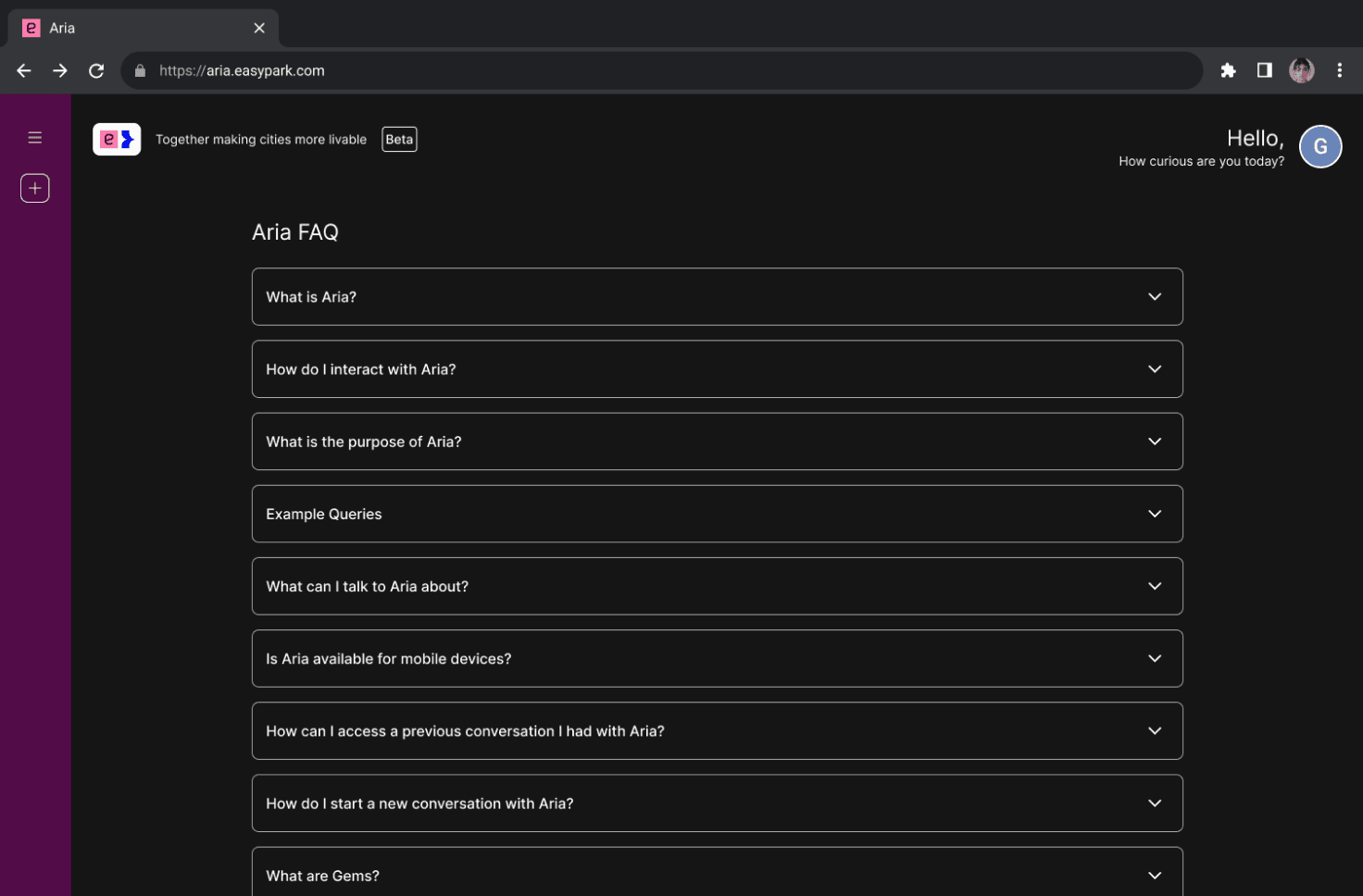
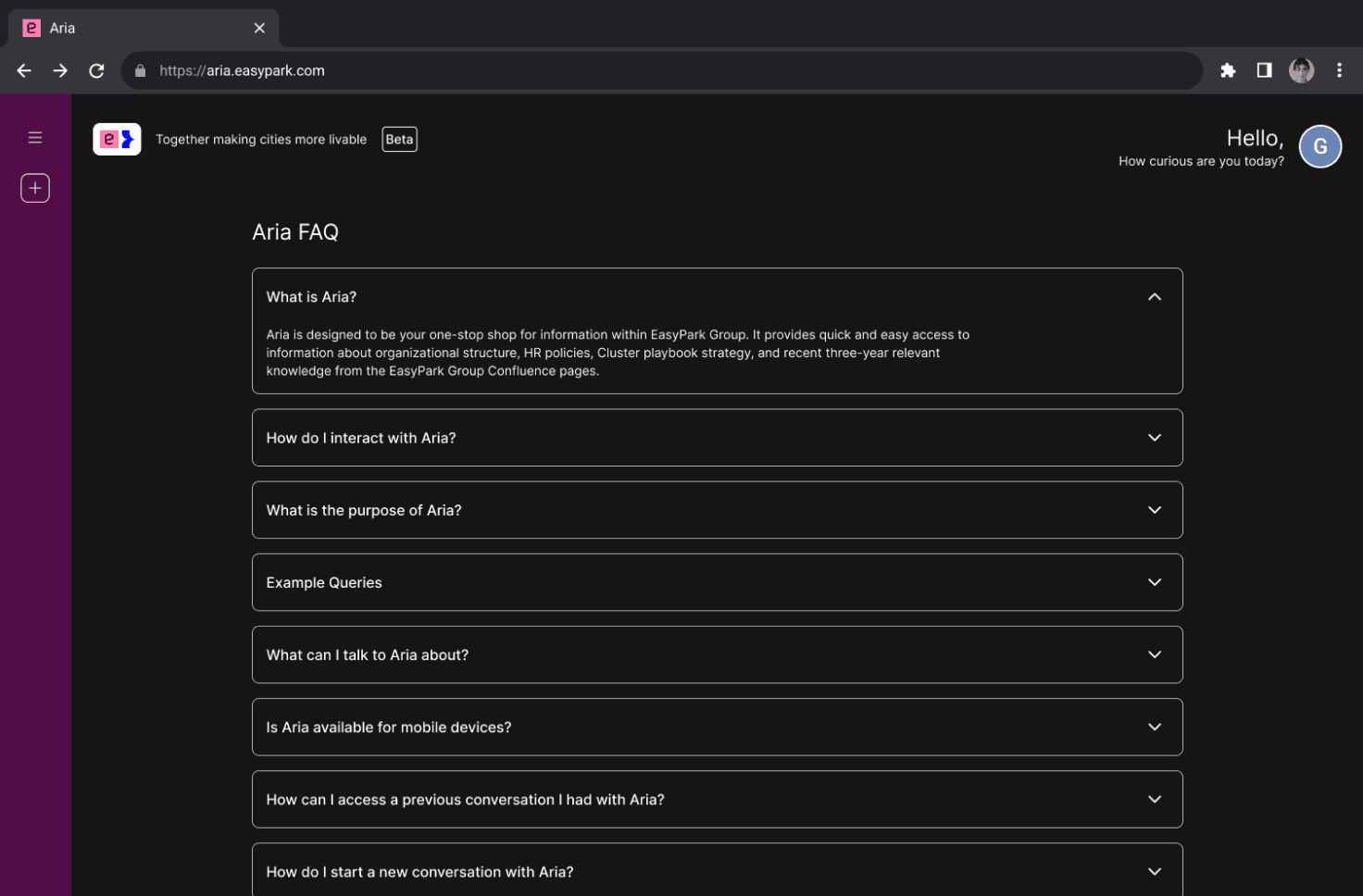
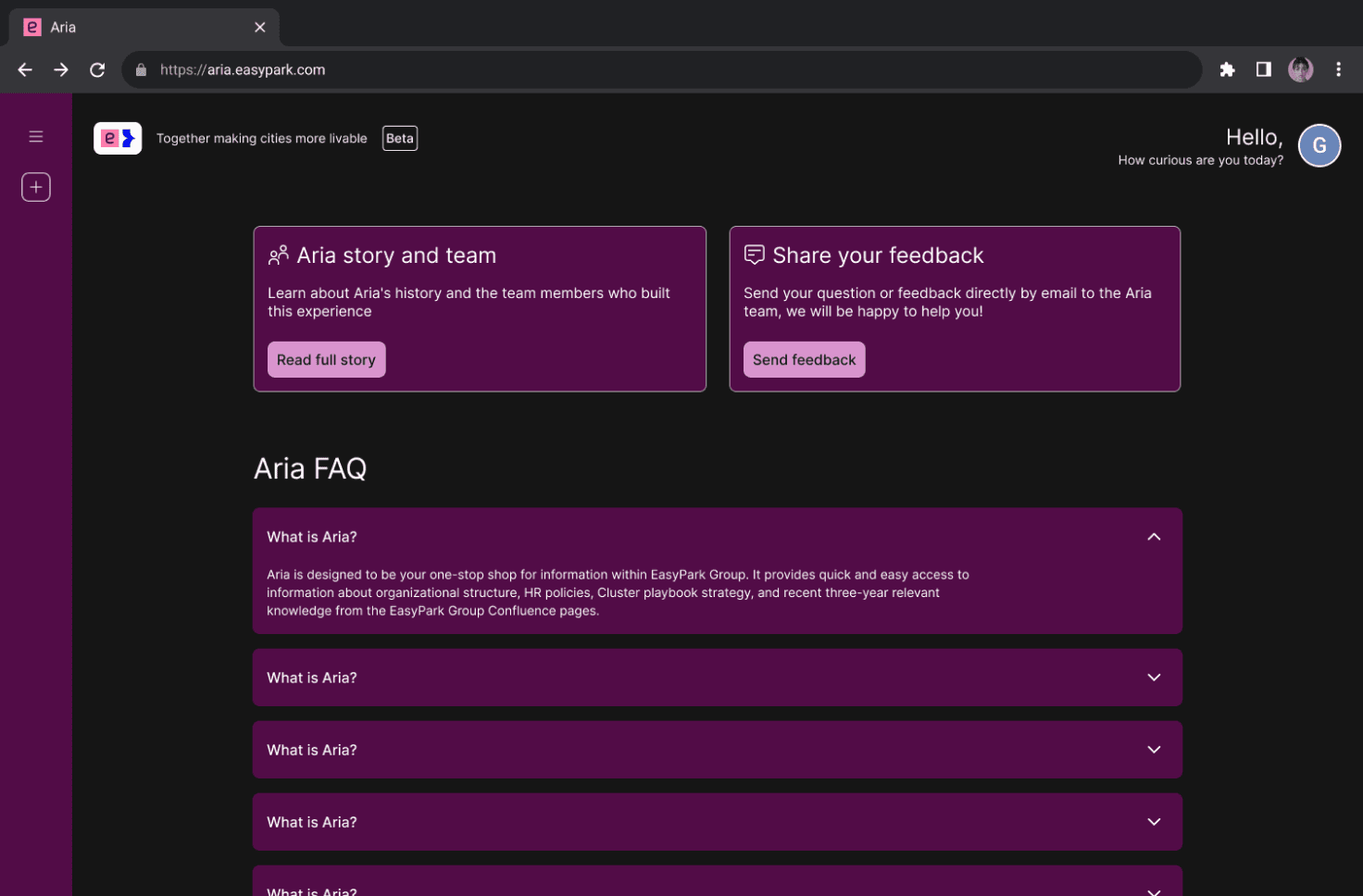
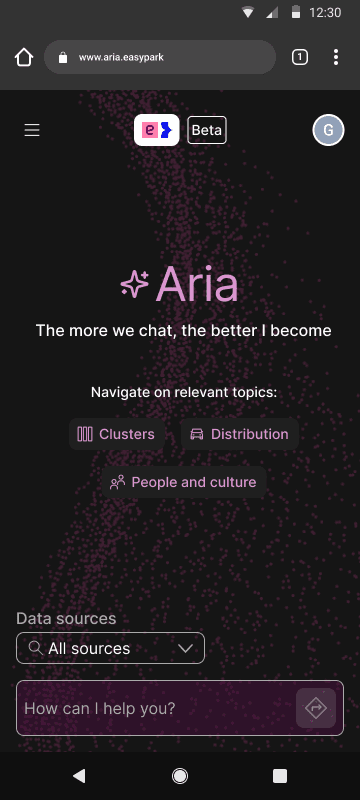
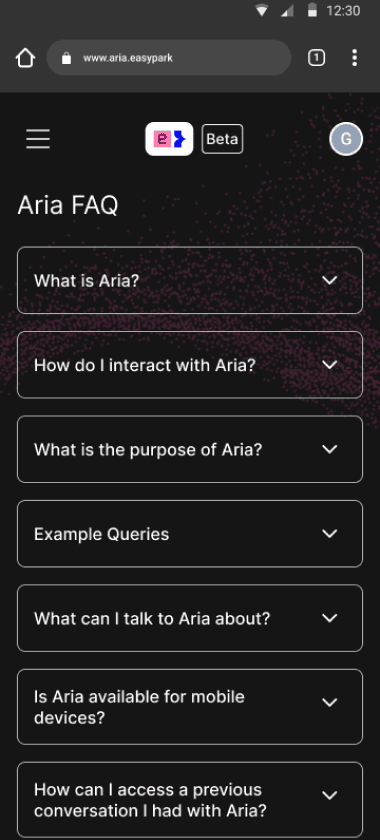
As more pages and actions emerged during these explorations, it became clear that Aria needed a stronger underlying structure — leading to the next phase: reorganizing the information architecture.
As more pages and actions emerged during these explorations, it became clear that Aria needed a stronger underlying structure — leading to the next phase: reorganizing the information architecture.
As more pages and actions emerged during these explorations, it became clear that Aria needed a stronger underlying structure — leading to the next phase: reorganizing the information architecture.
2. Reorganizing the structure
2. Reorganizing the structure
2. Reorganizing the structure
The previous hierarchy couldn’t support the growing experience, so this phase focused on redefining how information was organized and how the interface adapted across devices.
The previous hierarchy couldn’t support the growing experience, so this phase focused on redefining how information was organized and how the interface adapted across devices.
The previous hierarchy couldn’t support the growing experience, so this phase focused on redefining how information was organized and how the interface adapted across devices.
Key explorations included:
Exploring early versions of the responsive grid: testing layouts that adapted smoothly across desktop, tablet, and mobile.
Key explorations included:
Exploring early versions of the responsive grid: testing layouts that adapted smoothly across desktop, tablet, and mobile.
Key explorations included:
Exploring early versions of the responsive grid: testing layouts that adapted smoothly across desktop, tablet, and mobile.
Regrouping the information architecture: rethinking how pages, actions, and content were organized to create a clearer, more scalable structure.
Regrouping the information architecture: rethinking how pages, actions, and content were organized to create a clearer, more scalable structure.
Regrouping the information architecture: rethinking how pages, actions, and content were organized to create a clearer, more scalable structure.
Adjusting spacing, rhythm, and flow: refining how sections connected visually to create a more natural and readable layout.
Adjusting spacing, rhythm, and flow: refining how sections connected visually to create a more natural and readable layout.
Adjusting spacing, rhythm, and flow: refining how sections connected visually to create a more natural and readable layout.
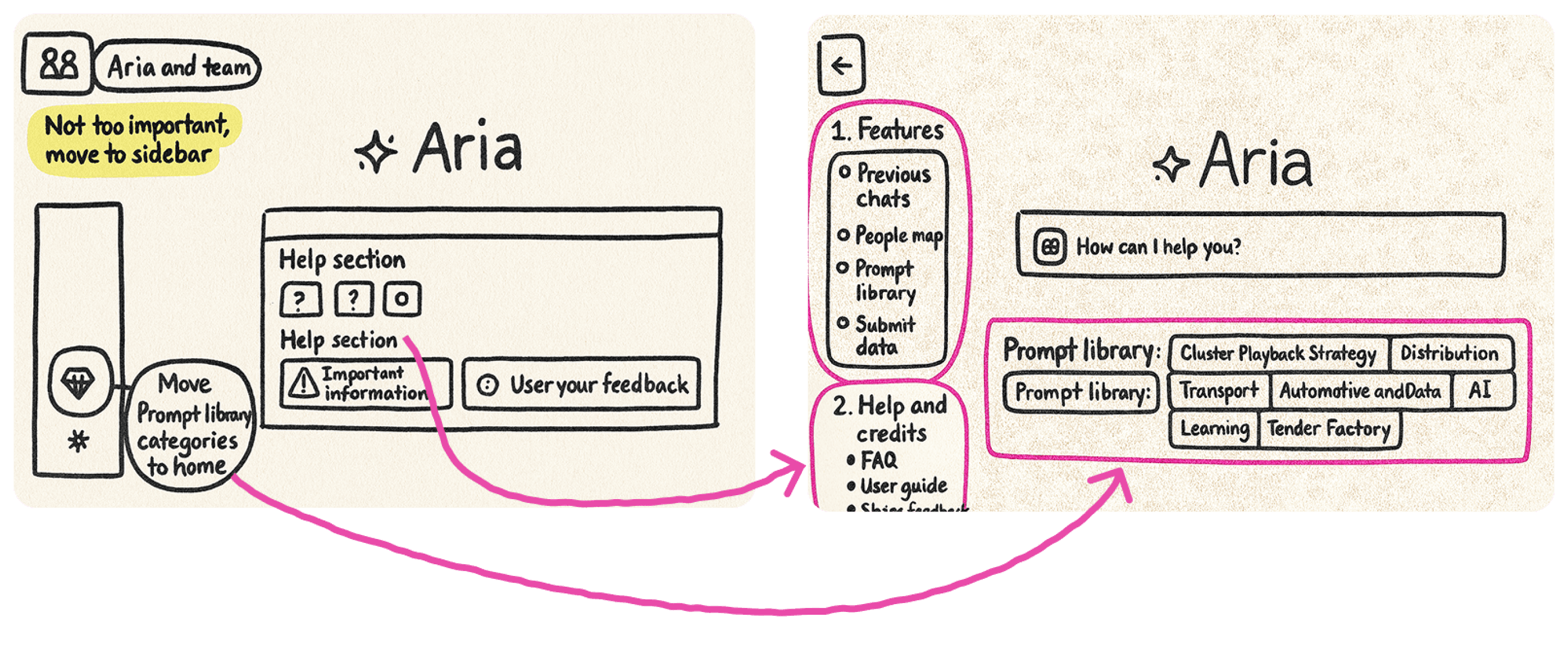
With a clearer structure in place, the next step was to refine Aria’s personality — using brand colors, illustrations, and tone to make the experience feel warm, familiar, and distinctly aligned with the company’s identity.
With a clearer structure in place, the next step was to refine Aria’s personality — using brand colors, illustrations, and tone to make the experience feel warm, familiar, and distinctly aligned with the company’s identity.
Delivery
Delivery
Delivery
The New Aria
The New Aria
The New Aria
After shaping the structure and validating early concepts, the final step was to consolidate everything into a cohesive, scalable, and fully responsive interface.
The delivery phase is divided into two parts:
Building the foundation: system, rules, components, responsiveness
Designing the features: applying that foundation to real interactions
After shaping the structure and validating early concepts, the final step was to consolidate everything into a cohesive, scalable, and fully responsive interface.
The delivery phase is divided into two parts:
Building the foundation: system, rules, components, responsiveness
Designing the features: applying that foundation to real interactions
After shaping the structure and validating early concepts, the final step was to consolidate everything into a cohesive, scalable, and fully responsive interface.
The delivery phase is divided into two parts:
Building the foundation: system, rules, components, responsiveness
Designing the features: applying that foundation to real interactions
Building the foundation
Building the foundation
Building the foundation
Before refining individual features, I focused on establishing a design foundation that would support consistency, usability, and scalability across the entire product. This ensured that every feature would follow the same principles and behave predictably across devices.
Before refining individual features, I focused on establishing a design foundation that would support consistency, usability, and scalability across the entire product. This ensured that every feature would follow the same principles and behave predictably across devices.
Before refining individual features, I focused on establishing a design foundation that would support consistency, usability, and scalability across the entire product. This ensured that every feature would follow the same principles and behave predictably across devices.
Visual Wrap-Up & Design System
Visual Wrap-Up & Design System
Aria previously relied on improvised patterns, which created inconsistency and made maintenance difficult.
Aria previously relied on improvised patterns, which created inconsistency and made maintenance difficult.
Aria previously relied on improvised patterns, which created inconsistency and made maintenance difficult.
The redesign introduced:
The redesign introduced:
The redesign introduced:
Arrive's Design System components
Arrive's Design System components
Arrive's Design System components
Unified tokens for spacing, color, and typography
Unified tokens for spacing, color, and typography
Unified tokens for spacing, color, and typography
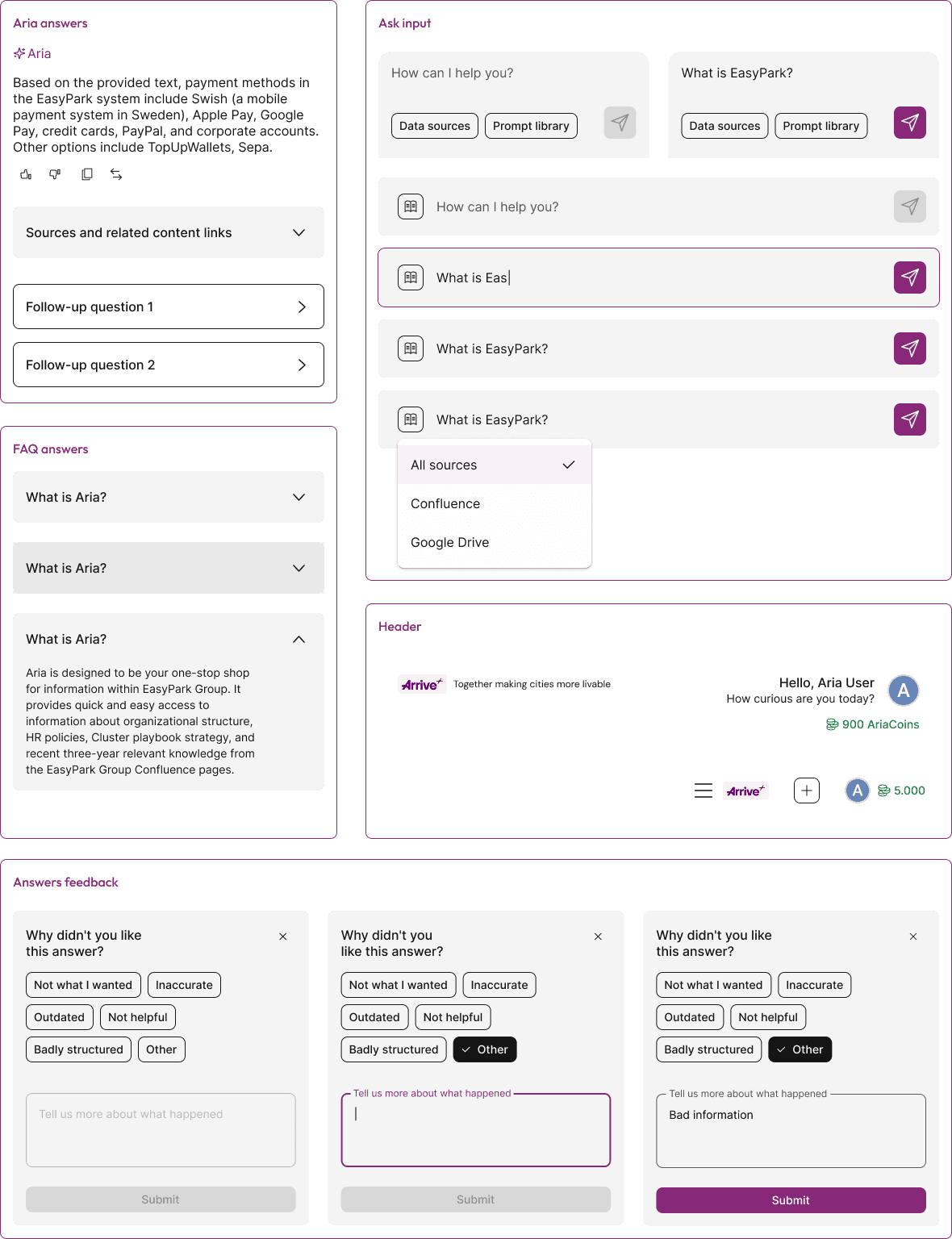
New custom components when needed (example: prompt input, sidebar)
New custom components when needed (example: prompt input, sidebar)
New custom components when needed (example: prompt input, sidebar)
Brand illustrations to give personality while staying aligned with Arrive’s identity
Brand illustrations to give personality while staying aligned with Arrive’s identity
Brand illustrations to give personality while staying aligned with Arrive’s identity
This created a consistent visual language and reduced UI fragmentation.
This created a consistent visual language and reduced UI fragmentation.
This created a consistent visual language and reduced UI fragmentation.
Custom components
Custom components
Brand illustrations
Brand illustrations

Spacing tokens
Spacing tokens
2
4
6
8
10
12
14
16
1
2
4
6
8
10
12
14
16
Responsive Design
Responsive Design
To guarantee a reliable experience on any device, I defined a grid system with three core breakpoints:
To guarantee a reliable experience on any device, I defined a grid system with three core breakpoints:
To guarantee a reliable experience on any device, I defined a grid system with three core breakpoints:
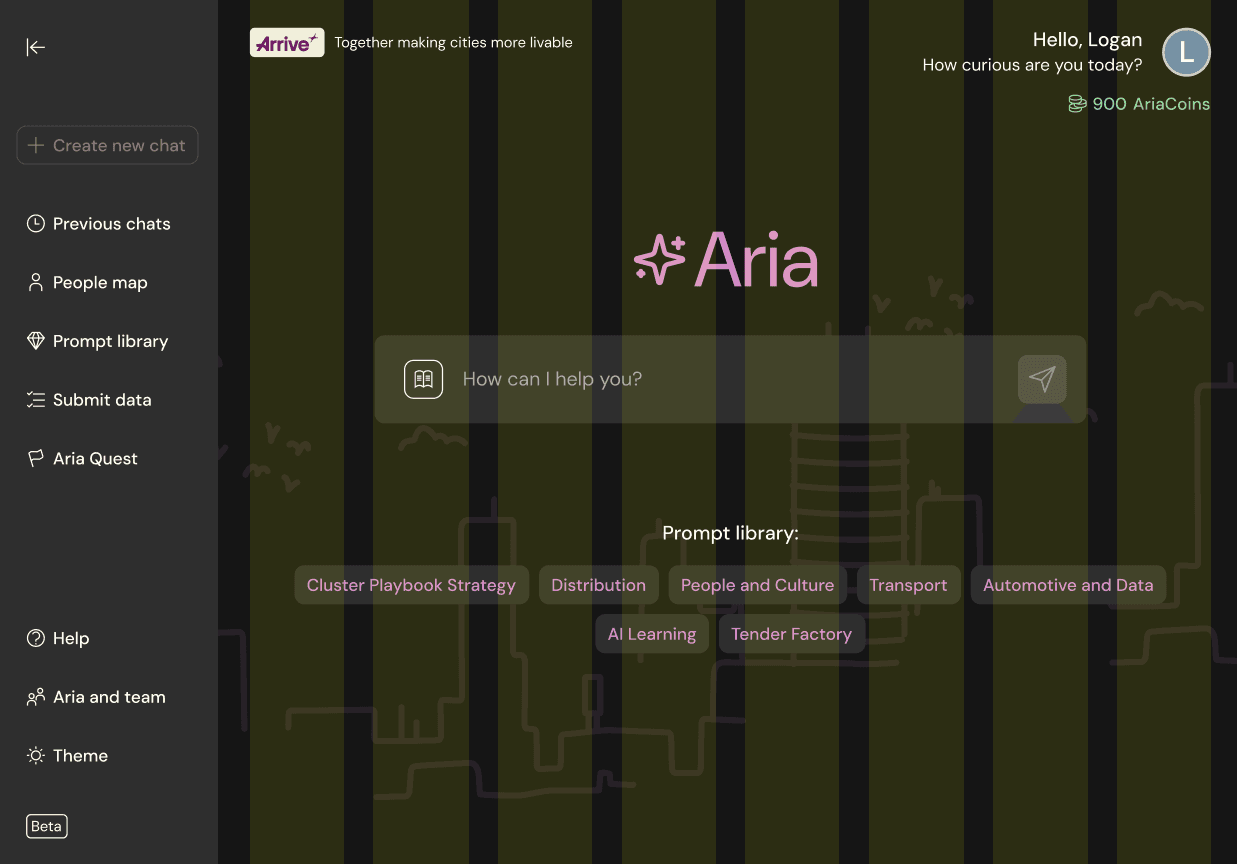
12-column grid for desktop
12-column grid for desktop
12-column grid for desktop
8-column grid for tablet
8-column grid for tablet
8-column grid for tablet
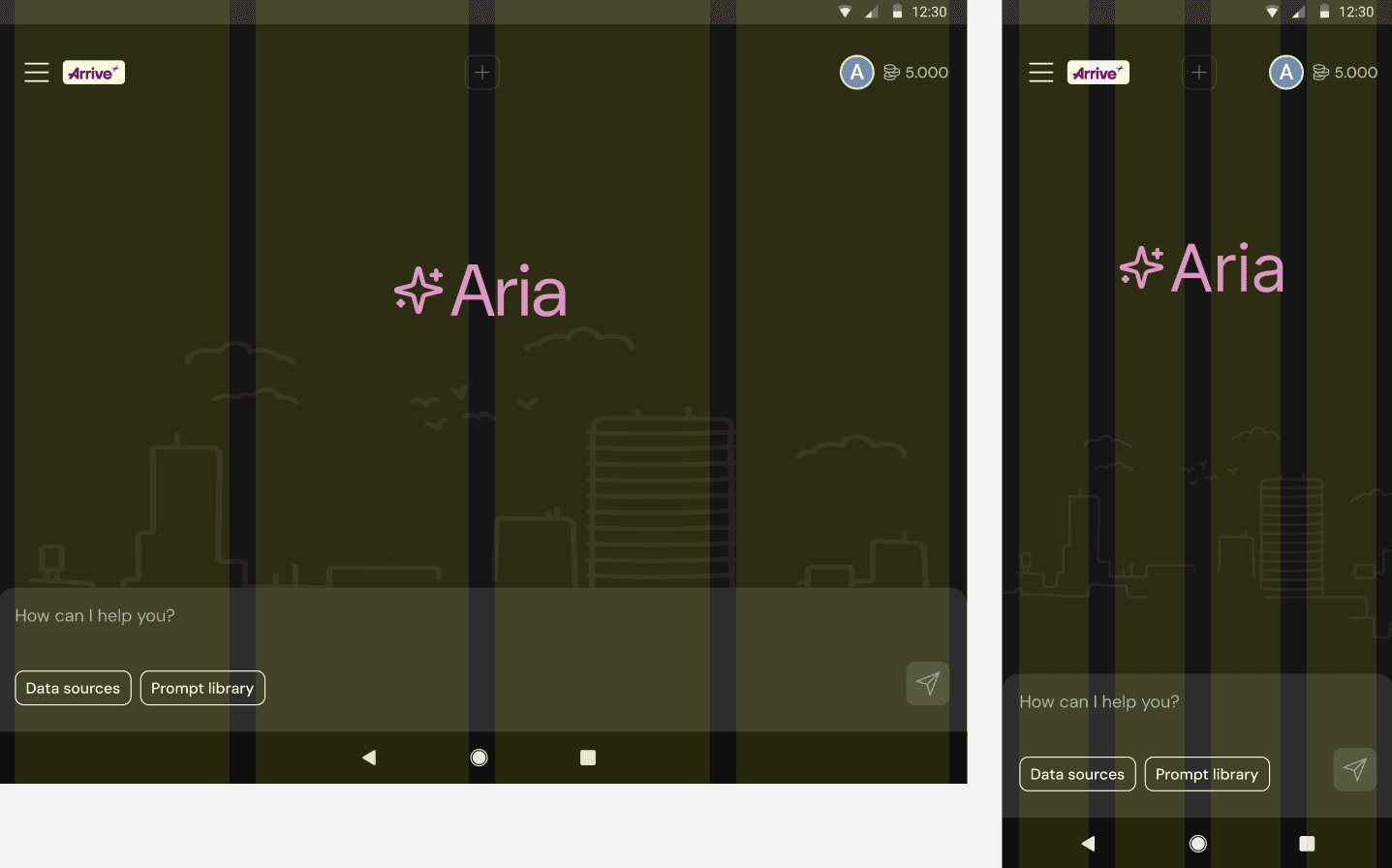
4-column grid for mobile
4-column grid for mobile
4-column grid for mobile
This grid became the backbone for every feature design — simplifying layout decisions and ensuring predictable behavior when scaling down (the left sidebar i s not considered in the grid).
This grid became the backbone for every feature design — simplifying layout decisions and ensuring predictable behavior when scaling down (the left sidebar i s not considered in the grid).
This grid became the backbone for every feature design — simplifying layout decisions and ensuring predictable behavior when scaling down (the left sidebar i s not considered in the grid).
Breakpoint 1 | 12 columns
1280px width or more
Breakpoint 2 | 8 columns
992px - 1279px width
Breakpoint 3 | 4 columns
Smaller than 992px width
Final Designs
Final Designs
Final Designs
With the foundation ready, the next step was redesigning the features themselves. This phase focused on simplifying navigation, organizing content, and improving clarity, using the grid and DS as structural anchors.
With the foundation ready, the next step was redesigning the features themselves. This phase focused on simplifying navigation, organizing content, and improving clarity, using the grid and DS as structural anchors.
Home Page
Home Page
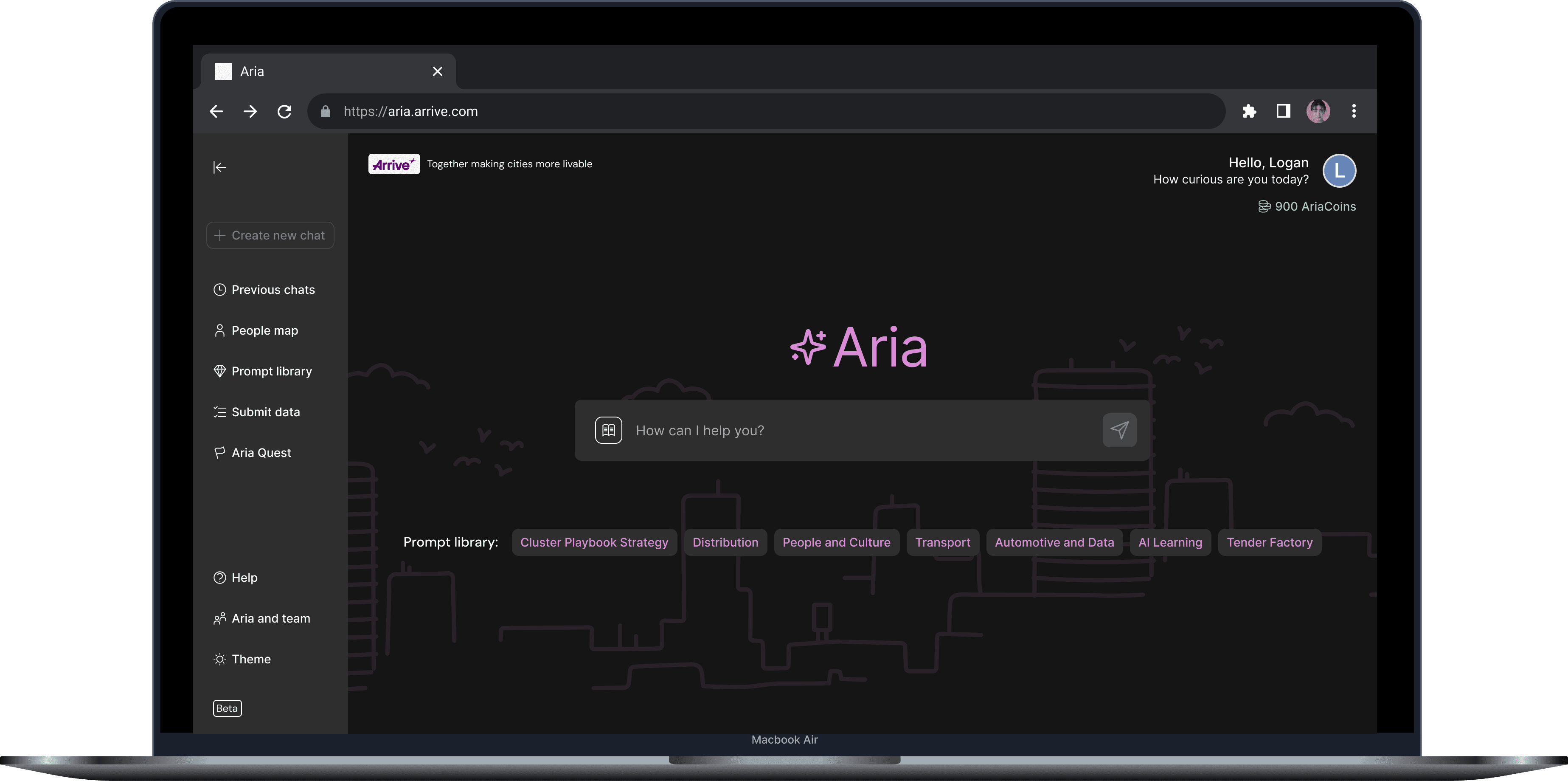
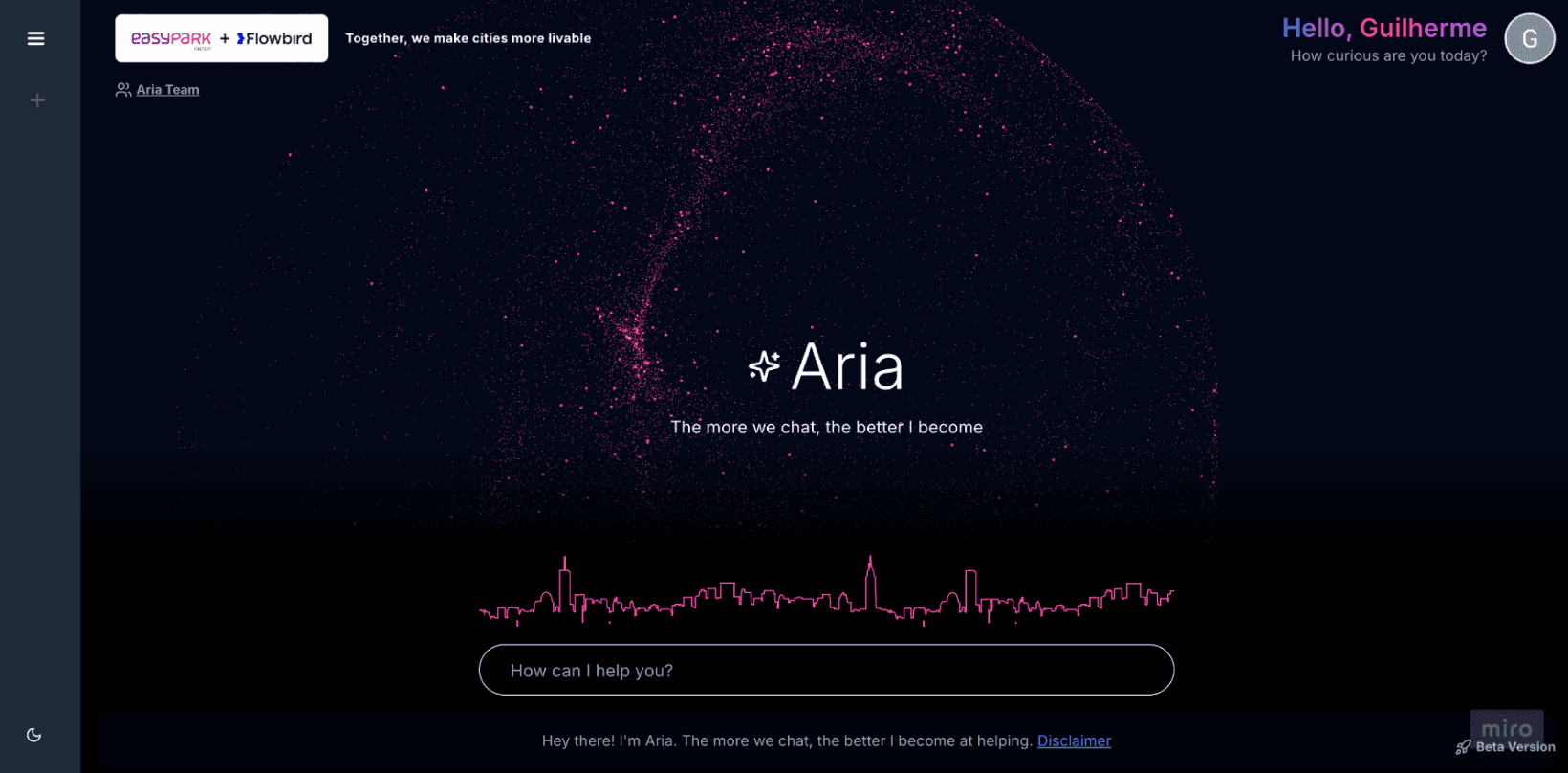
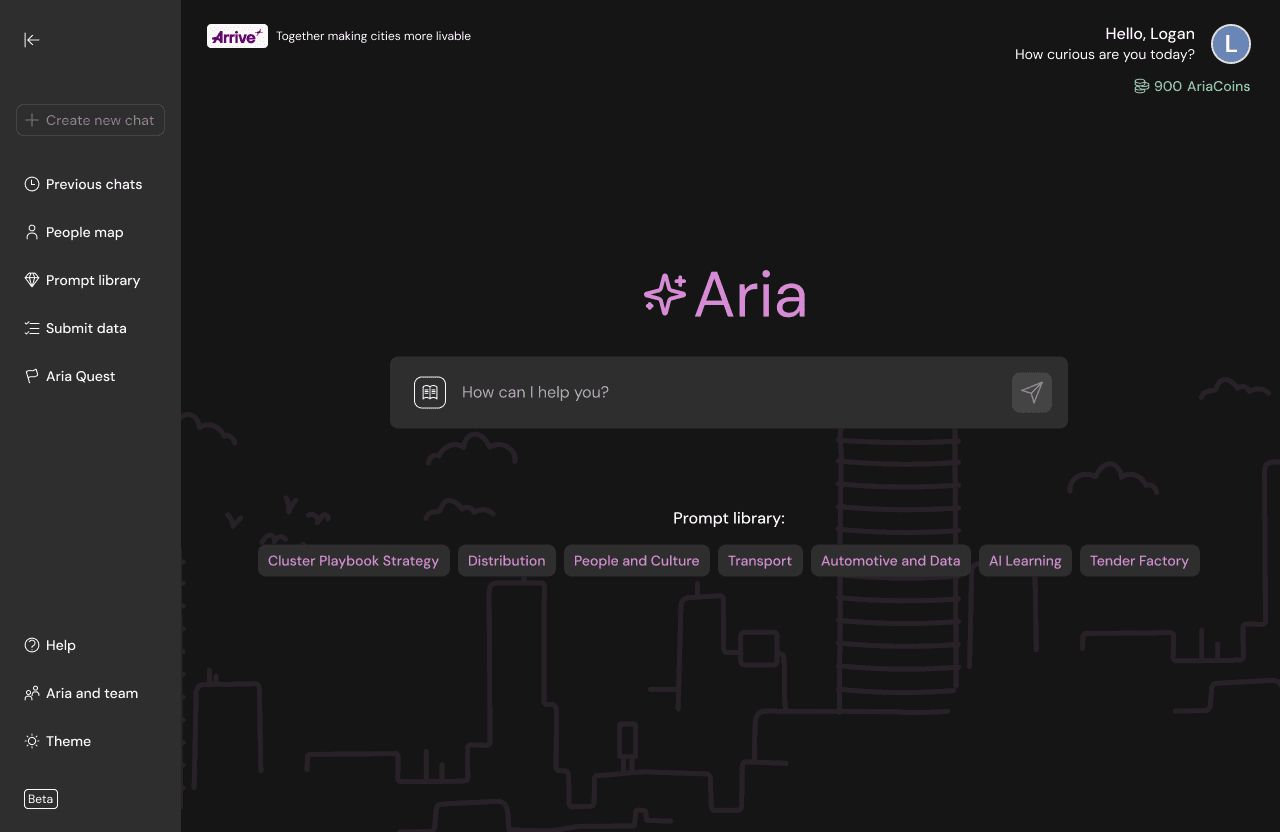
The homepage was reorganized to improve clarity and reduce noise. Key improvements:
The homepage was reorganized to improve clarity and reduce noise. Key improvements:
The homepage was reorganized to improve clarity and reduce noise. Key improvements:
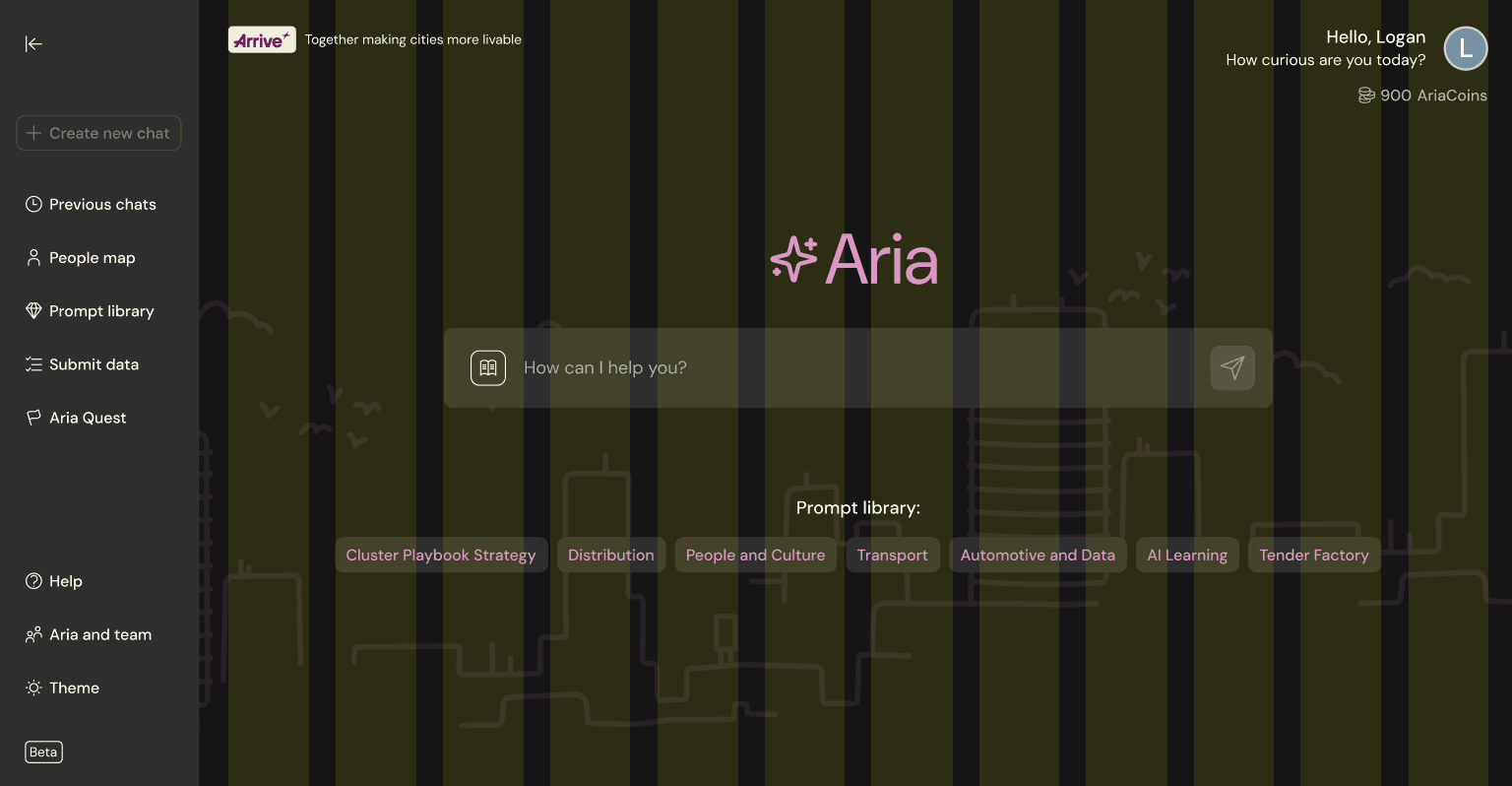
Clear hierarchy and reduced visual clutter
Clear hierarchy and reduced visual clutter
Clear hierarchy and reduced visual clutter
Prompt Library categories are visible on the homepage
Prompt Library categories are visible on the homepage
Prompt Library categories are visible on the homepage
Stronger use of DS components and brand elements
Stronger use of DS components and brand elements
Stronger use of DS components and brand elements
Clean, centered structure using the grid
Clean, centered structure using the grid
Clean, centered structure using the grid
Desktop
Mobile
Desktop
Mobile
Desktop
Mobile
Sidebar navigation
Sidebar navigation
User feedback showed that navigation felt hidden and confusing. The new sidebar is:
User feedback showed that navigation felt hidden and confusing.
The new sidebar is:
User feedback showed that navigation felt hidden and confusing.
The new sidebar is:
Open by default, but lightweight
Open by default, but lightweight
Open by default, but lightweight
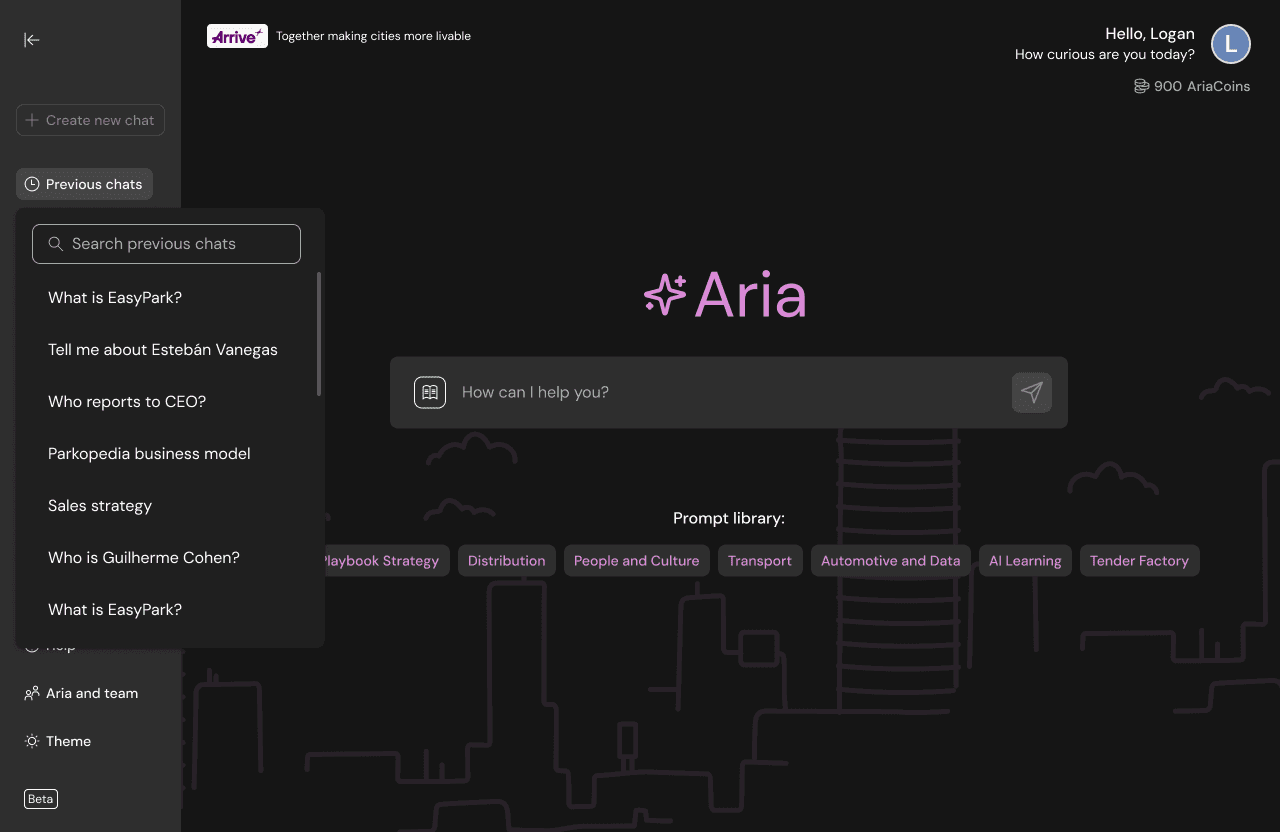
Divided into two clear sections: 1. Features (core actions) 2. Help & Credits (support content)
Divided into two clear sections: 1. Features (core actions) 2. Help & Credits (support content)
Divided into two clear sections: 1. Features (core actions) 2. Help & Credits (support content)
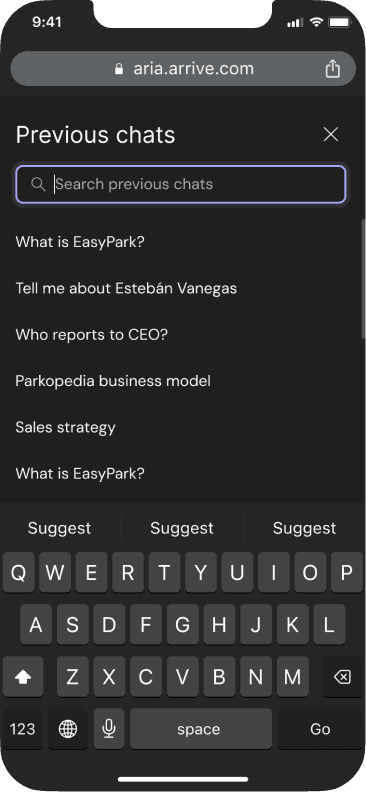
“Previous chats” opens a dropdown with a searchable list
“Previous chats” opens a dropdown with a searchable list
“Previous chats” opens a dropdown with a searchable list
Desktop
Mobile

Desktop
Mobile
Desktop
Mobile
Aria answers
Aria answers
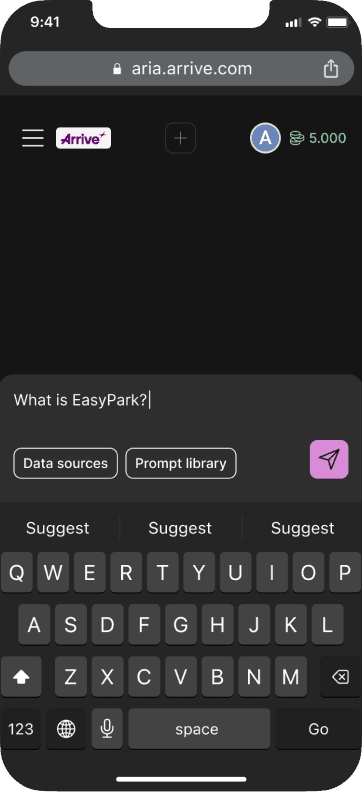
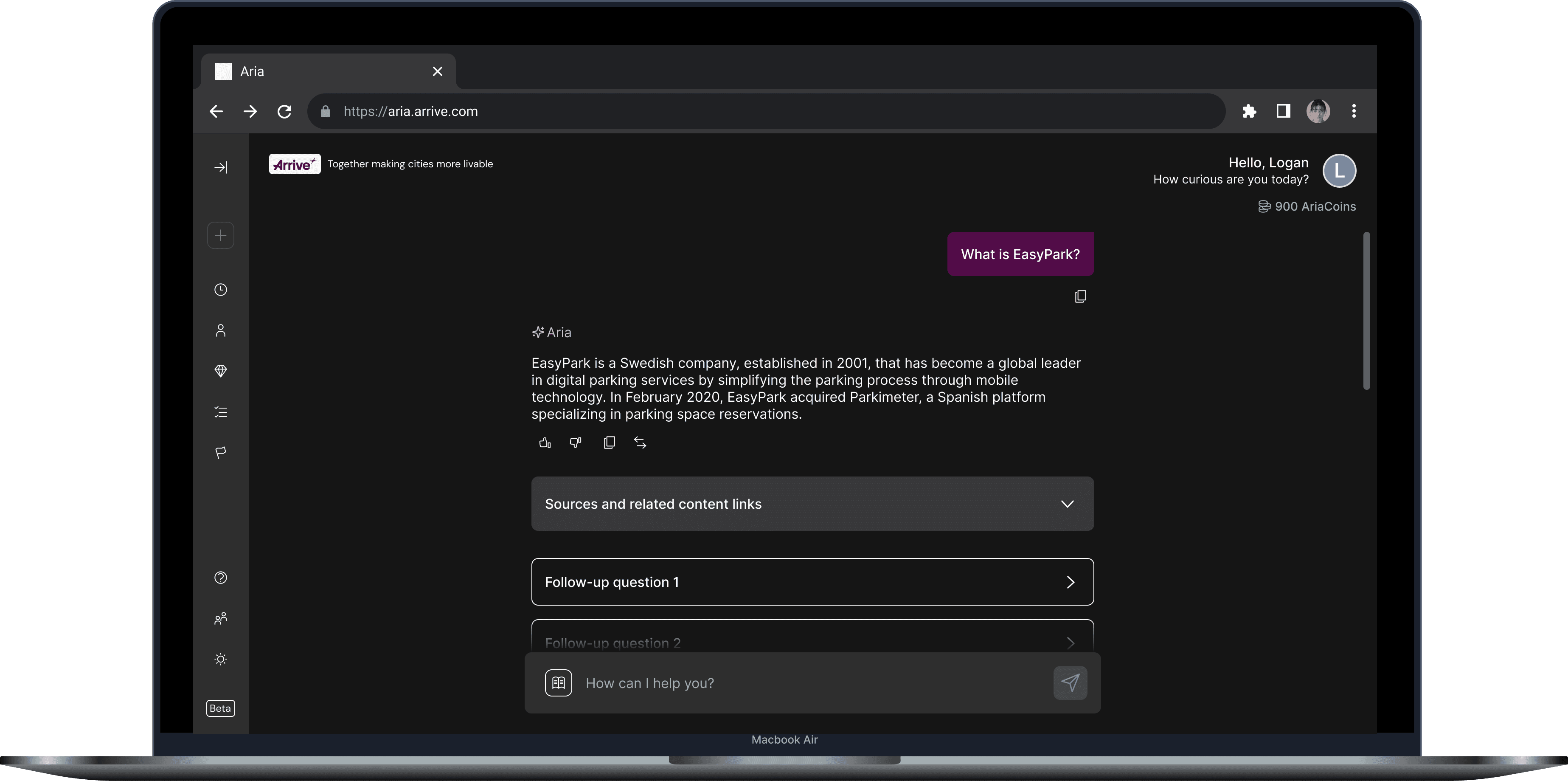
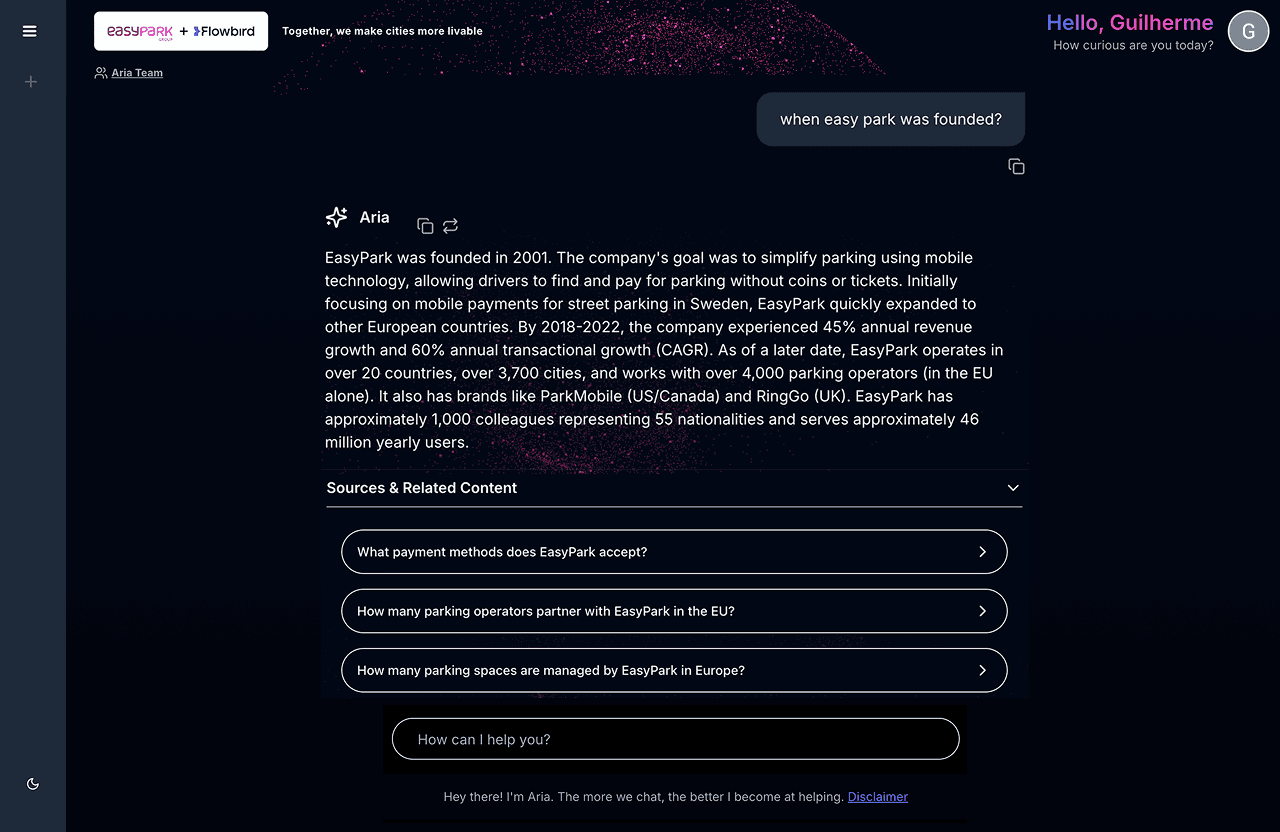
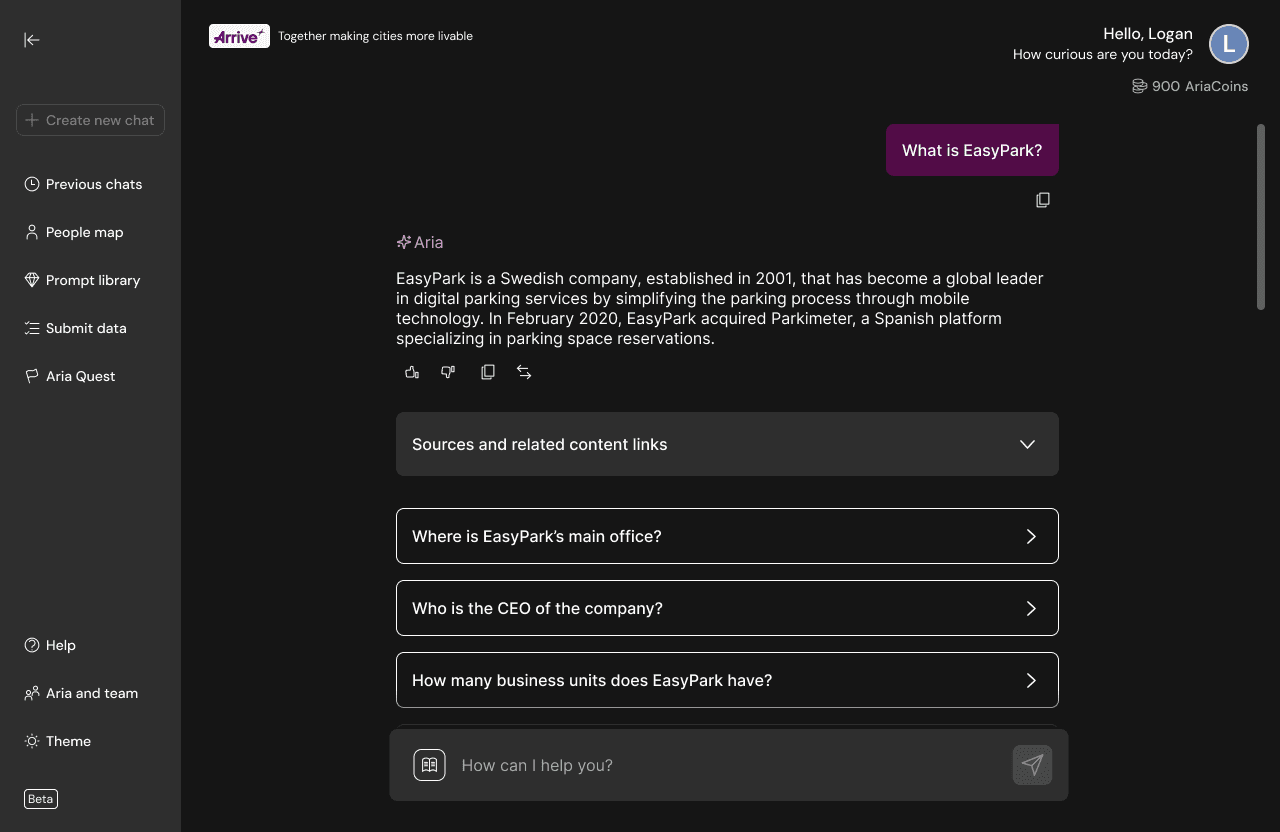
With the grid system in place, answer layouts became significantly clearer. Improvements include:
With the grid system in place, answer layouts became significantly clearer. Improvements include:
With the grid system in place, answer layouts became significantly clearer. Improvements include:
Consistent spacing between user input → Aria answer → follow-ups suggestions
Consistent spacing between user input → Aria answer → follow-ups suggestions
Consistent spacing between user input → Aria answer → follow-ups suggestions
More readable paragraph width
More readable paragraph width
More readable paragraph width
Clean visual grouping to reduce cognitive load
Clean visual grouping to reduce cognitive load
Clean visual grouping to reduce cognitive load
Desktop
Mobile
Desktop
Mobile
Desktop
Mobile
Prompt Library
Prompt Library
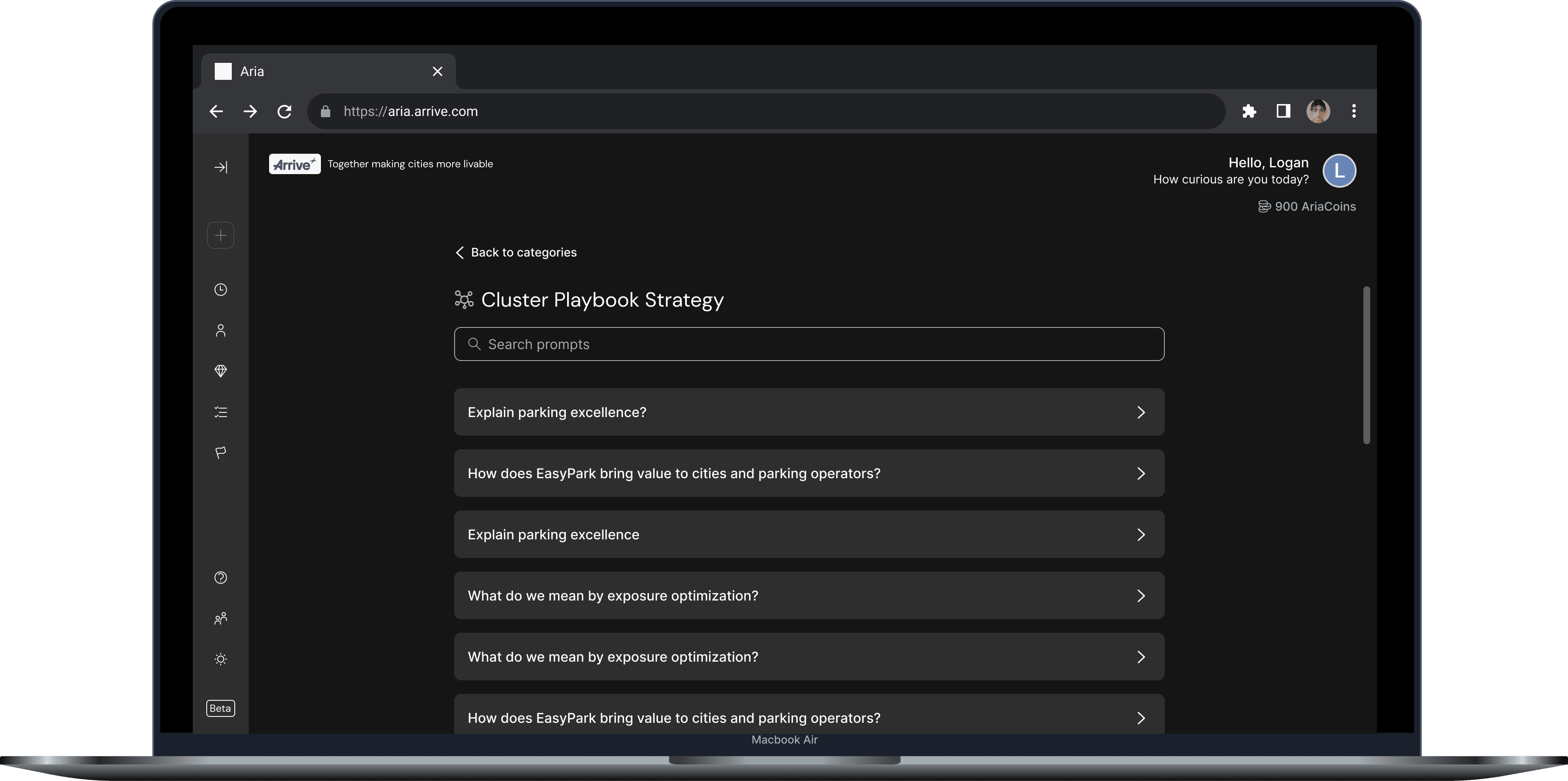
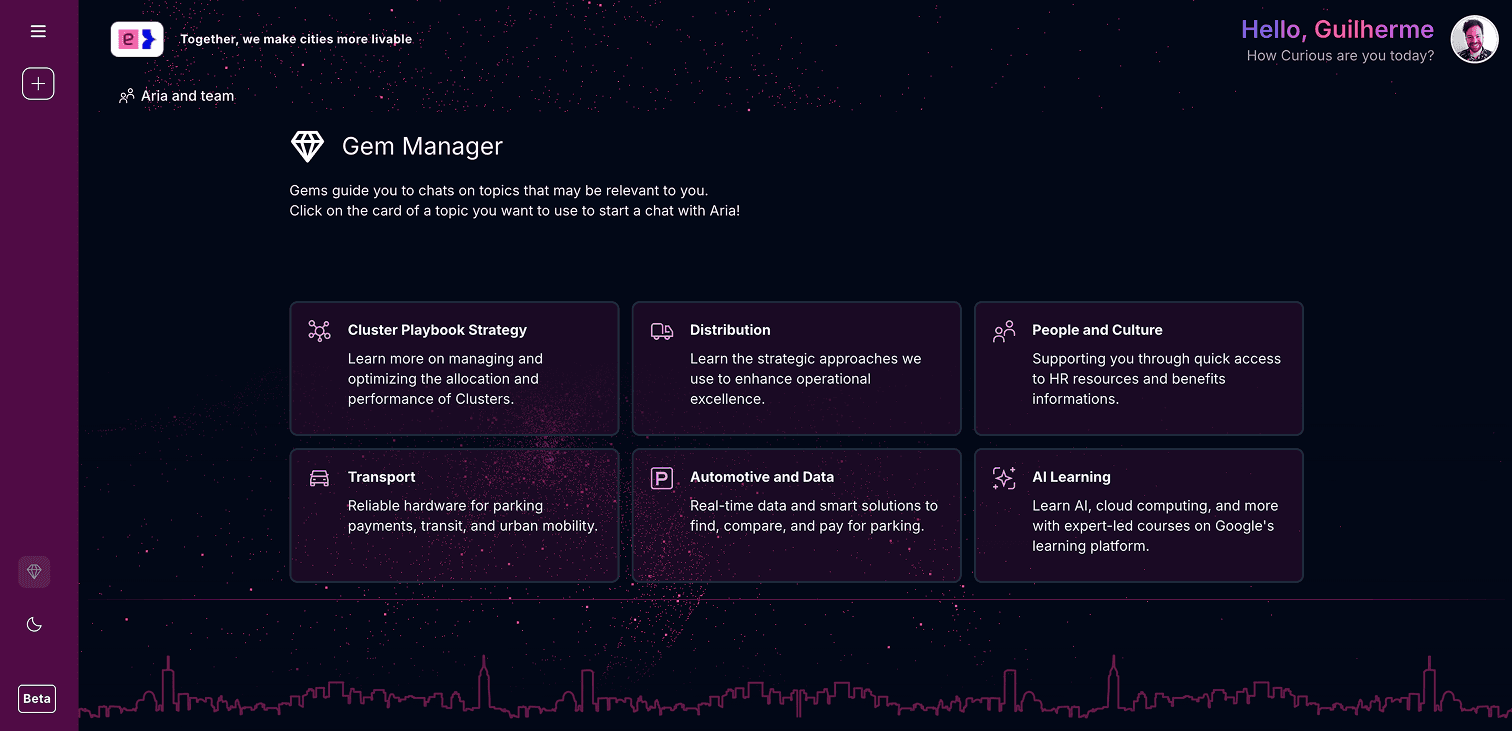
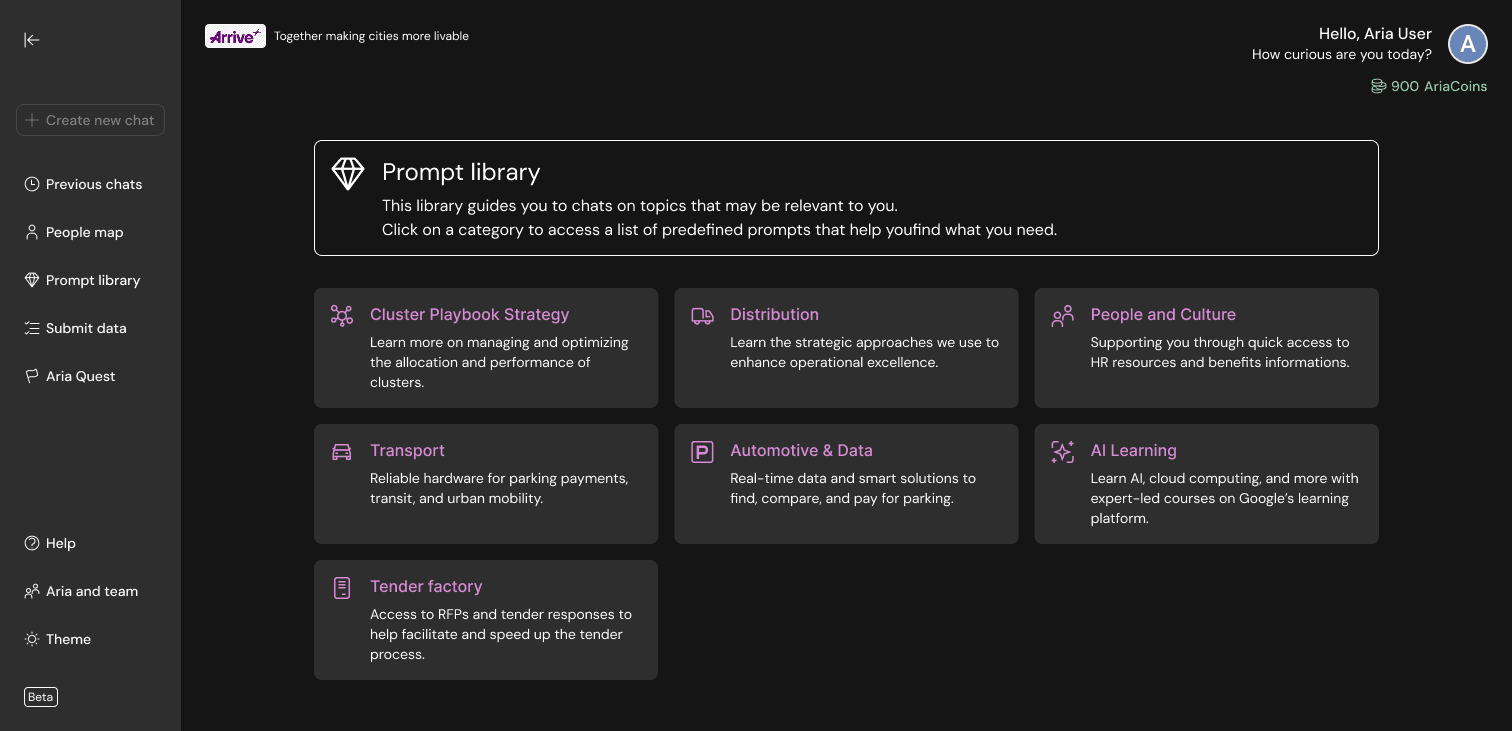
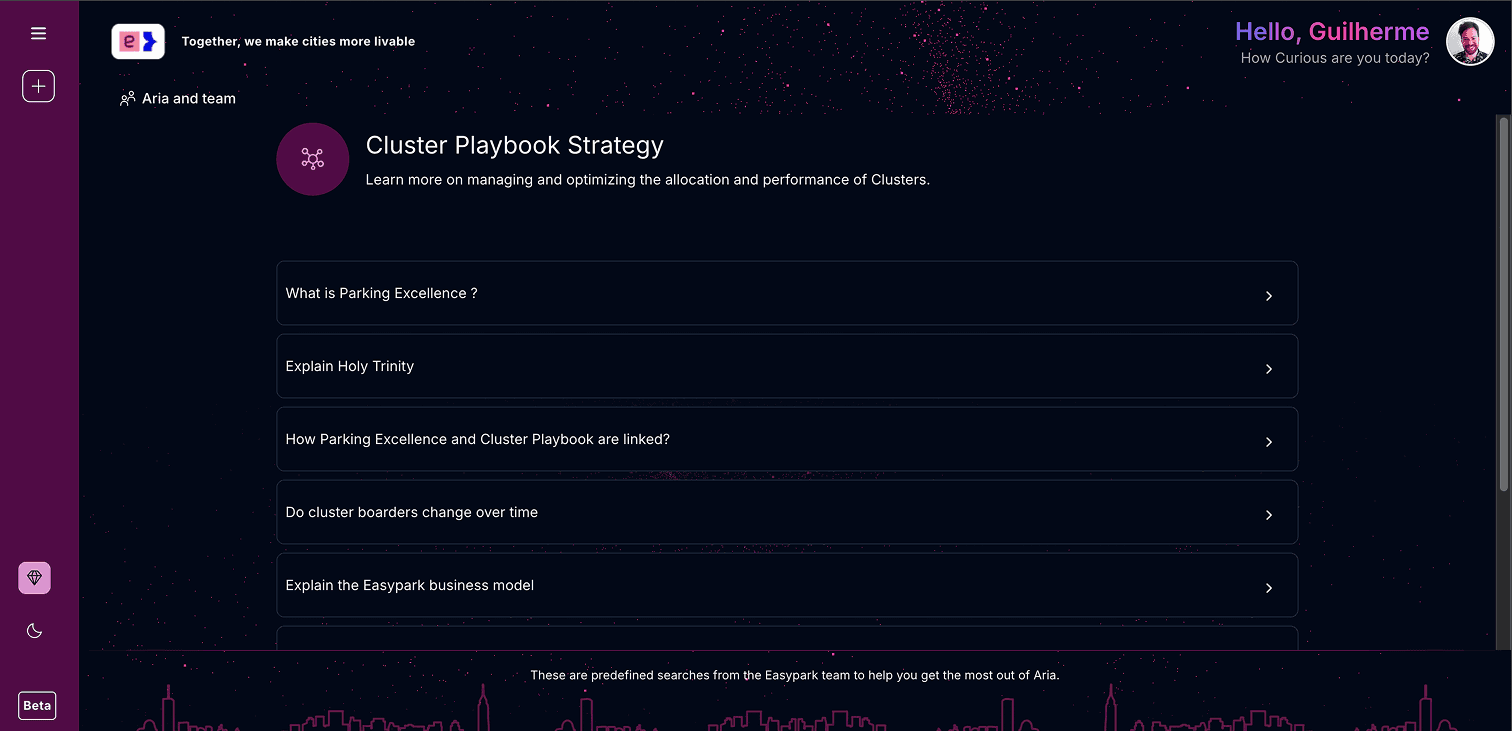
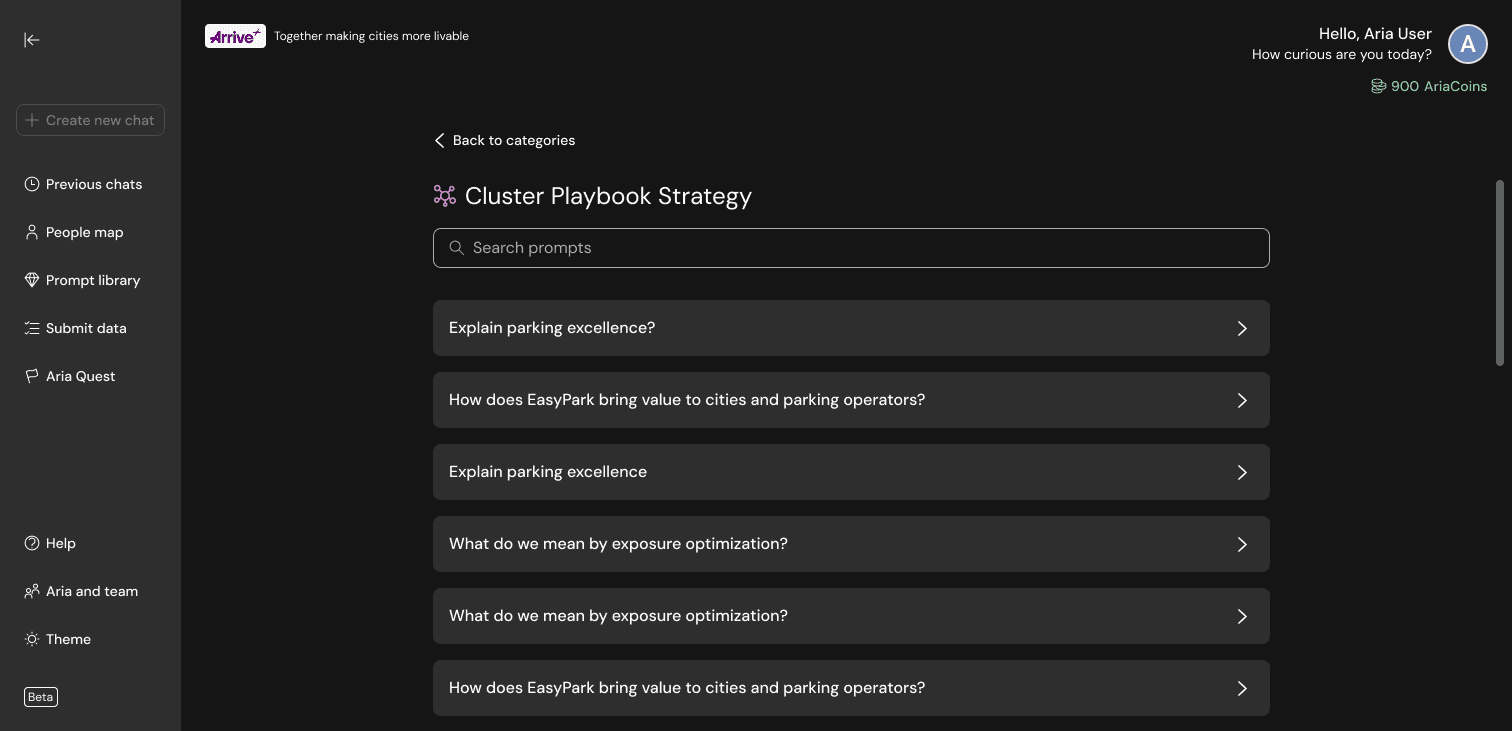
As the Prompt Library grew, it needed structure. The redesign introduced:
As the Prompt Library grew, it needed structure. The redesign introduced:
As the Prompt Library grew, it needed structure. The redesign introduced:
Category blocks are organized by the grid
Category blocks are organized by the grid
Category blocks are organized by the grid
A more navigable layout for browsing prompts
A more navigable layout for browsing prompts
A more navigable layout for browsing prompts
A search bar inside each category
A search bar inside each category
A search bar inside each category
Desktop
Mobile
Desktop
Mobile
Desktop
Mobile
Help section
Help section
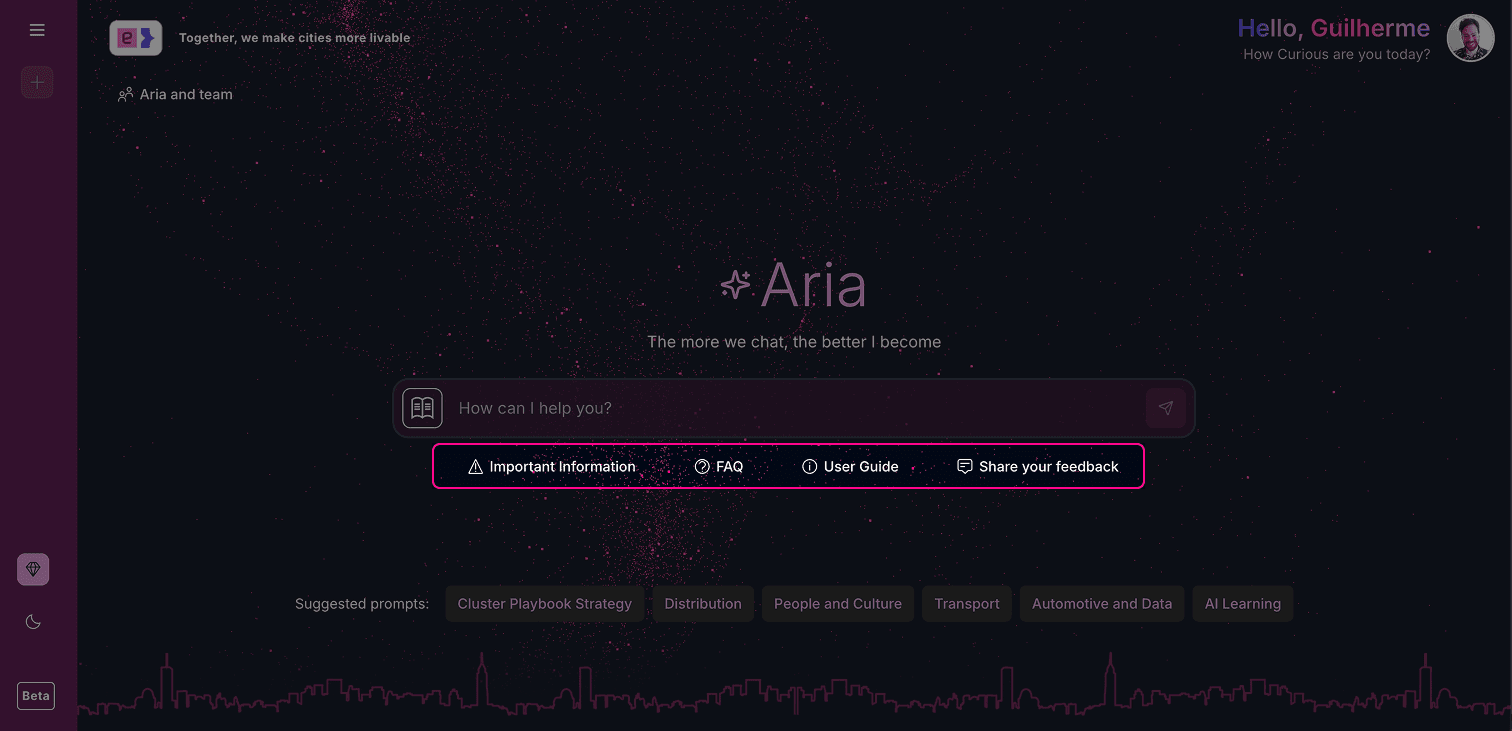
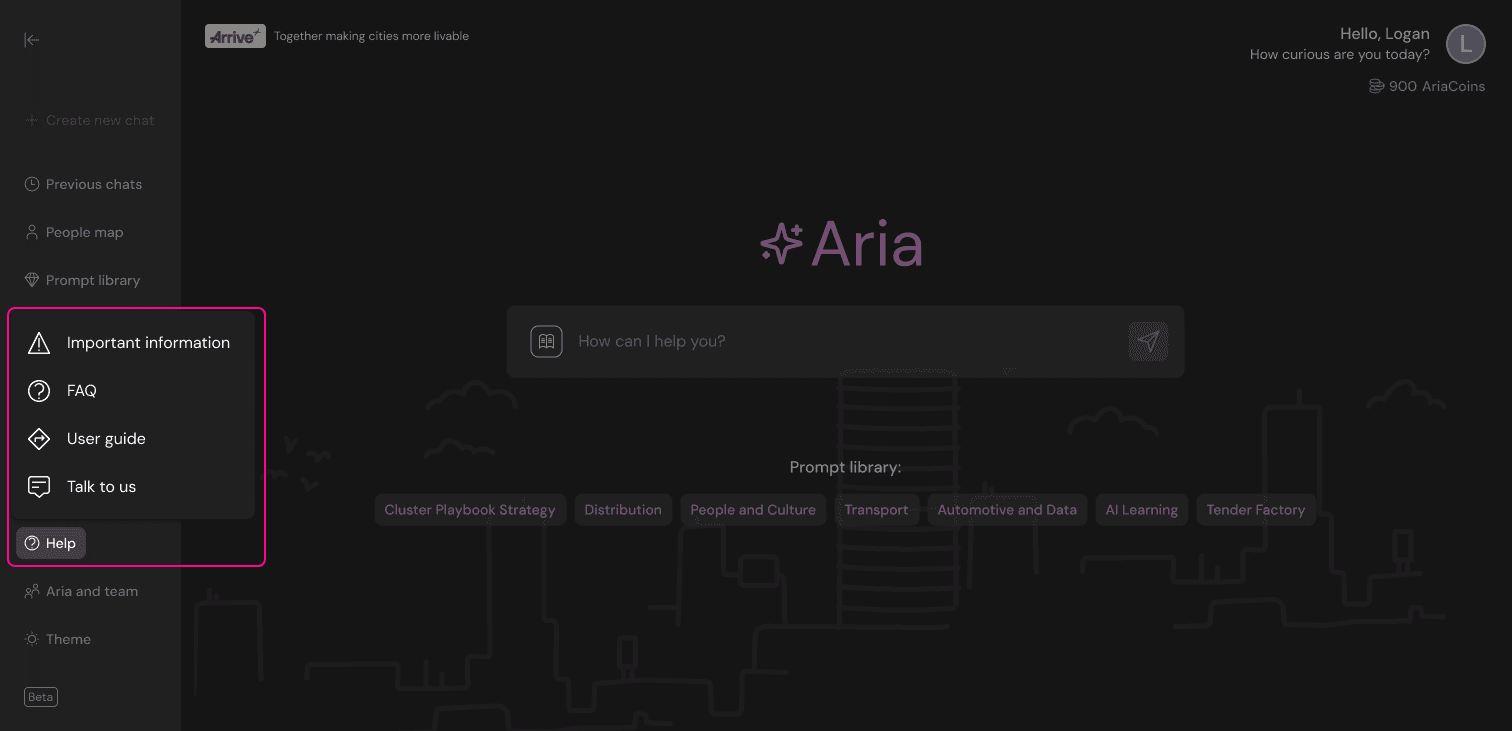
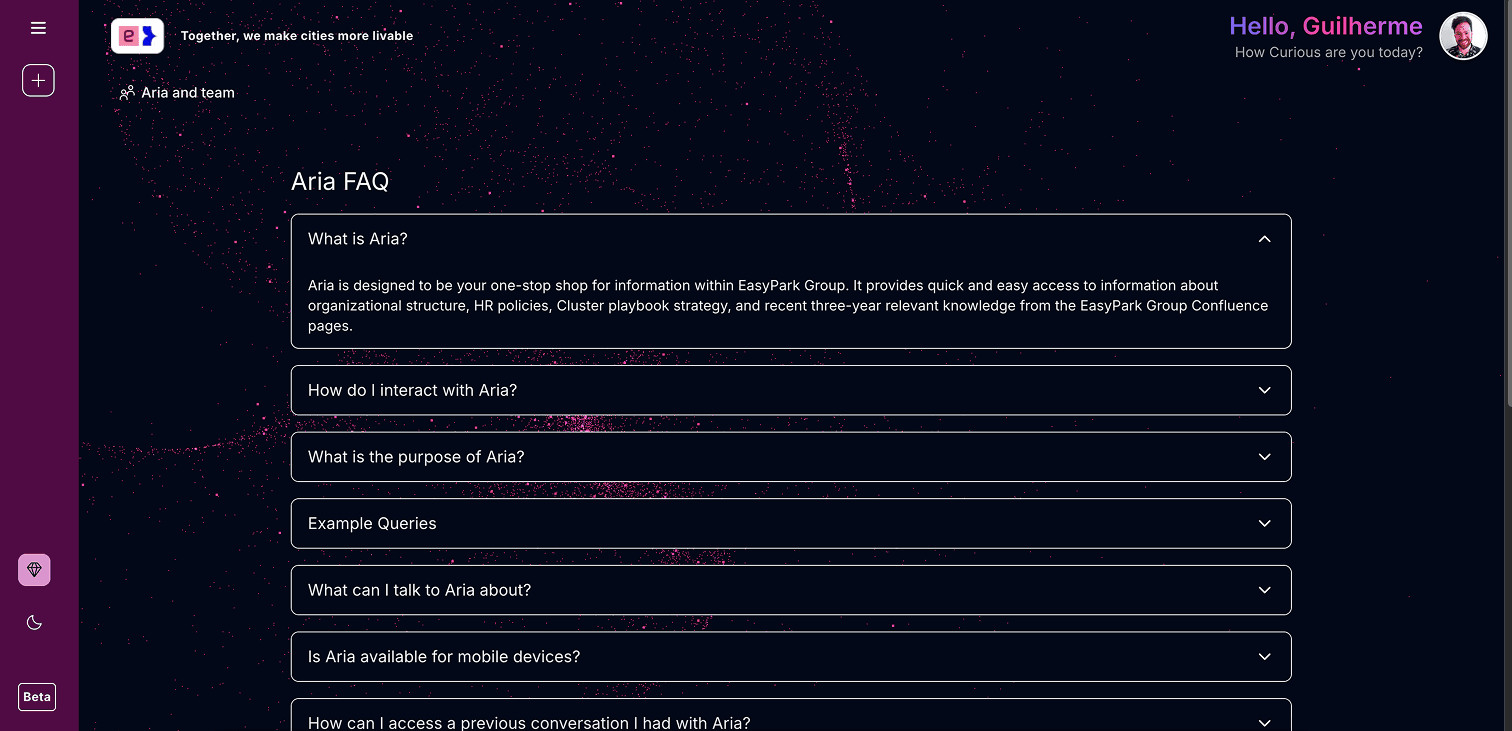
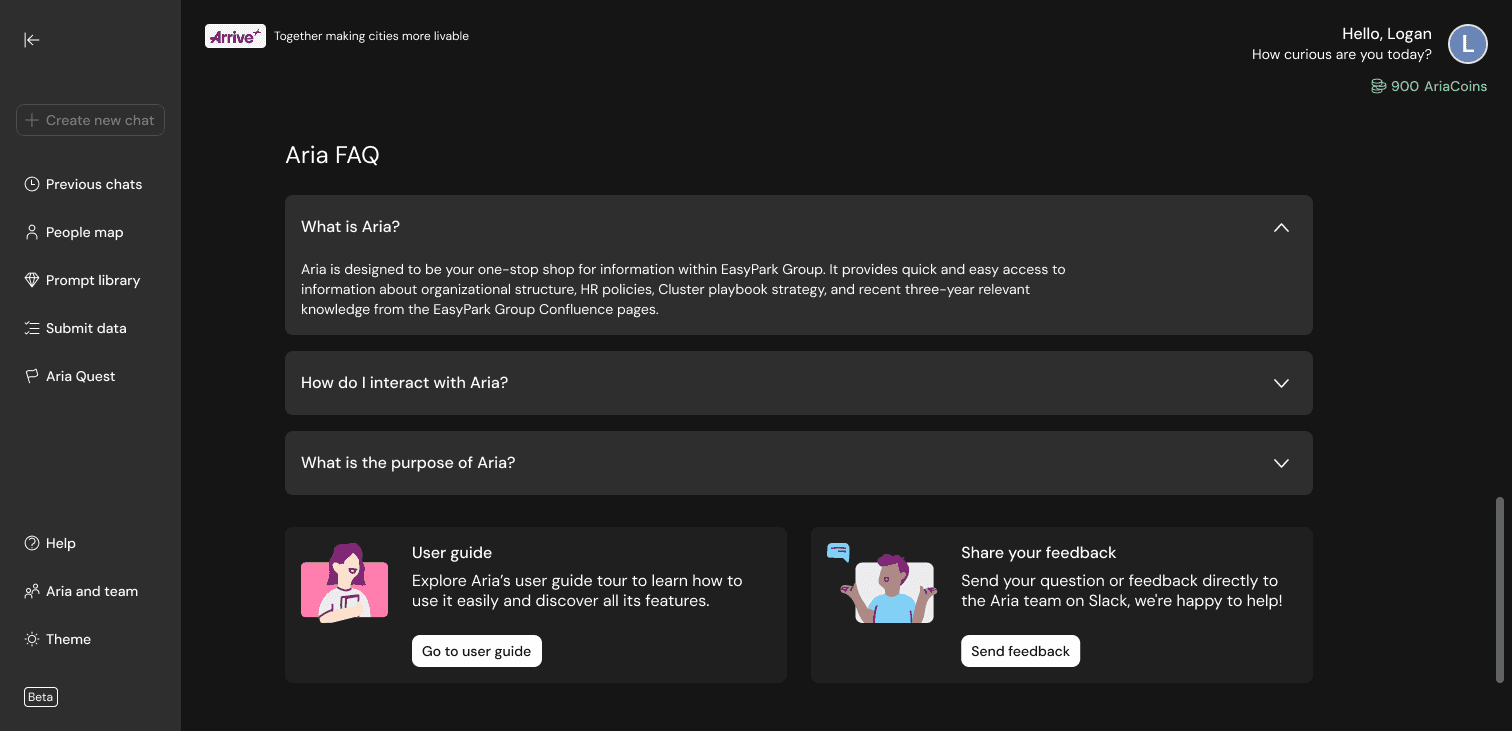
All support content was consolidated into a single, predictable area, replacing scattered links with one clear entry point. Now included:
All support content was consolidated into a single, predictable area, replacing scattered links with one clear entry point. Now included:
All support content was consolidated into a single, predictable area, replacing scattered links with one clear entry point. Now included:
FAQ
FAQ
FAQ
Guided tour for first access
Guided tour for first access
Guided tour for first access
“Talk to us” modal explaining Slack redirection
“Talk to us” modal explaining Slack redirection
“Talk to us” modal explaining Slack redirection
Desktop
Mobile
Desktop
Mobile
Desktop
Mobile
Data quality features
Data quality features
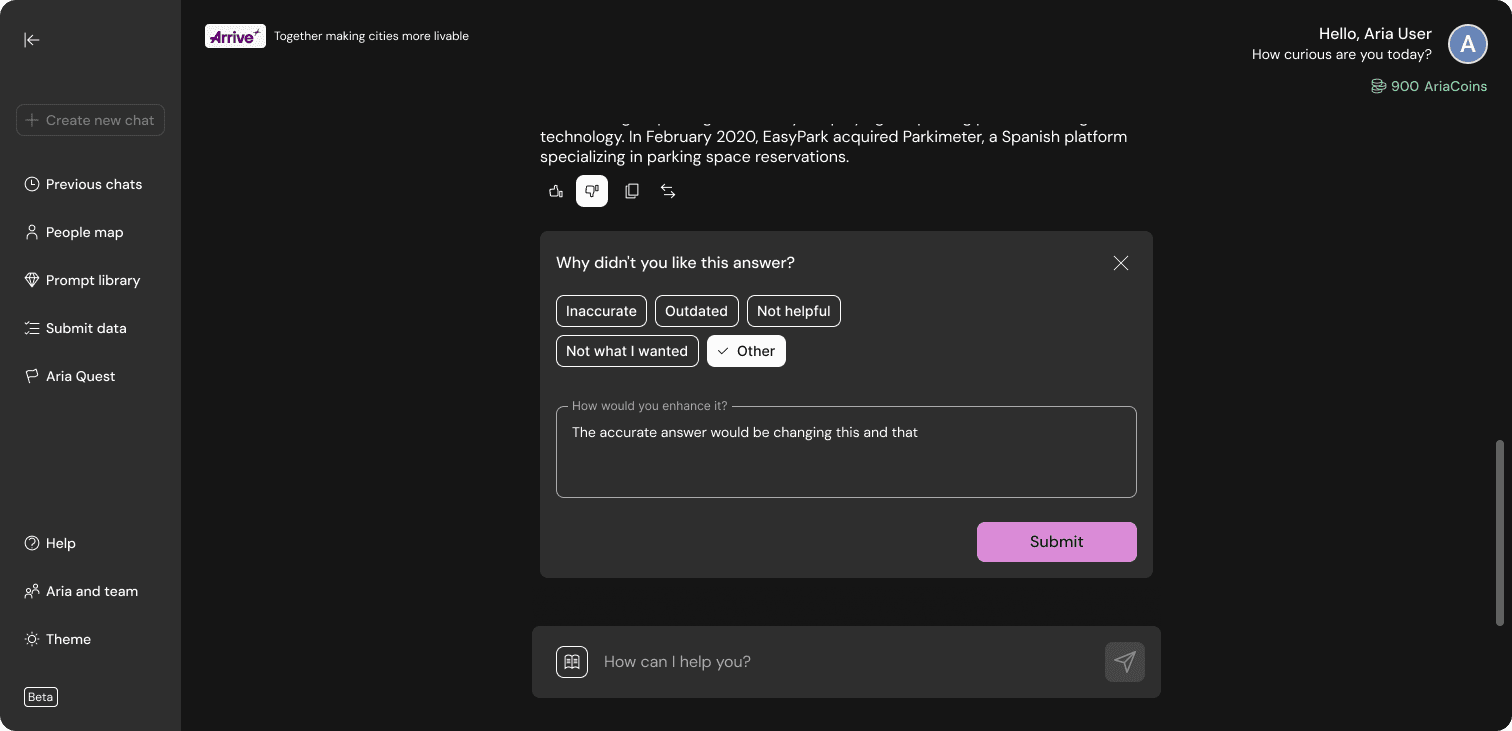
To address the survey’s primary concern — answer accuracy — two new features were introduced:
To address the survey’s primary concern — answer accuracy — two new features were introduced:
To address the survey’s primary concern — answer accuracy — two new features were introduced:
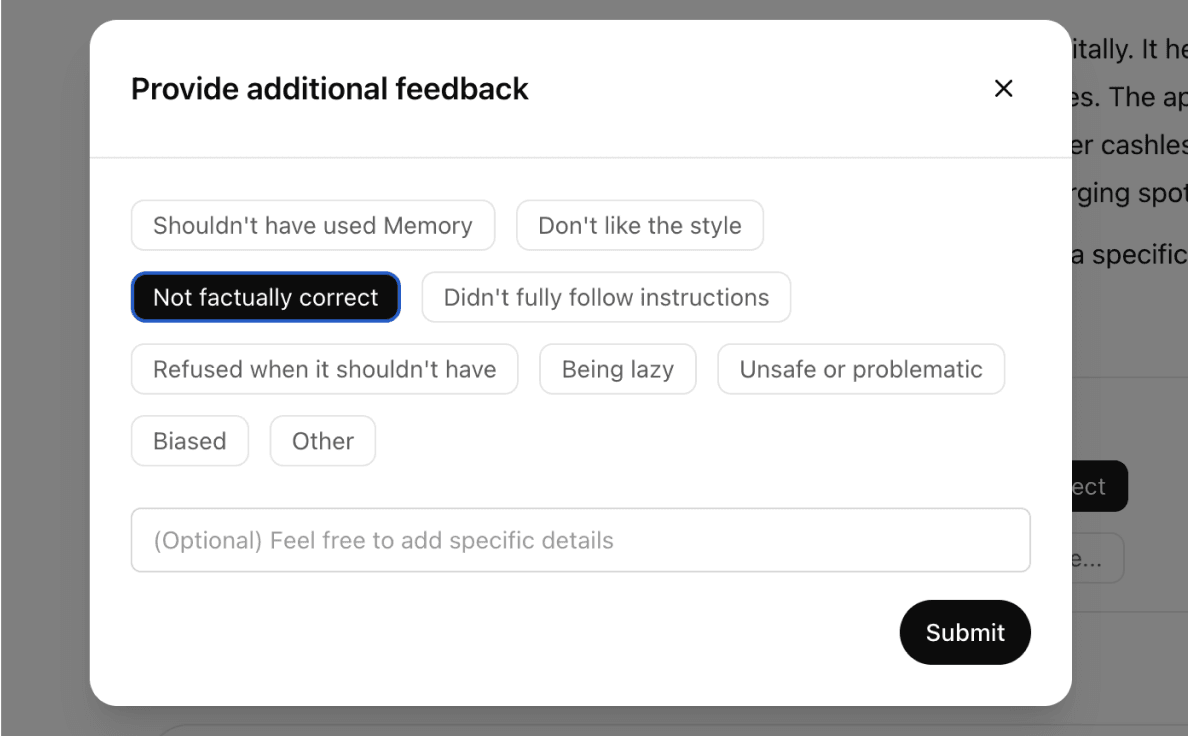
Answer Feedback: users can rate or flag incorrect responses
Answer Feedback: users can rate or flag incorrect responses
Answer Feedback: users can rate or flag incorrect responses
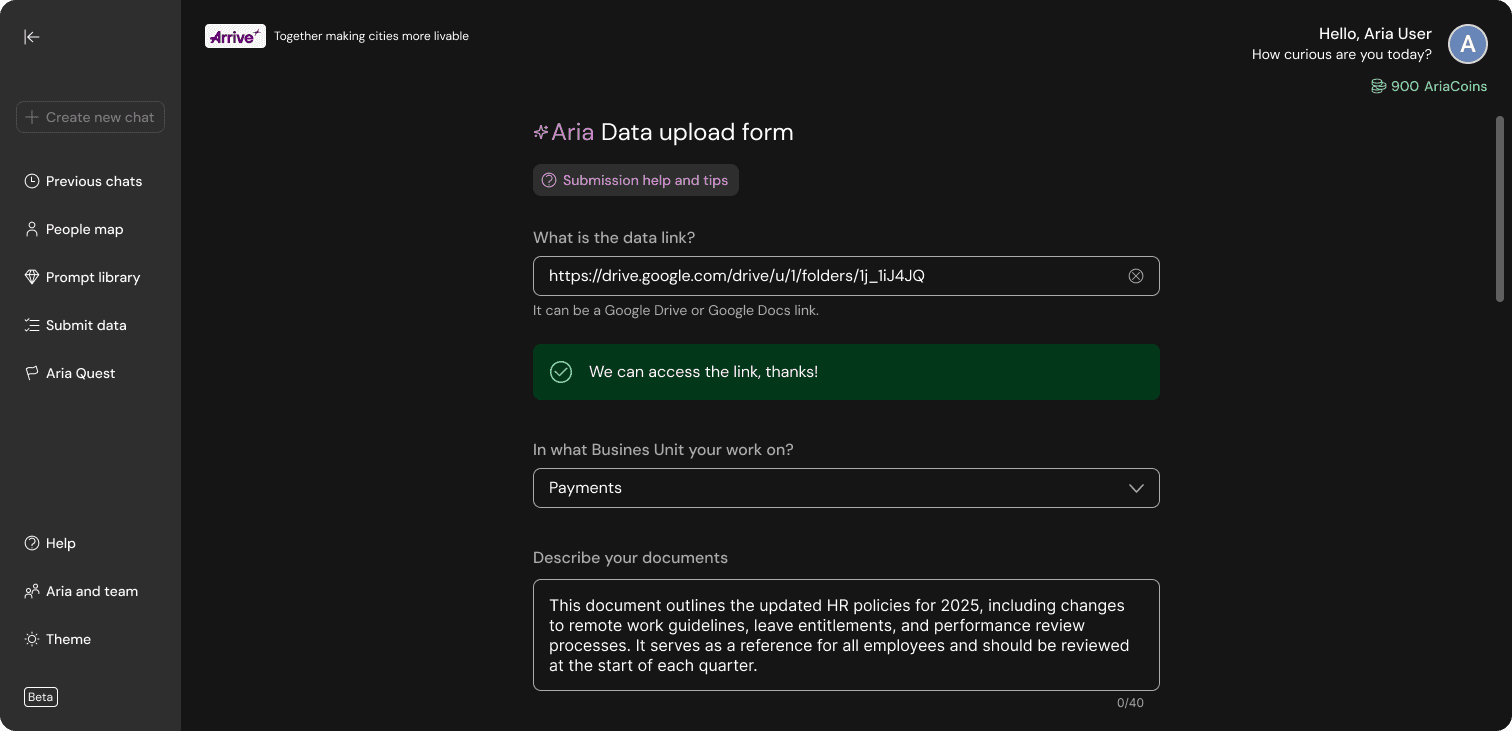
Data Submission Flow: employees can upload or update company information
Data Submission Flow: employees can upload or update company information
Data Submission Flow: employees can upload or update company information
Together, they create a continuous improvement loop for Aria’s knowledge base.
Together, they create a continuous improvement loop for Aria’s knowledge base.
Together, they create a continuous improvement loop for Aria’s knowledge base.
Desktop
Mobile
Desktop
Mobile
Desktop
Mobile